您现在的位置是:首页 > cms教程 > WordPress教程WordPress教程
wordpress上传文件位置在哪
 绿春2023-07-01WordPress教程已有人查阅
导读WordPress默认的上传文件的目录是/wp-content/uploads,而且文件是以年月的形式组织的,虽然我们可以去掉按照年月组织的选项,或者更改存储路径
wordpress上传的文件在哪
WordPress默认的上传文件的目录是/wp-content/uploads,而且文件是以年月的形式组织的,虽然我们可以去掉按照年月组织的选项,或者更改存储路径,但这个设置会应用到全局,不能按照特定条件选择特定目录存储文件。
WordPress上传默认设置
有时候将不同类型的文件分门别类存储,似乎比年月目录更有意义。例如幻灯片应该存储在slides目录下,下载文件应该存储在downloads文件夹下。就说幻灯片slideshow,我比较喜欢用自定义文章类型(Custom Post Type)实现,有些幻灯片脚本比较个性,不支持 路径,必须用相对路径,然后用base参数设置相对于哪个文件夹,这样幻灯片必须存储在某个特定的文件夹中,年月形式显然不满足要求。所以,我们需要条件化的设置上传目录。
为Custom Post Type设置上传目录
假设我要将所有在幻灯片类型的文章中上传的文件存储到/wp-content/uploads/slides文件夹中,将下面的代码放到主题的functions.php中即可
function custom_upload_directory( $uploads ) {
    $id = $_REQUEST['post_id'];
        $parent = get_post( $id )->post_parent;

    if( "post-type" == get_post_type( $id ) || "post-type" == get_post_type( $parent ) ) {
        $subdir = 'slides';
        $uploads['subdir'] = $subdir;
        $uploads['path'] = $uploads['basedir'].DIRECTORY_SEPARATOR.$subdir;
        $uploads['url'] = $uploads['baseurl'].'/'.$subdir;
    }
    return $uploads;
}
add_filter( 'upload_dir', 'custom_upload_directory' );
将post-type替换成自己的自定义文章类型名称,将你要创建的子目录赋值给$subdir。
将文件保存到插件目录
下面的代码要用在插件中,文件会保存到插件目录下的uploads文件夹下。
/**
 * Change Upload Directory for Custom Post-Type
 *
 * This will change the upload directory for a custom post-type. Attachments will
 * now be uploaded to an "uploads" directory within the folder of your plugin. Make
 * sure you swap out "post-type" in the if-statement with the appropriate value...
 */
function custom_upload_directory( $args ) {

    $id = $_REQUEST['post_id'];
    $parent = get_post( $id )->post_parent;

    // Check the post-type of the current post
    if( "post-type" == get_post_type( $id ) || "post-type" == get_post_type( $parent ) ) {
        $args['path'] = plugin_dir_path(__FILE__) . "uploads";
        $args['url']  = plugin_dir_url(__FILE__) . "uploads";
        $args['basedir'] = plugin_dir_path(__FILE__) . "uploads";
        $args['baseurl'] = plugin_dir_url(__FILE__) . "uploads";
    }
    return $args;
}
add_filter( 'upload_dir', 'custom_upload_directory' );
如果要以年月形式保存,修改一下代码即可
$args['path'] = plugin_dir_path(__FILE__) . "uploads" . $args['subdir'];
$args['url']  = plugin_dir_url(__FILE__) . "uploads" . $args['subdir'];
这段代码来自 http://wordpress.stackexchange.com/questions/35657/how-to-add-more-upload-directories/
为后台管理页面设定upload_dir
用wp_editor在后台管理页面(比如用add_menu_page创建的页面)创建一个媒体上传功能,希望所有从该页面上传的文件都保存到wp-content/uploads/myfolder目录下。
由 于ajax上传是直接调用wp-admin/async_upload.php文件,只能通过post_id获取post信息,而后台管理页面并非 post,所以判断什么时候应该更改upload_dir有些麻烦。此时,可以用采用判断页面referer的方法,用wp_get_referer() 函数获取引荐url,如果正好与我们的option page url想等,就更该目录。
function custom_upload_directory( $uploads ) {
   if( wp_get_referer() == 'http://domain.com/wp-admin/admin.php?page=myoptionpage'){
        $subdir = 'myfolder';
        $uploads['subdir'] = $subdir;
        $uploads['path'] = $uploads['basedir'].DIRECTORY_SEPARATOR.$subdir;
        $uploads['url'] = $uploads['baseurl'].'/'.$subdir;
   }
   return $uploads;
}
add_filter( 'upload_dir', 'custom_upload_directory' );
参考信息
filter:upload_dir是在wp_upload_dir()函数中调用的
$upload_dir = wp_upload_dir();
$upload_dir now contains something like the following (if successful)
Array (
    [path] => C:pathtowordpresswp-contentuploads20105
    [url] => http://example.com/wp-content/uploads/2010/05
    [subdir] => /2010/05
    [basedir] => C:pathtowordpresswp-contentuploads
    [baseurl] => http://example.com/wp-content/uploads
    [error] =>
)
感谢您的认可和支持

微信

支付宝
本文标签:
很赞哦! ()
相关教程
图文教程

wordpress可以做什么网站,wordpress可以做哪些网站
wordpress能建的网站:1、博客与个人网站,可以让站点变得更加精致、成熟;2、商业网站或者企业官网,它为用户提供了便捷的工具,可以快速启动网站
wordpress内容备份镜像站点的方法和注意事项
先我是想能够有一个共用的数据库可以给两个站点一起使用,但百度查了资料后,发现这对于虚拟主机建站来说好像不适用。直到找到了以下的代码,可以实现源站发表文章时
WordPress制作主题导航菜单的方法一
在WordPress主题制作中,导航菜单的制作算是一个重点,已经写好导航菜单的HTML代码,放在WordPress主题中如何动态调用呢
使用URLOS快速安装WordPress流程
WordPress是一个以PHP和MySQL为平台的自由开源的博客软件和内容管理系统。那么如何快速安装WordPress呢?如何借助URLOS快速安装WordPress!
相关源码
-
 (响应式)企业管理人力资源服务类pbootcms模板源码下载为人力资源服务及企业管理设计的响应式网站模板,基于PbootCMS内核开发。通过宽屏布局优化岗位展示效果,简洁界面聚焦人才服务核心业务,自适应技术确保在PC端与手机端查看源码
 -
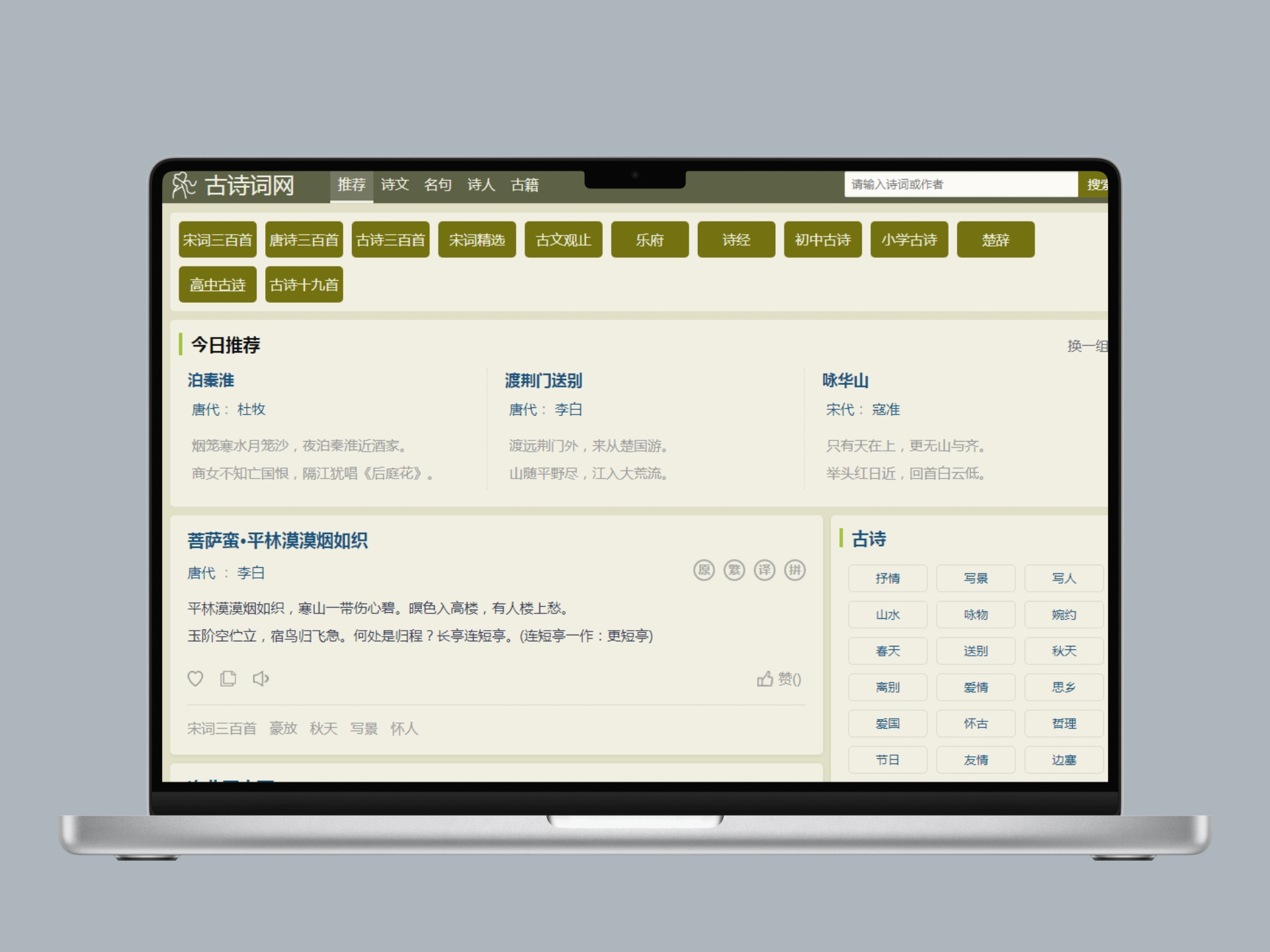 帝国cms自适应古诗词古籍名句网站整站带数据基于帝国CMS打造的专业古诗词文化网站模板,专注于古典文学内容的展示与传播。模板设计蕴含传统文化韵味,支持诗词鉴赏、名句赏析、古籍整理等特色功能,为诗词爱好者提供优质的在线阅读体验。查看源码
 -
 帝国CMS游戏应用APP推广下载站模板免费下载本模板为移动应用推广、手机游戏推广行业设计,集成H5游戏平台与APP下载功能,支持PC端与移动端自适应访问。专注于为应用开发商、游戏发行商提供专业的线上推广展示平台。查看源码
 -
 (自适应)水墨风中药馆中医名医介绍pbootcms网站模板本模板基于PbootCMS内核开发,为中医馆、中医药企业量身定制,可快速搭建具有传统文化特色的官方网站。自适应手机端设计,数据实时同步,助您高效展示中医特色诊疗、中药产品、养生知识等内容,塑造专业品牌形象。查看源码
 -
 (PC+WAP)蓝色玻璃纤维制品环保设备营销型pbootcms模板源码下载这是一款针对玻璃纤维行业特点设计的网站模板,采用蓝色系配色方案,体现工业感和环保理念。模板包含产品中心、应用案例、技术支持和新闻动态等核心模块,能够全面展示玻璃纤维制品的技术参数和应用场景。查看源码
 -
 (自适应手机端)英文外贸电子产品通用pbootcms模板源码下载为电子产品外贸企业设计的响应式网站模板,采用PbootCMS开发内核,支持多语言展示。模板默认集成产品展示系统、询价表单模块和企业资质展示区,满足跨境贸易基础需求。整站采用模块化设计,便于扩展业务场景。查看源码
| 分享笔记 (共有 篇笔记) |