您现在的位置是:首页 > cms教程 > 帝国CMS教程帝国CMS教程
帝国CMS百度主动提交URL和熊掌号提交的方法
 怀蕊2023-05-26帝国CMS教程已有人查阅
导读帝国CMS百度主动提交URL和熊掌号修改方法,首先打开ecmsinfo.php,添加以下代码,打开listinfo.php ,添加提交按钮代码
帝国CMS百度主动提交URL和熊掌号修改方法,首先打开ecmsinfo.php,添加以下代码
elseif($enews == "Post_Baidu_sitemap") //文章实时发送百度
{
    $id = $_POST['id'];
    $urls = $_POST['titleurl'];
    ePostBaiduSitemap($id, $urls);
}
elseif($enews == "Post_realtime") //熊掌号新增内容接口
{
    $id = $_POST['id'];
    $urls = $_POST['titleurl'];
    ePostrealtime($id, $urls);
}
elseif($enews == "Post_batch") //熊掌号历史内容接口
{
    $id = $_POST['id'];
    $urls = $_POST['titleurl'];
    ePostrealtime($id, $urls);
}
打开listinfo.php ,添加提交按钮代码
< input type = "submit" name = "Submit101" value = "百度URL主动提交" onClick = "document.listform.enews.value='Post_Baidu_sitemap';document.listform.action='ecmsinfo.php';" >
< input type = "submit" name = "Submit52" value = "熊掌号新增内容" onClick = "document.listform.enews.value='Post_realtime';document.listform.action='ecmsinfo.php';" >
< input type = "submit" name = "Submit102" value = "熊掌号历史内容" onClick = "document.listform.enews.value='Post_batch';document.listform.action='ecmsinfo.php';" >
打开userfun.php,,添加提交函数
//发送给百度时时更新-------------------------------
function ePostBaiduSitemap($id, $_urls) {
    $site = 'https://www.pc07.com'; //你的网站域名
    $token = 'JG43q1HpKMWiNQ3D'; //百度给的token
    $countcount = count($id);
    if (empty($count)) {
        printerror("未选择信息ID", "", 1, 0, 1);
    }
    $urls = array();
    for ($i = 0; $i < $count; $i++) {
        $id[$i] = (int) $id[$i];
        if (array_key_exists($id[$i], $_urls)) {
            $urls[] = $_urls[$id[$i]];
        }
    }
    $api = "http://data.zz.baidu.com/urls?site=$site&token=$token";
    $ch = curl_init();
    $options = array(CURLOPT_URL = > $api, CURLOPT_POST = > true, CURLOPT_RETURNTRANSFER = > true, CURLOPT_POSTFIELDS = > implode("n", $urls), CURLOPT_HTTPHEADER = > array('Content-Type: text/plain'), );
    curl_setopt_array($ch, $options);
    $result = curl_exec($ch);
    $httpstat = curl_getinfo($ch, CURLINFO_HTTP_CODE);
    curl_close($ch);
    if ($httpstat == 200) {
        $obj = json_decode($result);
        printerror("今天剩余{$obj->remain}条,成功提交{$obj->success}条", "", 1, 0, 1);
    } else {
        printerror('推送失败', "", 1, 0, 1);
    }
}
//熊掌号新增内容接口
function ePostrealtime($id, $_urls) {
    $site = 'https://www.pc07.com'; //你的网站域名
    $token = 'HUuRZYgrlGLrVysh'; //在搜索资源平台申请的推送用的准入密钥
    $appid = '1585197816243468'; //您的熊掌号唯一识别ID
    $countcount = count($id);
    if (empty($count)) {
        printerror("未选择信息ID", "", 1, 0, 1);
    }
    $urls = array();
    for ($i = 0; $i < $count; $i++) {
        $id[$i] = (int) $id[$i];
        if (array_key_exists($id[$i], $_urls)) {
            $urls[] = $_urls[$id[$i]];
        }
    }
    $api = "http://data.zz.baidu.com/urls?appid=$appid&token=$token&type=realtime";
    $ch = curl_init();
    $options = array(CURLOPT_URL = > $api, CURLOPT_POST = > true, CURLOPT_RETURNTRANSFER = > true, CURLOPT_POSTFIELDS = > implode("n", $urls), CURLOPT_HTTPHEADER = > array('Content-Type: text/plain'), );
    curl_setopt_array($ch, $options);
    $result = curl_exec($ch);
    $httpstat = curl_getinfo($ch, CURLINFO_HTTP_CODE);
    curl_close($ch);
    if ($httpstat == 200) {
        $obj = json_decode($result);
        printerror("今天剩余{$obj->remain_realtime}条,成功提交{$obj->success_realtime}条", "", 1, 0, 1);
    } else {
        printerror('推送失败', "", 1, 0, 1);
    }
}
//熊掌号历史内容接口
function ePostbatch($id, $_urls) {
    $site = 'https://www.pc07.com'; //你的网站域名
    $token = 'HUuRZYgrlGLrVysh'; //在搜索资源平台申请的推送用的准入密钥
    $appid = '1585197816243468'; //您的熊掌号唯一识别ID
    $countcount = count($id);
    if (empty($count)) {
        printerror("未选择信息ID", "", 1, 0, 1);
    }
    $urls = array();
    for ($i = 0; $i < $count; $i++) {
        $id[$i] = (int) $id[$i];
        if (array_key_exists($id[$i], $_urls)) {
            $urls[] = $_urls[$id[$i]];
        }
    }
    $api = "http://data.zz.baidu.com/urls?appid=$appid&token=$token&type=batch";
    $ch = curl_init();
    $options = array(CURLOPT_URL = > $api, CURLOPT_POST = > true, CURLOPT_RETURNTRANSFER = > true, CURLOPT_POSTFIELDS = > implode("n", $urls), CURLOPT_HTTPHEADER = > array('Content-Type: text/plain'), );
    curl_setopt_array($ch, $options);
    $result = curl_exec($ch);
    $httpstat = curl_getinfo($ch, CURLINFO_HTTP_CODE);
    curl_close($ch);
    if ($httpstat == 200) {
        $obj = json_decode($result);
        printerror("今天剩余{$obj->remain_batch}条,成功提交{$obj->success_batch}条", "", 1, 0, 1);
    } else {
        printerror('推送失败', "", 1, 0, 1);
    }
}
感谢您的认可和支持

微信

支付宝
本文标签:
很赞哦! ()
相关教程
图文教程
帝国cms结合项筛选怎么伪静态
现在的搜索引擎越来越高级,动态页面基本也都能抓取,所以我的站长站的结合项筛选都没优化,就用的帝国CMS官方的动态结合项方法。
帝国CMS系统扩展变量使用教程
登录后台,单击“系统”菜单,选择“扩展变量”子菜单,进入管理扩展变量界面。系统扩展变量一般用来储存常用的文字变量信息,比如网站中反复出现的电话号码、QQ等联系方式。
帝国CMS下载地址字段/播放地址字段自动转义的办法
很多小伙伴由于种种需要,在下载地址或者播放地址里会填入带有双引号反斜杠这些特殊字符的连接地址,然而帝国在第一次提交的时候入库是没问题的
帝国调用我的评论列表的代码
通过本代码可以调用我的评论列表,显示评论内容及时间,点击可以进入信息内容页。
相关源码
-
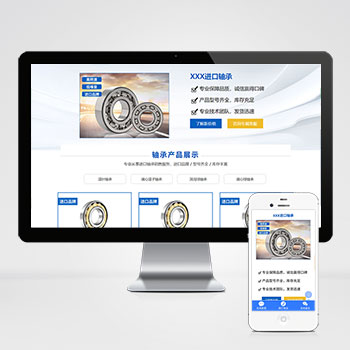 (响应式)轴承机械五金零件产品pbootcms落地推广单页源码下载为轴承、机械零件等工业产品打造的响应式单页模板,基于PbootCMS内核开发,助力企业快速构建专业级产品展示页面。模板采用工业风设计语言,突出产品参数与性能优势,适用于设备制造商、零部件供应商等B2B场景推广。查看源码
 -
 帝国CMS游戏应用APP推广下载站模板免费下载本模板为移动应用推广、手机游戏推广行业设计,集成H5游戏平台与APP下载功能,支持PC端与移动端自适应访问。专注于为应用开发商、游戏发行商提供专业的线上推广展示平台。查看源码
 -
 (PC+WAP)绿色草坪地坪操场pbootcms网站模板该模板基于PbootCMS内核开发,专为人造草坪、地坪施工企业设计,采用绿色主题呼应行业属性,实现PC与WAP端全栈响应式适配,确保跨设备无缝浏览体验。查看源码
 -
 (自适应响应式)工业机床工程农业机械设备网站源码下载框架适用于工程机械、机床设备等工业领域。通过模块调整可快速转型为农业机械、物流设备展示系统。预留7种工业产品展示模板。查看源码
 -
 (PC+WAP)pbootcms模板黑色门窗定制五金建材网站下载为门窗定制与五金建材企业设计的网站解决方案,采用PbootCMS开发,兼具专业展示与营销功能。黑色系设计突显工业质感,响应式布局确保在手机、平板等设备上的浏览体验。通过简单的内容替换,也可适用于建材贸易、家具定制等相关行业。查看源码
 -
 帝国cms7.5大型游戏资讯门户网站源码免费下载本模板基于帝国CMS7.5内核开发,为大型游戏资讯门户网站设计。模板自带响应式手机版,适配多种终端设备。内容架构针对游戏行业特点优化,支持游戏资讯、评测、攻略等内容类型的发布与管理。查看源码
| 分享笔记 (共有 篇笔记) |