您现在的位置是:首页 > cms教程 > 帝国CMS教程帝国CMS教程
帝国cms整合百度编辑器ueditor的方法
 忆翠2023-05-19帝国CMS教程已有人查阅
导读1、根据自己使用的帝国cms版本编码下载对应的ueditor版本解压附件,重命名为”ueditor“,将”ueditor“文件夹上传至帝国cms的/e/data/ecmseditor/下
1、根据自己使用的帝国cms版本编码下载对应的ueditor版本
下载地址 http://ueditor.baidu.com/website/download.html#ueditor
2、解压附件,重命名为”ueditor“,将”ueditor“文件夹上传至帝国cms的/e/data/ecmseditor/下
3、进入帝国CMS后台,依次点击:系统 - 新建表与系统模型 - 管理数据表 - 管理字段,修改字段输入表单
4、修改”newstext 新闻正文“字段
5、将以下代码,覆盖到”输入表单替换HTML代码“处
<script type="text/javascript" src="/e/data/ecmseditor/ueditor/ueditor.config.js"></script>
<script type="text/javascript" src="/e/data/ecmseditor/ueditor/ueditor.all.js"></script>
<link rel="stylesheet" href="/e/data/ecmseditor/ueditor/themes/default/ueditor.css">
<script type="text/plain" id="myEditor" name="newstext">
<?=$ecmsfirstpost==1?"":stripSlashes($r[newstext])?>
</script>
<script type="text/javascript">
var editor = new baidu.editor.ui.Editor();
editor.render("myEditor");
editor.classid = <?=$classid?>;
editor.filepass = <?=$filepass?>;
</script>
<table width="100%" border="0" cellpadding="3" cellspacing="1" bgcolor="#DBEAF5">
<tr>
<td bgcolor="#FFFFFF"> <input name="dokey" type="checkbox" value="1"<?=$r[dokey]==1?' checked':''?>>
关键字替换   <input name="copyimg" type="checkbox" id="copyimg" value="1">
远程保存图片(
<input name="mark" type="checkbox" id="mark" value="1">
<a href="SetEnews.php" target="_blank">加水印</a>)
<input name="copyflash" type="checkbox" id="copyflash" value="1">
远程保存FLASH(地址前缀:
<input name="qz_url" type="text" id="qz_url" size="">
)</td>
</tr>
<tr>

<td bgcolor="#FFFFFF"><input name="repimgnexturl" type="checkbox" id="repimgnexturl" value="1"> 图片链接转为下一页   <input name="autopage" type="checkbox" id="autopage" value="1"> 自动分页
,每
<input name="autosize" type="text" id="autosize" value="5000" size="5">
个字节为一页   取第
<input name="getfirsttitlepic" type="text" id="getfirsttitlepic" value="" size="1">
张上传图为标题图片(
<input name="getfirsttitlespic" type="checkbox" id="getfirsttitlespic" value="1">
缩略图: 宽
<input name="getfirsttitlespicw" type="text" id="getfirsttitlespicw" size="3" value="<?=$public_r[spicwidth]?>">
*高
<input name="getfirsttitlespich" type="text" id="getfirsttitlespich" size="3" value="<?=$public_r[spicheight]?>">
)</td>
</tr>
</table>
6、帝国CMS百度编辑器整合完成,其他模型整合同理。帝国CMS前台显示代码高亮教程。将以下代码复制到要显示代码高亮的页面。
<script src="/e/data/ecmseditor/ueditor/third-party/SyntaxHighlighter/shCore.js" type="text/javascript"></script>
<link rel="stylesheet" href="/e/data/ecmseditor/ueditor/third-party/SyntaxHighlighter/shCoreDefault.css">
<script type="text/javascript">
SyntaxHighlighter.all();
</script>
最后在加一条解决百度编辑器代码高亮不换行的BUG1、找到高亮代码显示的css文件 /e/data/ecmseditor/ueditor/third-party/SyntaxHighlighter/shCoreDefault.css
2、搜索
width:100%!important;margin:.3em 0 .3em 0!important;position:relative!important;overflow:auto!important;background-color:#f5f5f5!important;border:1px solid #ccc!important;
3、替换成以下代码
width:100%!important;margin:.3em 0 .3em 0!important;position:relative!important;overflow:auto!important;background-color:#f5f5f5!important;border:1px solid #ccc!important;word-break:break-all;
4、保存完成附上原来的代码
<?=ECMS_ShowEditorVar("newstext",$ecmsfirstpost==1?"":stripSlashes($r[newstext]),"Default","","1000px","800px")?>
<table width="100%" border="0" cellpadding="3" cellspacing="1" bgcolor="#DBEAF5">
<tr>
<td bgcolor="#FFFFFF"> <input name="dokey" type="checkbox" value="1"<?=$r[dokey]==1?' checked':''?>>
关键字替换 <input name="copyimg" type="checkbox" id="copyimg" value="1">
远程保存图片(
<input name="mark" type="checkbox" id="mark" value="1">
<a href="SetEnews.php<?=$ecms_hashur[whehref]?>" target="_blank">加水印</a>)
<input name="copyflash" type="checkbox" id="copyflash" value="1">
远程保存FLASH(地址前缀:
<input name="qz_url" type="text" id="qz_url" size="">
)</td>
</tr>
<tr>
<td bgcolor="#FFFFFF"><input name="repimgnexturl" type="checkbox" id="repimgnexturl" value="1"> 图片链接转为下一页 <input name="autopage" type="checkbox" id="autopage" value="1"> 自动分页
,每
<input name="autosize" type="text" id="autosize" value="5000" size="5">
个字节为一页 取第
<input name="getfirsttitlepic" type="text" id="getfirsttitlepic" value="" size="1">
张上传图为标题图片(
<input name="getfirsttitlespic" type="checkbox" id="getfirsttitlespic" value="1">
缩略图: 宽
<input name="getfirsttitlespicw" type="text" id="getfirsttitlespicw" size="3" value="<?=$public_r[spicwidth]?>">
*高
<input name="getfirsttitlespich" type="text" id="getfirsttitlespich" size="3" value="<?=$public_r[spicheight]?>">
)</td>
</tr>
</table>
感谢您的认可和支持

微信

支付宝
本文标签:
很赞哦! ()
上一篇:帝国CMS常用变量有哪些
相关教程
图文教程
帝国CMS反馈信息发送邮件怎么转发到管理员邮箱
自定义反馈信息发送邮箱提醒到管理员邮箱功能是诸多网站系统都必备的基本功能,但是可爱的帝国CMS虽然内置了邮件功能,但是并未开放。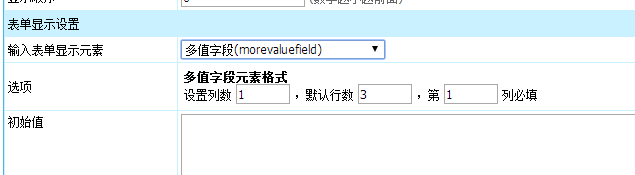
帝国CMS多值字段morevaluefield解密实例
帝国CMS多值字段morevaluevield解密,深度解析帝国CMS多值字段技巧秘诀。基本概述帝国CMS7.0新增了多值字段。像下载地址、在线地址、图片集等这样的将多个内容存放到一个字段
帝国CMS会员组显示不同菜单的方法
帝国CMS会员中心允许会员投稿,不同的会员组有不同的投稿权限,会员中心菜单仅显示对本会员组有作用的菜单项目。
帝国cms搜索模板支持调用动态标签支持帝国cms封装标签调用
帝国CMS默认动态模板都不支持帝国cms封装标签调用,这里提供了让动态模板支持帝国cms封装标签调用的方法。
相关源码
-
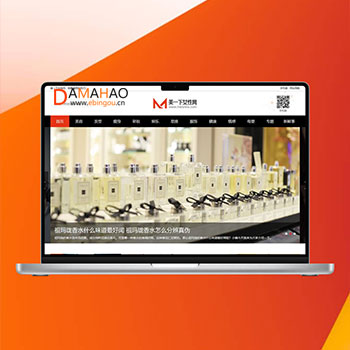 帝国cms7.5女性护肤搭配美妆潮流网站源码带数据4.5G本模板专为女性美容护肤行业设计,提供美容护肤、发型设计、女性健康、时尚化妆、娱乐新闻、服饰搭配等女性潮流资讯内容展示。采用帝国CMS7.5开发,同步生成电脑端和手机端,满足用户对美容时尚信息的获取需求。查看源码
 -
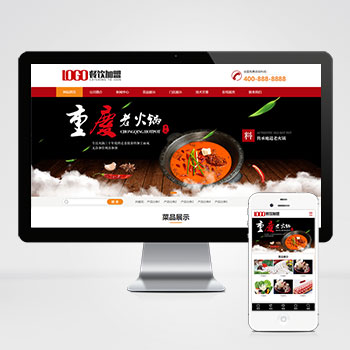 pbootcms模板(PC+WAP)火锅加盟餐饮美食类带留言源码基于PbootCMS内核深度开发,为火锅、餐饮品牌打造的营销型解决方案。采用红色主题传递行业活力,实现PC与WAP端适配。查看源码
 -
 帝国cms7.2淘宝客导购自媒体博客网站模板源码本模板基于帝国CMS7.2内核深度开发,为淘宝客、商品导购类自媒体及博客网站设计。通过可视化后台管理,可快速搭建具备商品推荐、比价功能的内容平台,帮助用户实现流量高效转化。查看源码
 -
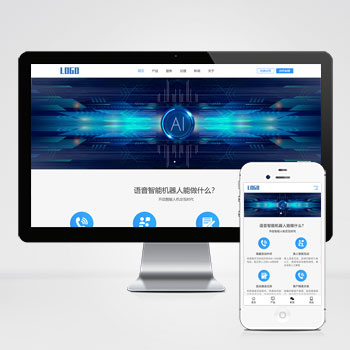 PbootCMS(自适应手机端)智能电话AI机器人网站模板产品概述基于PbootCMS内核开发的智能电话AI机器人网站模板,为语音交互服务场景设计,采用HTML5+CSS3响应式布局技术,实现PC端与移动端数据实时同步展示。模板适用于智能电话查看源码
 -
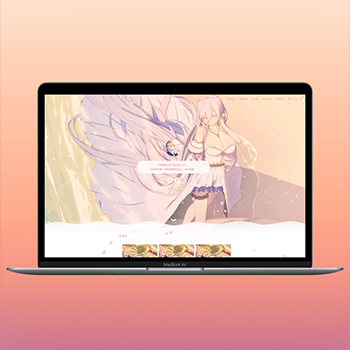 (自适应)WordPress二次元博客主题SakurairoSakurairo主题为二次元内容创作者设计,提供丰富的动漫风格元素和个性化的展示效果。该主题在原有Sakura主题基础上进行了功能增强,支持多种自定义设置,满足动漫爱好者建立个人博客的需求。查看源码
 -
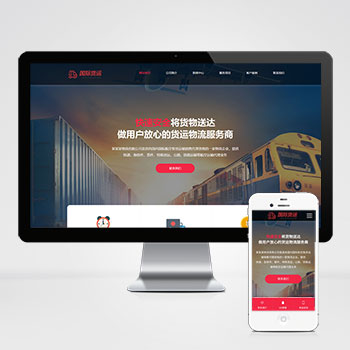 快递物流公司pbootcms网站模板html响应式自适应源码下载基于HTML5+CSS3前沿技术开发,实现PC、平板、手机多端自适应。采用弹性布局与媒体查询技术,确保不同设备均有流畅视觉体验,企业形象统一。查看源码
| 分享笔记 (共有 篇笔记) |