您现在的位置是:首页 > cms教程 > 帝国CMS教程帝国CMS教程
帝国cms高亮代码添加行号前端显示Mac OS风格
 小张2025-09-18帝国CMS教程已有人查阅
导读在我们使用codesnippet插件实现高亮代码后,但有又发现,不太美观和不便于查看,于是就给高亮代码加上行号,怎么给code snippet添加行号。思路:使用js代码增加给高亮代码增加ul和li的无序列表结构,实现行。
在我们使用codesnippet插件实现高亮代码后,但有又发现,不太美观和不便于查看,于是就给高亮代码加上行号,和更好看的Mac OS风格。
这里我贴出css,自己命名然后在头部引用。
步骤一:添加js代码
把以下代码添加到内容模板文件的head之中js文件中,使用js文件引入;
1. 一定要使用引入的形式,不能直接写在模板里,帝国cms会转义反斜杆,造成代码错乱。
2. 一定要在网站的jquery库下面,否则不起作用
步骤二:在高亮代码样式中写入css代码


这里我贴出css,自己命名然后在头部引用。
code[class*="language-"],
pre[class*="language-"] {
	color: #f8f8f2;
	background: none;
	text-shadow: 0 1px rgba(0, 0, 0, 0.3);
	font-family: Consolas, Monaco, 'Andale Mono', 'Ubuntu Mono', monospace;
	text-align: left;
	white-space: pre;
	word-spacing: normal;
	word-break: normal;
	word-wrap: normal;
	line-height: 1.6;

	-moz-tab-size: 4;
	-o-tab-size: 4;
	tab-size: 4;

	-webkit-hyphens: none;
	-moz-hyphens: none;
	-ms-hyphens: none;
	hyphens: none;
}

/* Code blocks */
pre[class*="language-"] {
	padding: 1em;
	margin: .5em 0;
	overflow: auto;
	border-radius: 0.3em;
}

:not(pre) > code[class*="language-"],
pre[class*="language-"] {
	background: #272822;
}

/* Inline code */
:not(pre) > code[class*="language-"] {
	padding: .1em;
	border-radius: .3em;
	white-space: normal;
}

.token.comment,
.token.prolog,
.token.doctype,
.token.cdata {
	color: slategray;
}

.token.punctuation {
	color: #f8f8f2;
}

.namespace {
	opacity: .7;
}

.token.property,
.token.tag,
.token.constant,
.token.symbol,
.token.deleted {
	color: #f92672;
}

.token.boolean,
.token.number {
	color: #ae81ff;
}

.token.selector,
.token.attr-name,
.token.string,
.token.char,
.token.builtin,
.token.inserted {
	color: #a6e22e;
}

.token.operator,
.token.entity,
.token.url,
.language-css .token.string,
.style .token.string,
.token.variable {
	color: #f8f8f2;
}

.token.atrule,
.token.attr-value,
.token.function,
.token.class-name {
	color: #e6db74;
}

.token.keyword {
	color: #66d9ef;
}

.token.regex,
.token.important {
	color: #fd971f;
}

.token.important,
.token.bold {
	font-weight: bold;
}
.token.italic {
	font-style: italic;
}

.token.entity {
	cursor: help;
}

pre[class*="language-"].line-numbers {
	position: relative;
	padding-left: 3.8em;
	counter-reset: linenumber;
}

pre[class*="language-"].line-numbers > code {
	position: relative;
	white-space: inherit;
}

.line-numbers .line-numbers-rows {
	position: absolute;
	pointer-events: none;
	top: 0;
	font-size: 100%;
	left: -3.8em;
	width: 3em; /* works for line-numbers below 1000 lines */
	letter-spacing: -1px;
	border-right: 1px solid #999;

	-webkit-user-select: none;
	-moz-user-select: none;
	-ms-user-select: none;
	user-select: none;

}

	.line-numbers-rows > span {
		pointer-events: none;
		display: block;
		counter-increment: linenumber;
	}

		.line-numbers-rows > span:before {
			content: counter(linenumber);
			color: #999;
			display: block;
			padding-right: 0.8em;
			text-align: right;
		}

div.code-toolbar {
	position: relative;
}

div.code-toolbar > .toolbar {
	position: absolute;
	top: .3em;
	right: .2em;
	transition: opacity 0.3s ease-in-out;
	opacity: 0;
width: auto;
background: transparent;
}

div.code-toolbar:hover > .toolbar {
	opacity: 1;
}

div.code-toolbar > .toolbar .toolbar-item {
	display: inline-block;
	margin-right:5px;
}

/*div.code-toolbar > .toolbar a {
	cursor: pointer;
}
*/


div.code-toolbar > .toolbar button {
	background: none;
	border: 0;
	color: inherit;
	font: inherit;
	line-height: normal;
	overflow: visible;
	padding: 0;
	-webkit-user-select: none; /* for button */
	-moz-user-select: none;
	-ms-user-select: none;
}

div.code-toolbar > .toolbar a,
div.code-toolbar > .toolbar button,
div.code-toolbar > .toolbar span {
	color: #F44336;
	font-size: .8em;
	padding: 0 .5em;
	background: #f5f2f0;
	background: rgba(224, 224, 224, 0.2);
	box-shadow: 0 2px 0 0 rgba(0,0,0,0.2);
	border-radius: .5em;
	text-decoration:none;
}

div.code-toolbar > .toolbar a:hover,
div.code-toolbar > .toolbar a:focus,
div.code-toolbar > .toolbar button:hover,
div.code-toolbar > .toolbar button:focus,
div.code-toolbar > .toolbar span:hover,
div.code-toolbar > .toolbar span:focus {
	color: #FAFAFA;
	/*color: inherit;*/
	text-decoration: none;
}

/**/
pre[class*="language-"].line-numbers {
    padding-top:40px;
    /*为了加语言导航条*/
	line-height:1.6;
	background: #21252b;
	box-shadow: 0 10px 30px 0px rgba(0,0,0,.4);

    font: 12px "Microsoft YaHei", Arial, Sans-Serif;

    margin-bottom: 10px;
    max-width: 100%;
    overflow: auto;
    text-shadow: none;
    color: #000;
    padding-top: 30px;
    box-shadow: 0 10px 30px 0 rgba(0, 0, 0, .4);


}

.pure-highlightjs[class*="language-"]:before {
    text-transform: uppercase;
	color:#ffffff;
    height: 38px;
    line-height: 38px;
    font-size: 14px;
    position: absolute;
    top: 0;
    left: 0;
    font-family: 'Source Sans Pro', sans-serif;
    font-weight: 700;
    padding: 0 80px;
    text-indent: 15px;
    float: left;
}

.pure-highlightjs[class*="language-"]:after {
    content: " ";
    position: absolute;
    -webkit-border-radius: 50%;
    border-radius: 50%;
    background: #fc625d;
    width: 12px;
    height: 12px;
    top: 0;
    left: 20px;
    margin-top: 13px;
    -webkit-box-shadow: 20px 0 #fdbc40, 40px 0 #35cd4b;
    box-shadow: 20px 0 #fdbc40, 40px 0 #35cd4b;
}

.try-code-btn {
    display: block;
    margin: 10px 0;
    padding: 8px 15px;
    background: #4CAF50;
    color: white;
    border: none;
    border-radius: 4px;
    cursor: pointer;
    font-size: 14px;
}

.try-code-btn:hover {
    background: #45a049;
    box-shadow: 0 2px 5px rgba(0,0,0,0.2);
}
如果行号不显示,也可以按下面的步骤进行。步骤一:添加js代码
把以下代码添加到内容模板文件的head之中js文件中,使用js文件引入;
$(function () {
$("code").each(function () {
$(this).html("<ul id=\'codeblock'><li>" + $(this).html().replace(/\n/g, "\n</li><li>") + "\n</li></ul>");
});
});
注意:1. 一定要使用引入的形式,不能直接写在模板里,帝国cms会转义反斜杆,造成代码错乱。
2. 一定要在网站的jquery库下面,否则不起作用
步骤二:在高亮代码样式中写入css代码
.hljs {
display: block;
padding: 0.5em 0 0.5em 0.5em;
background: #fff;
border: solid 1px #DEE1E6;
border-radius: 3px;
white-space: pre-wrap;
word-break: break-all;
}
/*add line number start*/
.hljs ul {
margin-left: 40px;
}
.hljs ul li {
border-left: solid 1px #DEE1E6;
padding: 3px;
list-style: decimal-leading-zero;/*0开头的数字标记。(01, 02, 03, 等。)*/
}
.hljs ul li:nth-child(even) {/*偶数行的背景颜色*/
background-color: #F7F7F7;
}
/*add line number end*/
注意注意事项:高亮样如果是monokai_sublime,大家把我的代码复制过去只用修改颜色就行了。
感谢您的认可和支持
微信
支付宝
本文标签:帝国建站
很赞哦! ()
图文教程

帝国CMS二次开发教程和目录结构介绍
本篇主要讲解帝国cms二次开发入门教程,学会了你就会大致知道帝国CMS二次开发从何入手了。首先在说帝国CMS二次开发之前
帝国CMS灵动标签调用Discuz帖子的方法
调用某版块最新帖子:(红色部分分别为:“DZ数据库名、版块ID、调用条数、帖子ID、标题字数”):
解决帝国cms官方结合项插件静态页classid为空的方法
解决帝国cms官方结合项插件静态页classid为空导致无法找到页面问题,1.global$public_r;改成global$public_r,$navclassid;
帝国CMS网站怎么备份数据
帝国CMS“导入模板”的安装方法简单、快捷,但帝国CMS“导出模板”不能备份网站完整模板,更不能保存网站数据了。
相关源码
-
 (自适应)文案文档作文写作word资源网站模板下载本模板基于PbootCMS系统深度开发,针对电影解说、文案分享类网站的特殊需求设计。采用响应式布局技术,确保在手机端和桌面端都能呈现专业的内容展示效果,帮助运营者高效管理影视解说资源。查看源码
 -
 (自适应)html5导航目录索引工具类网站源码下载本模板基于PbootCMS开发,为站长导航、网址导航类网站设计。采用HTML5+CSS3技术构建,适配PC端和移动端,提供流畅的浏览体验。适用于个人站长、资源导航平台等场景查看源码
 -
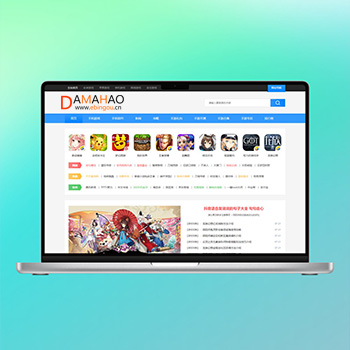 帝国CMS7.5手游资讯下载综合门户免费网站模板本模板基于帝国CMS7.5内核开发,为手游打造的综合门户网站解决方案。模板设计充分考虑了手业的特性,包含游戏资讯发布、手游下载、礼包发放、开测信息等核心功能模块,满足手游门户网站的各项业务需求。查看源码
 -
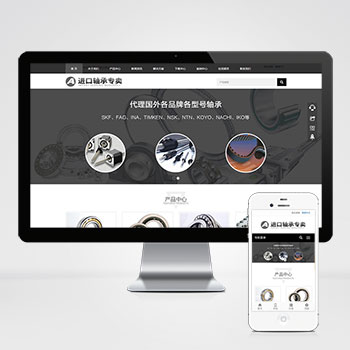 自适应黑色简繁双语轴承齿轮机械设备制造网站模板该模板为轴承齿轮机械制造企业提供一体化网站建设方案,着重解决行业特有的多语言展示、移动端适配和高效率内容管理需求,帮助企业精准展示产品特性与工艺流程查看源码
 -
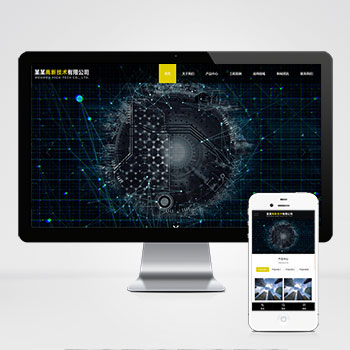 (自适应响应式)高新技术科技能源pbootcms网站HTML5模板本模板基于PbootCMS内核开发,为高新技术、科技研发、能源技术等科技型企业设计。采用HTML5+CSS3前沿技术,具备完善的响应式布局,能够自动适配手机、平板和电脑等多种终端设备。模板设计风格简约大气查看源码
 -
 (自适应响应式)黑色LED显示屏户外广告屏网站源码下载这是一款基于PbootCMS内核开发的响应式网站模板,专门为LED显示屏及户外广告行业打造。模板适配各类显示设备,帮助企业快速搭建专业官网,展示产品与服务优势,有效提升品牌形象。查看源码
| 分享笔记 (共有 篇笔记) |