您现在的位置是:首页 > cms教程 > 帝国CMS教程帝国CMS教程
帝国cms编辑器ckeditor代码高亮前端显示mac风格
 原创2025-09-18帝国CMS教程已有人查阅
导读前年写过一篇关于编辑器代码高亮的文章,很多人一知半解都在问,今天就详细的补充一下细节,到结束的完整过程,我尽量写的全面通俗易懂。已经写过的内容自行查看,只做补充。
前年写过一篇关于编辑器代码高亮的文章,很多人一知半解都在问,今天就详细的补充一下细节,到结束的完整过程,我尽量写的全面通俗易懂。已经写过的内容自行查看,只做补充。先看前面的内容不明白再回来看这篇教程。我们分三步走弄完整。
1,首先前提是你已经在编辑器添加了Code Snippet插件,如果没有?那么请查看这篇文章>>帝国cms编辑器ckeditor安装代码高亮插件
2,已经在编辑器添加了Code Snippet插件那么现在来进行>>帝国cms自带ckeditor编辑器代码高亮的方法codesnippet风格
3,添加行号,和头部圆圈等查看>>帝国cms高亮代码添加行号前端显示Mac OS风格
上次这篇教程很多人卡在了第二步、动手改造找到e/admin/ecmseditor/infoeditor/plugins/codesnippet目录下plugin.js修改很多人函数改错,
还有很多人卡在最后一步明明添加了
template: '<pre class="pure-highlightjs line-numbers ' + codeClass + '"><code class="' + codeClass + '"></code></pre>'
但是页面上只出现<pre class=" language-html">添加的pure-highlightjs line-numbers就是不出来,所以没有风格样式很难看。
问题在于模板中定义的pure-highlightjs和line-numbers类在upcast和downcast过程中没有被正确处理:
问题总结
upcast阶段:当从HTML内容转换为widget数据时,没有保留这些类
downcast阶段:当从widget数据转换为HTML输出时,这些类被完全移除
data更新阶段:当widget数据更新时,没有确保这些类被保留
针对上述问题我直接贴出我优化后的版本方便大家直接用或者参考,同时也做了一些安全措施。
更详细一点路径是:e\你的后台地址\ecmseditor\infoeditor\plugins\codesnippet\plugin.js,到这里这些问题都解决了,更新缓存可能无效,发布一篇文章,或者是之前的内容点修改然后发布然后查看就正常了,效果如代码号下面的。
/**
 * @license Copyright (c) 2003-2016, CKSource - Frederico Knabben. All rights reserved.
 * For licensing, see LICENSE.md or http://ckeditor.com/license
 */

 /**
 * @fileOverview Rich code snippets for CKEditor.
 */

'use strict';

( function() {
	var isBrowserSupported = !CKEDITOR.env.ie || CKEDITOR.env.version > 8;

	CKEDITOR.plugins.add( 'codesnippet', {
		requires: 'widget,dialog',
		lang: 'ar,bg,ca,cs,da,de,de-ch,el,en,en-gb,eo,es,et,eu,fa,fi,fr,fr-ca,gl,he,hr,hu,id,it,ja,km,ko,ku,lt,lv,nb,nl,no,pl,pt,pt-br,ro,ru,sk,sl,sq,sv,th,tr,tt,ug,uk,vi,zh,zh-cn', // %REMOVE_LINE_CORE%
		icons: 'codesnippet', // %REMOVE_LINE_CORE%
		hidpi: true, // %REMOVE_LINE_CORE%

		beforeInit: function( editor ) {
			editor._.codesnippet = {};

			/**
			 * Sets the custom syntax highlighter. See {@link CKEDITOR.plugins.codesnippet.highlighter}
			 * to learn how to register a custom highlighter.
			 *
			 * **Note**:
			 *
			 * * This method can only be called while initialising plugins (in one of
			 * the three callbacks).
			 * * This method is accessible through the `editor.plugins.codesnippet` namespace only.
			 *
			 * @since 4.4
			 * @member CKEDITOR.plugins.codesnippet
			 * @param {CKEDITOR.plugins.codesnippet.highlighter} highlighter
			 */
			this.setHighlighter = function( highlighter ) {
				editor._.codesnippet.highlighter = highlighter;

				var langs = editor._.codesnippet.langs =
					editor.config.codeSnippet_languages || highlighter.languages;

				// We might escape special regex chars below, but we expect that there
				// should be no crazy values used as lang keys.
				editor._.codesnippet.langsRegex = new RegExp( '(?:^|\\s)language-(' +
					CKEDITOR.tools.objectKeys( langs ).join( '|' ) + ')(?:\\s|$)' );
			};
		},

		onLoad: function() {
			CKEDITOR.dialog.add( 'codeSnippet', this.path + 'dialogs/codesnippet.js' );
		},

		init: function( editor ) {
			editor.ui.addButton && editor.ui.addButton( 'CodeSnippet', {
				label: editor.lang.codesnippet.button,
				command: 'codeSnippet',
				toolbar: 'insert,10'
			} );
		},

		afterInit: function( editor ) {
			var path = this.path;

			registerWidget( editor );

			// At the very end, if no custom highlighter was set so far (by plugin#setHighlighter)
			// we will set default one.
			if ( !editor._.codesnippet.highlighter ) {
				var hljsHighlighter = new CKEDITOR.plugins.codesnippet.highlighter( {
					languages: {
						apache: 'Apache',
						bash: 'Bash',
						coffeescript: 'CoffeeScript',
						cpp: 'C++',
						cs: 'C#',
						css: 'CSS',
						diff: 'Diff',
						html: 'HTML',
						http: 'HTTP',
						ini: 'INI',
						java: 'Java',
						javascript: 'JavaScript',
						json: 'JSON',
						makefile: 'Makefile',
						markdown: 'Markdown',
						nginx: 'Nginx',
						objectivec: 'Objective-C',
						perl: 'Perl',
						php: 'PHP',
						python: 'Python',
						ruby: 'Ruby',
						sql: 'SQL',
						vbscript: 'VBScript',
						xhtml: 'XHTML',
						xml: 'XML'
					},

					init: function( callback ) {
						var that = this;

						if ( isBrowserSupported ) {
							CKEDITOR.scriptLoader.load( path + 'lib/highlight/highlight.pack.js', function() {
								that.hljs = window.hljs;
								callback();
							} );
						}

						// Method is available only if wysiwygarea exists.
						if ( editor.addContentsCss ) {
							editor.addContentsCss( path + 'lib/highlight/styles/' + editor.config.codeSnippet_theme + '.css' );
						}
					},

					highlighter: function( code, language, callback ) {
						var highlighted = this.hljs.highlightAuto( code,
								this.hljs.getLanguage( language ) ? [ language ] : undefined );

						if ( highlighted )
							callback( highlighted.value );
					}
				} );

				this.setHighlighter( hljsHighlighter );
			}
		}
	} );

	/**
	 * Global helpers and classes of the Code Snippet plugin.
	 *
	 * For more information see the [Code Snippet Guide](#!/guide/dev_codesnippet).
	 *
	 * @class
	 * @singleton
	 */
	CKEDITOR.plugins.codesnippet = {
		highlighter: Highlighter
	};

	/**
	 * A Code Snippet highlighter. It can be set as a default highlighter
	 * using {@link CKEDITOR.plugins.codesnippet#setHighlighter}, for example:
	 *
	 *		// Create a new plugin which registers a custom code highlighter
	 *		// based on customEngine in order to replace the one that comes
	 *		// with the Code Snippet plugin.
	 *		CKEDITOR.plugins.add( 'myCustomHighlighter', {
	 *			afterInit: function( editor ) {
	 *				// Create a new instance of the highlighter.
	 *				var myHighlighter = new CKEDITOR.plugins.codesnippet.highlighter( {
	 *					init: function( ready ) {
	 *						// Asynchronous code to load resources and libraries for customEngine.
	 *						customEngine.loadResources( function() {
	 *							// Let the editor know that everything is ready.
	 *							ready();
	 *						} );
	 *					},
	 *					highlighter: function( code, language, callback ) {
	 *						// Let the customEngine highlight the code.
	 *						customEngine.highlight( code, language, function() {
	 *							callback( highlightedCode );
	 *						} );
	 *					}
	 *				} );
	 *
	 *				// Check how it performs.
	 *				myHighlighter.highlight( 'foo()', 'javascript', function( highlightedCode ) {
	 *					console.log( highlightedCode ); // -> <span class="pretty">foo()</span>
	 *				} );
	 *
	 *				// From now on, myHighlighter will be used as a Code Snippet
	 *				// highlighter, overwriting the default engine.
	 *				editor.plugins.codesnippet.setHighlighter( myHighlighter );
	 *			}
	 *		} );
	 *
	 * @since 4.4
	 * @class CKEDITOR.plugins.codesnippet.highlighter
	 * @extends CKEDITOR.plugins.codesnippet
	 * @param {Object} def Highlighter definition. See {@link #highlighter}, {@link #init} and {@link #languages}.
	 */
	function Highlighter( def ) {
		CKEDITOR.tools.extend( this, def );

		/**
		 * A queue of {@link #highlight} jobs to be
		 * done once the highlighter is {@link #ready}.
		 *
		 * @readonly
		 * @property {Array} [=[]]
		 */
		this.queue = [];

		// Async init – execute jobs when ready.
		if ( this.init ) {
			this.init( CKEDITOR.tools.bind( function() {
				// Execute pending jobs.
				var job;

				while ( ( job = this.queue.pop() ) )
					job.call( this );

				this.ready = true;
			}, this ) );
		} else {
			this.ready = true;
		}

		/**
		 * If specified, this function should asynchronously load highlighter-specific
		 * resources and execute `ready` when the highlighter is ready.
		 *
		 * @property {Function} [init]
		 * @param {Function} ready The function to be called once
		 * the highlighter is {@link #ready}.
		 */

		/**
		 * A function which highlights given plain text `code` in a given `language` and, once done,
		 * calls the `callback` function with highlighted markup as an argument.
		 *
		 * @property {Function} [highlighter]
		 * @param {String} code Code to be formatted.
		 * @param {String} lang Language to be used ({@link CKEDITOR.config#codeSnippet_languages}).
		 * @param {Function} callback Function which accepts highlighted String as an argument.
		 */

		/**
		 * Defines languages supported by the highlighter.
		 * They can be restricted with the {@link CKEDITOR.config#codeSnippet_languages} configuration option.
		 *
		 * **Note**: If {@link CKEDITOR.config#codeSnippet_languages} is set, **it will
		 * overwrite** the languages listed in `languages`.
		 *
		 *		languages: {
		 *			coffeescript: 'CoffeeScript',
		 *			cpp: 'C++',
		 *			cs: 'C#',
		 *			css: 'CSS'
		 *		}
		 *
		 * More information on how to change the list of languages is available
		 * in the [Code Snippet documentation](#!/guide/dev_codesnippet-section-changing-languages-list).
		 *
		 * @property {Object} languages
		 */

		/**
		 * A flag which indicates whether the highlighter is ready to do jobs
		 * from the {@link #queue}.
		 *
		 * @readonly
		 * @property {Boolean} ready
		 */
	}

	/**
	 * Executes the {@link #highlighter}. If the highlighter is not ready, it defers the job ({@link #queue})
	 * and executes it when the highlighter is {@link #ready}.
	 *
	 * @param {String} code Code to be formatted.
	 * @param {String} lang Language to be used ({@link CKEDITOR.config#codeSnippet_languages}).
	 * @param {Function} callback Function which accepts highlighted String as an argument.
	 */
	Highlighter.prototype.highlight = function() {
		var arg = arguments;

		// Highlighter is ready – do it now.
		if ( this.ready )
			this.highlighter.apply( this, arg );
		// Queue the job. It will be done once ready.
		else {
			this.queue.push( function() {
				this.highlighter.apply( this, arg );
			} );
		}
	};

// Encapsulates snippet widget registration code.
// @param {CKEDITOR.editor} editor
function registerWidget( editor ) {
	var codeClass = editor.config.codeSnippet_codeClass,
		newLineRegex = /\r?\n/g,
		textarea = new CKEDITOR.dom.element( 'textarea' ),
		lang = editor.lang.codesnippet;

	// 定义允许的额外类名(白名单方式)
	var allowedPreClasses = ['pure-highlightjs', 'line-numbers'];

	// 安全地添加ACF规则 - 只允许特定的类
	editor.widgets.add( 'codeSnippet', {
		// 明确指定允许的类,避免使用通配符
		allowedContent: {
			'pre': {
				classes: allowedPreClasses
			},
			'code': {
				classes: 'language-*',
				attributes: '!class' // 只允许class属性
			}
		},
		requiredContent: 'pre',
		styleableElements: 'pre',
		// 模板中使用安全的类名
		template: '<pre class="pure-highlightjs line-numbers ' + codeClass + '"><code class="' + codeClass + '"></code></pre>',
		dialog: 'codeSnippet',
		pathName: lang.pathName,
		mask: true,

		parts: {
			pre: 'pre',
			code: 'code'
		},

		highlight: function() {
			var that = this,
				widgetData = this.data,
				callback = function( formatted ) {
					that.parts.code.setHtml( isBrowserSupported ?
						formatted : formatted.replace( newLineRegex, '<br>' ) );
				};

			callback( CKEDITOR.tools.htmlEncode( widgetData.code ) );

			editor._.codesnippet.highlighter.highlight( widgetData.code, widgetData.lang, function( formatted ) {
				editor.fire( 'lockSnapshot' );
				callback( formatted );
				editor.fire( 'unlockSnapshot' );
			} );
		},

		data: function() {
			var newData = this.data,
				oldData = this.oldData;

			if ( newData.code )
				this.parts.code.setHtml( CKEDITOR.tools.htmlEncode( newData.code ) );

			if ( oldData && newData.lang != oldData.lang )
				this.parts.code.removeClass( 'language-' + oldData.lang );

			if ( newData.lang ) {
				this.parts.code.addClass( 'language-' + newData.lang );
				this.highlight();
			}

			this.oldData = CKEDITOR.tools.copy( newData );
		},

		// 安全的upcast方法
		upcast: function( el, data ) {
			if ( el.name != 'pre' )
				return;

			var childrenArray = getNonEmptyChildren( el ),
				code;

			if ( childrenArray.length != 1 || ( code = childrenArray[ 0 ] ).name != 'code' )
				return;

			if ( code.children.length != 1 || code.children[ 0 ].type != CKEDITOR.NODE_TEXT )
				return;

			// 安全地读取language-*类
			var matchResult = editor._.codesnippet.langsRegex.exec( code.attributes[ 'class' ] );
			if ( matchResult )
				data.lang = matchResult[ 1 ];

			textarea.setHtml( code.getHtml() );
			data.code = textarea.getValue();

			// 安全地处理pre元素的类
			var existingClasses = (el.attributes['class'] || '').split(/\s+/);
			var newClasses = [];

			// 只保留白名单中的类和codeClass
			for (var i = 0; i < existingClasses.length; i++) {
				var cls = existingClasses[i];
				if (allowedPreClasses.indexOf(cls) !== -1 || cls === codeClass) {
					newClasses.push(cls);
				}
			}

			// 添加必需的类(如果不存在)
			if (newClasses.indexOf('pure-highlightjs') === -1) {
				newClasses.push('pure-highlightjs');
			}
			if (newClasses.indexOf('line-numbers') === -1) {
				newClasses.push('line-numbers');
			}
			if (newClasses.indexOf(codeClass) === -1) {
				newClasses.push(codeClass);
			}

			el.attributes['class'] = newClasses.join(' ');
			code.addClass( codeClass );

			return el;
		},

		// 安全的downcast方法
		downcast: function( el ) {
			var code = el.getFirst( 'code' );

			code.children.length = 0;
			code.removeClass( codeClass );

			// 清理pre元素的类,只保留允许的类
			var existingClasses = (el.attributes['class'] || '').split(/\s+/);
			var newClasses = [];

			for (var i = 0; i < existingClasses.length; i++) {
				var cls = existingClasses[i];
				if (allowedPreClasses.indexOf(cls) !== -1) {
					newClasses.push(cls);
				}
			}

			el.attributes['class'] = newClasses.join(' ');
			code.add( new CKEDITOR.htmlParser.text( CKEDITOR.tools.htmlEncode( this.data.code ) ) );

			return el;
		}
	} );

		// Returns an **array** of child elements, with whitespace-only text nodes
		// filtered out.
		// @param {CKEDITOR.htmlParser.element} parentElement
		// @return Array - array of CKEDITOR.htmlParser.node
		var whitespaceOnlyRegex = /^[\s\n\r]*$/;

		function getNonEmptyChildren( parentElement ) {
			var ret = [],
				preChildrenList = parentElement.children,
				curNode;

			// Filter out empty text nodes.
			for ( var i = preChildrenList.length - 1; i >= 0; i-- ) {
				curNode = preChildrenList[ i ];

				if ( curNode.type != CKEDITOR.NODE_TEXT || !curNode.value.match( whitespaceOnlyRegex ) )
					ret.push( curNode );
			}

			return ret;
		}
	}
} )();

/**
 * A CSS class of the `<code>` element used internally for styling
 * (by default [highlight.js](http://highlightjs.org) themes, see
 * {@link CKEDITOR.config#codeSnippet_theme config.codeSnippet_theme}),
 * which means that it is **not present** in the editor output data.
 *
 *		// Changes the class to "myCustomClass".
 *		config.codeSnippet_codeClass = 'myCustomClass';
 *
 * **Note**: The class might need to be changed when you are using a custom
 * highlighter (the default is [highlight.js](http://highlightjs.org)).
 * See {@link CKEDITOR.plugins.codesnippet.highlighter} to read more.
 *
 * Read more in the [documentation](#!/guide/dev_codesnippet)
 * and see the [SDK sample](http://sdk.ckeditor.com/samples/codesnippet.html).
 *
 * @since 4.4
 * @cfg {String} [codeSnippet_codeClass='hljs']
 * @member CKEDITOR.config
 */
CKEDITOR.config.codeSnippet_codeClass = 'hljs';

/**
 * Restricts languages available in the "Code Snippet" dialog window.
 * An empty value is always added to the list.
 *
 * **Note**: If using a custom highlighter library (the default is [highlight.js](http://highlightjs.org)),
 * you may need to refer to external documentation to set `config.codeSnippet_languages` properly.
 *
 * Read more in the [documentation](#!/guide/dev_codesnippet-section-changing-supported-languages)
 * and see the [SDK sample](http://sdk.ckeditor.com/samples/codesnippet.html).
 *
 *		// Restricts languages to JavaScript and PHP.
 *		config.codeSnippet_languages = {
 *			javascript: 'JavaScript',
 *			php: 'PHP'
 *		};
 *
 * @since 4.4
 * @cfg {Object} [codeSnippet_languages=null]
 * @member CKEDITOR.config
 */

/**
 * A theme used to render code snippets. See [available themes](http://highlightjs.org/static/test.html).
 *
 * **Note**: This will only work with the default highlighter
 * ([highlight.js](http://highlightjs.org/static/test.html)).
 *
 * Read more in the [documentation](#!/guide/dev_codesnippet-section-changing-highlighter-theme)
 * and see the [SDK sample](http://sdk.ckeditor.com/samples/codesnippet.html).
 *
 *		// Changes the theme to "pojoaque".
 *		config.codeSnippet_theme = 'pojoaque';
 *
 * @since 4.4
 * @cfg {String} [codeSnippet_theme='default']
 * @member CKEDITOR.config
 */
CKEDITOR.config.codeSnippet_theme = 'default';
感谢您的认可和支持

微信

支付宝
本文标签:
很赞哦! ()
相关教程
图文教程
帝国CMS搜索关键字统计和tag一样的灵动方法!
[e:loop={"select searchid,keyboard,result_num from phome_enewssearch where iskey=0 order by onclick desc limit
帝国CMS随机调用本地图片作为标题图的方法
正常情况是有封面图就显示,没有就不显示图片,这种方法我的站长站以前也分享过。帝国CMS列表页判断是否有标题图片,有标题图一种样式,无标题图的另一种样式。
帝国CMS二次开发用PHP来替换newsnav功能的方法
官方默认的newsnav标签虽然可以实现面包屑导航的功能,但是就是太死板,想调试下样式结构还要改源代码程序,今天给大家分享用HP来替换newsnav功能的代码。
帝国cms8.0开启大文件上传的方法
点击大文件上传会显示close关闭。找到opentranbig 值改成1即可改好保存,这样就可以显示大文件上传界面了。
相关源码
-
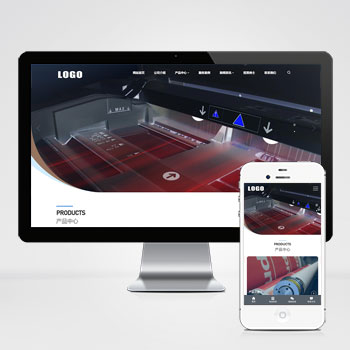 (自适应)大气办公用品耗材供应打印机产品维修网站模板下载基于PbootCMS系统开发的响应式网站模板,为营销技术博主、数字产品评测者设计。采用前沿的响应式技术,确保内容在手机端和桌面端都能获得较佳阅读体验,帮助用户高效展示技术文章和产品分析。查看源码
 -
 (自适应)驾校培训学车活动免费pbootcms源码下载本模板基于PbootCMS内核开发,为驾校培训行业打造,具备完善的招生展示、课程预约、教练团队展示等功能模块。响应式设计适配各类移动终端,数据实时同步管理,助您高效开展线上业务。查看源码
 -
 (PC+WAP)房屋建造建筑工程房地产建材行pbootcms网站模板下载本模板基于PbootCMS内核开发,为房屋建造、建筑工程及房地产建材类企业设计。通过本模板可快速搭建具有行业特色的企业官网,只需替换文字与图片内容即可适配其他行业使用。查看源码
 -
 (自适应)工业机械设备产品介绍免费pbootcms源码下载本网站模板基于PbootCMS内核精心开发,为机械设备与工业产品制造企业量身打造。设计充分考量行业特性,突出产品展示与技术实力呈现查看源码
 -
 自适应建材瓷砖卫浴大理石类pbootcms网站模板源码下载为建材瓷砖、卫浴瓷砖企业打造的高端响应式门户模板,基于PbootCMS内核深度开发。采用前沿HTML5自适应架构,无缝兼容手机端触控交互与PC端展示场景。查看源码
 -
 (自适应)绿色LED灯具照明灯饰灯光灯泡pbootcms网站源码下载本模板基于PbootCMS内核开发,为LED照明、灯具制造及相关光电技术企业量身打造。设计充分考虑了照明行业的展示需求,从产品陈列到技术说明,从光源展示到工程案例,每一个细节都体现出专业照明行业的特点。查看源码
| 分享笔记 (共有 篇笔记) |