您现在的位置是:首页 > cms教程 > WordPress教程WordPress教程
WordPress模板层次结构分析
 冰蓝2025-03-17WordPress教程已有人查阅
导读WordPress模板将主题内的文件像拼图一样拼在一起,生成你网站的页面。有些模板(比如页眉和页脚)是所有页面公用的;但是其它的模板则只在特定的情况下使用。
简介
WordPress模板将主题内的文件像拼图一样拼在一起,生成你网站的页面。有些模板(比如页眉和页脚)是所有页面公用的;但是其它的模板则只在特定的情况下使用。
关于
这篇文章回答了下面这些问题:
WordPress生成特定页面的时候调用了什么模板文件?
(注:即WordPress的模板调用规则,WordPress根据查询字符串决定需要走哪一条规则,然后执行具体的规则)
读者
自从WordPress1.5版本开始,引入主题以来,模板的可配置性越来越高,为了开发WordPress主题,你有必要了解WordPress是如何为展现不同页面选择模板文件的。如果你希望从已有的主题做定制,这篇文章将告诉你需要修改那些模板文件。
使用条件标签函数判断
Wordpress 提供多种将查询(注:这里的查询是指查询字符串,即请求的URI后面的参数)匹配到模板的方式。主题开发者也可以使用条件标签来控制特定页面的模板使用。有些Wordpress主题可能并未实现这里提到的所有功能。有些主题则使用条件标签来载入其他模板文件。参见条件标签页面和"基于查询"的主题开发。
模版文件的分层结构
基本概念
Wordpress使用查询字符串--你网站中每个链接所包含的信息,来决定使用哪个或哪些模板文件。
First, WordPress matches every Query String to query types - i.e. it decides what type of page (a search page, a category page, the home page etc.) is being requested.
首先,WordPress将每一个查询字符串匹配对应的查询类型 - 也就是说,它决定什么类型的页面(搜索页,分类页面,主页等)被请求。
Templates are then chosen - and web page content is generated - in the order suggested by the WordPress Template hierarchy, depending upon what templates are available in a particular WordPress Theme.
这样就选定了使用的模板 - 然后生成网页内容 - 由WordPress的模板层次(即本文,具体如后文所述)的顺序,取决于特定的WordPress主题中什么模板可用(下面会看到,对于某个请求会查找一系列的模板文件,直到找到可用的)。
WordPress looks for template files with specific names in the current Theme's directory and uses the first matching template file listed under the appropriate query section below.
WordPress在当前主题的目录使用特定的名称(注:这会遵循一个从特殊到一般的过程)查找模板文件,并使用第一个匹配的模板文件,这个查找查询相关的模板文件的过程会在后面列出。
举例
假设博客网址是 http://example.com/blog/ ,访客点击了指向某分类的链接: http://example.com/blog/category/your-cat/: WordPress将按照如下方式寻找模板文件并生成页面。
WordPress在当前主题目录下寻找一个匹配当前文章分类ID的模板文件。
1. 如果文章分类ID是4, WordPress会查找文件: category-4.php.
2. 如果没有category-4.php, WordPress再找通用的文章分类模板, category.php.
3. 如果这也没有, WordPress再找通用文章归档(archive)模板, archive.php.
4. 如果还没有, WordPress回到主题主模板文件, index.php.
如果访客访问首页: http://example.com/blog/:
1. WordPress首先看是否有 静态首页. 如果有,则根据 模板层次载入那个页面.
2. 如果没有静态首页,则去到 home.php ,用它来生成请求的页面。
3. 如果 home.php 也没有, 再回到当前主题目录下的index.php 文件,用它来生成页面。
Visual Overview 层次结构概览图
The following diagram shows which template files are called to generate a WordPress page based on the WordPress Template hierarchy.
下图显示了基于WordPress的模板层次结构,会调用哪个模板文件,生成WordPress页面。
(注:图中的框是根据查询字符串决定要请求的页面,左边的黑边白底框,然后跟随图中的箭头,灰框和深灰框,之后使用黑框)。
clip_image002
Full-Size Image (png)<-- 点击这里看下原图
A more in depth hierarchy diagram, including template-related conditional tags and body CSS classes, can be found here.
更深入的层次结构图,包括模板相关的条件标签,和HTML BODY元素的CSS类,可以在这?业健?模板层次细节
The following sections describe the order in which template files are being called by WordPress for each query type.
以下各节描述了,WordPress为每种查询类型,调用模板文件的顺序。
首页显示
1. home.php
2. index.php
Front Page display 前端页显示
Template file used to render a single post page.
用于展示单个post页的文件。
Author display 作者显示
Template file used to render a Server 404 error page
1. 404.php
2. index.php
Attachment display 附件显示


WordPress模板将主题内的文件像拼图一样拼在一起,生成你网站的页面。有些模板(比如页眉和页脚)是所有页面公用的;但是其它的模板则只在特定的情况下使用。
关于
这篇文章回答了下面这些问题:
WordPress生成特定页面的时候调用了什么模板文件?
(注:即WordPress的模板调用规则,WordPress根据查询字符串决定需要走哪一条规则,然后执行具体的规则)
读者
自从WordPress1.5版本开始,引入主题以来,模板的可配置性越来越高,为了开发WordPress主题,你有必要了解WordPress是如何为展现不同页面选择模板文件的。如果你希望从已有的主题做定制,这篇文章将告诉你需要修改那些模板文件。
使用条件标签函数判断
Wordpress 提供多种将查询(注:这里的查询是指查询字符串,即请求的URI后面的参数)匹配到模板的方式。主题开发者也可以使用条件标签来控制特定页面的模板使用。有些Wordpress主题可能并未实现这里提到的所有功能。有些主题则使用条件标签来载入其他模板文件。参见条件标签页面和"基于查询"的主题开发。
模版文件的分层结构
基本概念
Wordpress使用查询字符串--你网站中每个链接所包含的信息,来决定使用哪个或哪些模板文件。
First, WordPress matches every Query String to query types - i.e. it decides what type of page (a search page, a category page, the home page etc.) is being requested.
首先,WordPress将每一个查询字符串匹配对应的查询类型 - 也就是说,它决定什么类型的页面(搜索页,分类页面,主页等)被请求。
Templates are then chosen - and web page content is generated - in the order suggested by the WordPress Template hierarchy, depending upon what templates are available in a particular WordPress Theme.
这样就选定了使用的模板 - 然后生成网页内容 - 由WordPress的模板层次(即本文,具体如后文所述)的顺序,取决于特定的WordPress主题中什么模板可用(下面会看到,对于某个请求会查找一系列的模板文件,直到找到可用的)。
WordPress looks for template files with specific names in the current Theme's directory and uses the first matching template file listed under the appropriate query section below.
WordPress在当前主题的目录使用特定的名称(注:这会遵循一个从特殊到一般的过程)查找模板文件,并使用第一个匹配的模板文件,这个查找查询相关的模板文件的过程会在后面列出。
With the exception of the basic index.php template file, Theme developers can choose whether they want to implement a particular template file or not. If WordPress cannot find a template file with a matching name, it skips down to the next file name in the hierarchy. If WordPress cannot find any matching template file, index.php (the Theme's home page template file) will be used.
除了基本的index.php模板文件,主题开发人员可以选择他们是否要提供特定模板文件的实现。如果WordPress找不到匹配名称规则的模板文件,它会继续查找层次结构中的下一个文件名。如果WordPress可以找不到任何匹配的模板文件,index.php文件(主题的主页模板文件)将被使用。举例
假设博客网址是 http://example.com/blog/ ,访客点击了指向某分类的链接: http://example.com/blog/category/your-cat/: WordPress将按照如下方式寻找模板文件并生成页面。
WordPress在当前主题目录下寻找一个匹配当前文章分类ID的模板文件。
1. 如果文章分类ID是4, WordPress会查找文件: category-4.php.
2. 如果没有category-4.php, WordPress再找通用的文章分类模板, category.php.
3. 如果这也没有, WordPress再找通用文章归档(archive)模板, archive.php.
4. 如果还没有, WordPress回到主题主模板文件, index.php.
如果访客访问首页: http://example.com/blog/:
1. WordPress首先看是否有 静态首页. 如果有,则根据 模板层次载入那个页面.
2. 如果没有静态首页,则去到 home.php ,用它来生成请求的页面。
3. 如果 home.php 也没有, 再回到当前主题目录下的index.php 文件,用它来生成页面。
Visual Overview 层次结构概览图
The following diagram shows which template files are called to generate a WordPress page based on the WordPress Template hierarchy.
下图显示了基于WordPress的模板层次结构,会调用哪个模板文件,生成WordPress页面。
(注:图中的框是根据查询字符串决定要请求的页面,左边的黑边白底框,然后跟随图中的箭头,灰框和深灰框,之后使用黑框)。
clip_image002
Full-Size Image (png)<-- 点击这里看下原图
A more in depth hierarchy diagram, including template-related conditional tags and body CSS classes, can be found here.
更深入的层次结构图,包括模板相关的条件标签,和HTML BODY元素的CSS类,可以在这?业健?模板层次细节
The following sections describe the order in which template files are being called by WordPress for each query type.
以下各节描述了,WordPress为每种查询类型,调用模板文件的顺序。
首页显示
Template file used to render the Blog Posts Index, whether on the site front page or on a static page. Note: on the Site Front Page, the Front Page template takes precedence over the Blog Posts Index (Home) template.
用于展现博客文章索引的模板文件,无论是在网站上首页或静态页的模板文件。注:对于站点首页,前端页模板优先于博客文章索引模板(首页)。1. home.php
2. index.php
Front Page display 前端页显示
Template file used to render the Site Front Page, whether the front page displays the Blog Posts Index or a static page. The Front Page template takes precedence over the Blog Posts Index (Home) template.
front-page.php - Used for both Your latest posts or A static page as set in the Front page displays section of Settings -> Reading
Page display rules - When Front page is set in the Front page displays section of Settings -> Reading
Home Page display rules - When Posts page is set in the Front page displays section of Settings -> Reading
Single Post display 单篇文章显示Template file used to render a single post page.
用于展示单个post页的文件。
single-{post_type}.php - If the post type were product, WordPress would look for single-product.php.
single.php
index.php
Page display Page显示
Template file used to render a static page (page post-type)
WordPress里面Page和Post是两个概念,可以自己查询一下。
custom template file - The Page Template assigned to the Page. See get_page_templates().
page-{slug}.php - If the page slug is recent-news, WordPress will look to use page-recent-news.php
page-{id}.php - If the page ID is 6, WordPress will look to use page-6.php
page.php
index.php
Category display 类别显示
Template file used to render a Category Archive Index page
category-{slug}.php - If the category's slug were news, WordPress would look for category-news.php
category-{id}.php - If the category's ID were 6, WordPress would look for category-6.php
category.php
archive.php
index.php
Tag display 标签显示
Template file used to render a Tag Archive Index page
tag-{slug}.php - If the tag's slug were sometag, WordPress would look for tag-sometag.php
tag-{id}.php - If the tag's ID were 6, WordPress would look for tag-6.php
tag.php
archive.php
index.php
Custom Taxonomies display 定制分类学显示
Template file used to render the Archive Index page for a Custom Taxonomy
taxonomy-{taxonomy}-{term}.php - If the taxonomy were sometax, and taxonomy's term were someterm WordPress would look for taxonomy-sometax-someterm.php. In the case of Post Formats, the taxonomy is 'post_format' and the terms are 'post-format-{format}. i.e. taxonomy-post_format-post-format-link.php
taxonomy-{taxonomy}.php - If the taxonomy were sometax, WordPress would look for taxonomy-sometax.php
taxonomy.php
archive.php
index.php
Custom Post Types display 定制文章类型显示
Template file used to render the Archive Index page for a Custom Post Type
archive-{post_type}.php - If the post type were product, WordPress would look for archive-product.php.
archive.php
index.php
(For rendering a single custom post type, refer to the Single Post display section above.)Author display 作者显示
Template file used to render an Author Archive Index page
author-{nicename}.php - If the author's nice name were rami, WordPress would look for author-rami.php.
author-{id}.php - If the author's ID were 6, WordPress would look for author-6.php.
author.php
archive.php
index.php
Date display 日期显示
Template file used to render a Date-Based Archive Index page
date.php
archive.php
index.php
Search Result display 搜索结果显示
Template file used to render a Search Results Index page
search.php
index.php
404 (Not Found) display 404页面显示Template file used to render a Server 404 error page
1. 404.php
2. index.php
Attachment display 附件显示
Template file used to render a single attachment (attachment post-type) page
MIME_type.php - it can be any MIME type (image.php, video.php, application.php). For text/plain, in order:
text.php
plain.php
text_plain.php
attachment.php
single-attachment.php
single.php
index.php
Filter Hierarchy 过滤层次结构
The WordPress templates system allow you to filter the hierarchy. The filter (located in the get_query_template() function) uses this filter name: "{$type}_template" where $type is the a file name in the hierarchy without the .php extension.
WordPress的模板系统允许您筛选的层次结构(注:即更改默认查找模板的顺序,自己控制查找模板的顺序)。过滤器(位于get_query_template()函数)使用此过滤器的名称:
“{$type}_template”,这里$ type是类型层次结构中的文件名,不加.php扩展名。
Full list:
· index_template
· 404_template
· archive_template
· author_template
· category_template
· tag_template
· taxonomy_template
· date_template
· home_template
· front_page_template
· page_template
· paged_template
· search_template
· single_template
· text_template, plain_template, text_plain_template (all mime types)
· attachment_template
· comments_popup
举例
For example, let's take the default author hierarchy:
· author-{nicename}.php
· author-{id}.php
· author.php
To add author-{role}.php before author.php we can manipulate the actual hierarchy using the 'author_template' hook. This allows a request for /author/username where username has the role of editor to display using author-editor.php if present in the current themes directory.
要在模板调用顺序链中,author.php之前添加author-{role}.php ,我们可以使用author_template钩子 操纵实际的调用层次。这就可以处理形如 /author/username的请求,(该用户具有编辑角色),WordPress如果在当前主题目录中找到author-editor.php ,就调用显示它。
<?php
function author_role_template($templates = '')
{
$author = get_queried_object ();
$role = $author->roles [0];
if (! is_array ( $templates ) && ! empty ( $templates )) {
$templates = locate_template ( array (
"author-$role.php",
$templates
), false );
}
elseif (empty ( $templates )) {
$templates = locate_template ( "author-$role.php", false );
}
else {
$new_template = locate_template ( array (
"author-$role.php"
) );
if (! empty ( $new_template ))
array_unshift ( $templates, $new_template );
}
return $templates;
}
add_filter ( 'author_template', 'author_role_template' );
?>
感谢您的认可和支持
微信
支付宝
本文标签:
很赞哦! ()
相关教程
图文教程

Centos7怎么搭建wordpress
WordPress是使用PHP语言开发的博客平台,用户可以在支持PHP和MySQL数据库的服务器上架设属于自己的网站。也可以把 WordPress当作一个内容管理系统(CMS)来使用。 搭建WordPress
WordPress修改已添加的自定义栏目显示数量的方法
有时我们会在添加自定义栏目面板中选择已添加的自定义栏目名称,但WordPress默认只显示按字母排序的前30个自定义栏目名称
wordpress发送邮件设置方式
有过自己搭建个人博客网站的朋友都知道。利用wordpress搭建完成一个网站后,第一件事就是想让别人注册登陆自己的网站,但是邮件无法接收,所以今天我给大家我分享一篇文章。
WordPress中文图片上传自动重命名的解决方法
由于国人很少有在上传图片前将图片名重命名为英语的,所以自动重命名对于WP来说尤为重要,特别是LINUX的不支持中文名的。WordPress上传多媒体的代码都存放于\wp-admin\includes\里面的file.php,打开这个文件,
相关源码
-
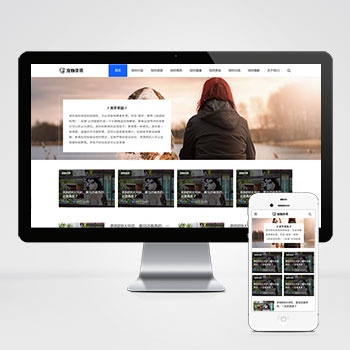 (自适应响应式)宠物经验资讯咨询博客pbootcms网站源码下载除宠物资讯领域外,通过内容替换可快速适配宠物用品商城、宠物医疗咨询平台、宠物训练教程网站、动物保护组织官网、水族爱好者社区等垂直领域。查看源码
 -
 (PC+WAP)门窗门业家居定制铝合金产品pbootcms模板下载基于PbootCMS内核开发的门窗门业企业专用模板,采用响应式设计结构,数据一次录入即可同步适配电脑与手机端浏览。通过简洁大气的视觉呈现,帮助门窗企业快速建立专业线上展示平台,有效传递产品价值与服务优势。查看源码
 -
 (自适应html5)重工业钢铁机械设备网站pbootcms响应式模板下载为重工业领域打造的响应式网站模板,助力企业高效展示产品与服务,基于PbootCMS开发的工业级网站模板,特别适合钢铁制造、机械设备生产等重工业企业使用。查看源码
 -
 (自适应响应式)刷卡机POS机无线支付设备pbootcms网站源码下载本模板基于PbootCMS系统开发,为支付终端设备企业设计,特别适合POS机、移动支付终端、刷卡设备等金融科技产品展示。采用响应式布局技术,确保各类支付终端产品在不同设备查看源码
 -
 帝国CMS7.5漫画网站模板带手机端源码免费下载本模板为漫画内容平台设计开发,采用帝国CMS7.5内核构建,深度优化漫画作品展示结构与章节管理模式。前端采用响应式布局设计,适配各类漫画阅读场景,提供作品分类、连载追踪、热度排行等垂直领域功能模块。查看源码
 -
 (自适应响应式)html5高档服装定制西服pbootcms模板下载本模板基于PbootCMS内核开发,为服装定制企业和服装品牌量身打造。设计风格时尚现代,充分展现服装行业的审美特质与品牌魅力。采用HTML5响应式技术,确保在各种设备上呈现视觉效果。整站布局注重产品展示与品牌叙事,帮助企业有效展示服装系列与定制服务,提升客户体验。查看源码
| 分享笔记 (共有 篇笔记) |