您现在的位置是:首页 > cms教程 > Ecshop商城教程Ecshop商城教程
ecshop全局变量的设置和加载方式
 听蓉2025-02-06Ecshop商城教程已有人查阅
导读$_CFG数组主要是放置一些系统参数,并且全站共享的数据,在使用的时候,ecshop里面常常以$GLOBALS['_CFG']全局变量的模式来处理。
$_CFG数组主要是放置一些系统参数,并且全站共享的数据,在使用的时候,ecshop里面常常以$GLOBALS['_CFG']全局变量的模式来处理。
ecshop 的$GLOBALS['_CFG'],主要是在includes/init.php中出现并且初始化,$_CFG = load_config();load_config()函数负责将参数取出来。includes\lib_common.php 文件中包含了这个ecshop函数。


ecshop 的$GLOBALS['_CFG'],主要是在includes/init.php中出现并且初始化,$_CFG = load_config();load_config()函数负责将参数取出来。includes\lib_common.php 文件中包含了这个ecshop函数。
function load_config()
{
$arr = array();
$data = read_static_cache('shop_config');
if ($data === false)
{
$sql = 'SELECT code, value FROM ' . $GLOBALS['ecs']->table('shop_config') . ' WHERE parent_id > 0';
$res = $GLOBALS['db']->getAll($sql);
foreach ($res AS $row)
{
$arr[$row['code']] = $row['value'];
}
/* 对数值型设置处理 */
$arr['watermark_alpha'] = intval($arr['watermark_alpha']);
$arr['market_price_rate'] = floatval($arr['market_price_rate']);
$arr['integral_scale'] = floatval($arr['integral_scale']);
//$arr['integral_percent'] = floatval($arr['integral_percent']);
$arr['cache_time'] = intval($arr['cache_time']);
$arr['thumb_width'] = intval($arr['thumb_width']);
$arr['thumb_height'] = intval($arr['thumb_height']);
$arr['image_width'] = intval($arr['image_width']);
$arr['image_height'] = intval($arr['image_height']);
$arr['best_number'] = !empty($arr['best_number']) && intval($arr['best_number']) > 0 ? intval($arr['best_number']) : 3;
$arr['new_number'] = !empty($arr['new_number']) && intval($arr['new_number']) > 0 ? intval($arr['new_number']) : 3;
$arr['hot_number'] = !empty($arr['hot_number']) && intval($arr['hot_number']) > 0 ? intval($arr['hot_number']) : 3;
$arr['promote_number'] = !empty($arr['promote_number']) && intval($arr['promote_number']) > 0 ? intval($arr['promote_number']) : 3;
$arr['top_number'] = intval($arr['top_number']) > 0 ? intval($arr['top_number']) : 10;
$arr['history_number'] = intval($arr['history_number']) > 0 ? intval($arr['history_number']) : 5;
$arr['comments_number'] = intval($arr['comments_number']) > 0 ? intval($arr['comments_number']) : 5;
$arr['article_number'] = intval($arr['article_number']) > 0 ? intval($arr['article_number']) : 5;
$arr['page_size'] = intval($arr['page_size']) > 0 ? intval($arr['page_size']) : 10;
$arr['bought_goods'] = intval($arr['bought_goods']);
$arr['goods_name_length'] = intval($arr['goods_name_length']);
$arr['top10_time'] = intval($arr['top10_time']);
$arr['goods_gallery_number'] = intval($arr['goods_gallery_number']) ? intval($arr['goods_gallery_number']) : 5;
$arr['no_picture'] = !empty($arr['no_picture']) ? str_replace('../', './', $arr['no_picture']) : 'images/no_picture.gif'; // 修改默认商品图片的路径
$arr['qq'] = !empty($arr['qq']) ? $arr['qq'] : '';
$arr['ww'] = !empty($arr['ww']) ? $arr['ww'] : '';
$arr['default_storage'] = isset($arr['default_storage']) ? intval($arr['default_storage']) : 1;
$arr['min_goods_amount'] = isset($arr['min_goods_amount']) ? floatval($arr['min_goods_amount']) : 0;
$arr['one_step_buy'] = empty($arr['one_step_buy']) ? 0 : 1;
$arr['invoice_type'] = empty($arr['invoice_type']) ? array('type' => array(), 'rate' => array()) : unserialize($arr['invoice_type']);
$arr['show_order_type'] = isset($arr['show_order_type']) ? $arr['show_order_type'] : 0; // 显示方式默认为列表方式
$arr['help_open'] = isset($arr['help_open']) ? $arr['help_open'] : 1; // 显示方式默认为列表方式
if (!isset($GLOBALS['_CFG']['ecs_version']))
{
/* 如果没有版本号则默认为2.0.5 */
$GLOBALS['_CFG']['ecs_version'] = 'v2.0.5';
}
//限定语言项
$lang_array = array('zh_cn', 'zh_tw', 'en_us');
if (empty($arr['lang']) || !in_array($arr['lang'], $lang_array))
{
$arr['lang'] = 'zh_cn'; // 默认语言为简体中文
}
if (empty($arr['integrate_code']))
{
$arr['integrate_code'] = 'ecshop'; // 默认的会员整合插件为 ecshop
}
write_static_cache('shop_config', $arr);
}
else
{
$arr = $data;
}
return $arr;
}
感谢您的认可和支持
微信
支付宝
本文标签:
很赞哦! ()
下一篇:ecshop红包功能添加方法
相关教程
图文教程

ecshop留言板里怎么添加1项必填项表单
ecshop留言板添加一项必填项-联系人 一、首先要为你的数据库的ecs_comment增加一个字段以存储联系人姓名: 可以直接在后台--数据库管理---SQL查询里里直接执行
ecshop通过点击按钮来控制某个DIV显示或隐藏
注:这只是一个简单的JS ,与ECSHOP没有必然直接关系。不过在ECSHOP模板制作中,也许会用上。
ecshop商品分类页列表页每页显示商品数量设置
如何修改ECSHOP商品类别页(category.php 也就是列表页)每页的商品数量呢?直接进 ECSHOP后台 》 系统设置 》商店设置 》显示设置 ,找到 “商品分类页列表的数量: ”
完善ecshop的mysql类
前篇文章中,我提及到了如何《提取ecshop的mysql类》。但是没有数据库前缀的写法 废话不说,上步骤(目录结构请参考提取ecshop的mysql类)修改connfig.php为
相关源码
-
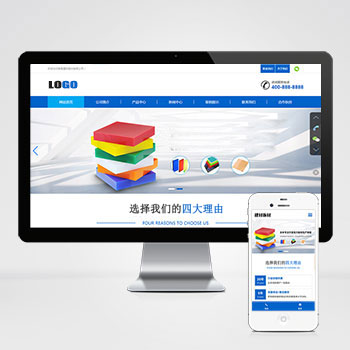 (自适应)蓝色建材亚克力板材装饰材料pbootcms网站模板这款基于PbootCMS开发的响应式模板为建材板材行业优化设计,适用于亚克力板材、建筑装饰材料等企业展示需求。采用HTML5技术实现手机/PC跨终端适配,管理员通过统一后台即可同步查看源码
 -
 (PC+WAP)聚氨酯粉末涂料防腐耐用材料粘合剂网站源码下载为化工涂料企业设计的展示系统,集成产品技术参数库、颜色样板展示器和配方查询模块。支持粉末涂料、环氧树脂等多类产品分类展示查看源码
 -
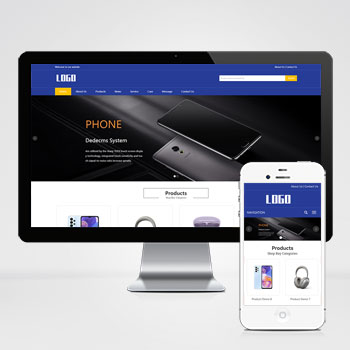 (自适应响应式)英文外贸电子产品手机配件网站pbootcms模板专业级外贸网站模板基于PbootCMS内核开发,为电子产品跨境贸易企业设计。采用响应式布局技术,确保电脑、平板、手机等设备访问时自动适配显示效果。数据实时同步管理,一次编辑全平台生效。查看源码
 -
 Wordpress博客新闻主题在线商店平台betheme 21.5.6版BeTheme是一款功能丰富的WordPress主题模板,专注于为各行业提供网站建设解决方案。该模板支持WooCommerce电子商务功能,能够快速搭建在线商店平台,同时适用于博客、新闻资讯类网站建设。自2014年发布以来,该模板已经获得大量用户的使用验证。查看源码
 -
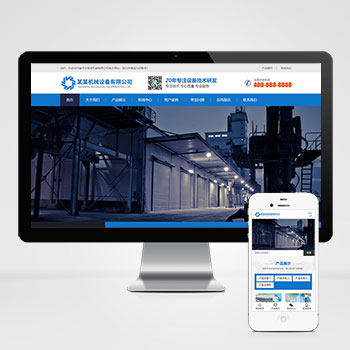 (自适应响应式)HTML5磁电机械设备蓝色营销型网站pbootcms模板本模板为磁电设备行业设计,采用蓝色营销风格,突出工业设备的专业性和技术感。模板结构清晰,能够有效展示磁电设备的技术参数、应用场景和企业实力,帮助客户快速了解产品特点和公司服务。查看源码
 -
 帝国cms7.2淘宝客导购自媒体博客网站模板源码本模板基于帝国CMS7.2内核深度开发,为淘宝客、商品导购类自媒体及博客网站设计。通过可视化后台管理,可快速搭建具备商品推荐、比价功能的内容平台,帮助用户实现流量高效转化。查看源码
| 分享笔记 (共有 篇笔记) |