您现在的位置是:首页 > cms教程 > Ecshop商城教程Ecshop商城教程
ecshop怎么做SEO优化
 含玉2024-12-19Ecshop商城教程已有人查阅
导读一、完全自定义页面titile,完全抛弃Ecshop定义的页面title格式:[产品名称]_[分类名]_[网店名称]-Powered by ECShop
一、完全自定义页面titile,完全抛弃Ecshop定义的页面title格式:[产品名称]_[分类名]_[网店名称]-Powered by ECShop
1、分析:大家都知道,titile,kewords,description在SEO中的基础性和重要性,但是ECshop官方给出的titile实现方 出现很多类似或相同的页面title,另外还有部分页面无法自定义kewords和 description。在此本人给出了完全自定义的方法,其实方法很简单的,只要稍微懂得一点点代码的都会。
2、修改包括:品牌页,商品页,商品分类页,文章页,文章分类页
3、修改涉及的页面: 品牌页(增加title,keywords和description):brand.php、admin\brand.php、 admin\templates\brand_info.htm
商品页(增加title):goods.php、admin\goods.php、 admin\templates\goods_info.htm
商品分类页(增加title):category.php、admin\category.php、 admin\templates\category_info.htm
文章页面(增加title):article.php、admin\article.php、 admin\templates\article_info.htm
文章分类页(增加title):article_cat.php、admin\articlecat.php、 admin\templates\articlecat_info.htm
4、具体修改:现在就拿品牌页的修改来举例:
1) 首先是修改数据库,未安装的在数据库结构文件install\data\structure.sql中改,已安装的手动在安装后的数据库中改,对brand表增加brand_title、brand_keywords和brand_description等字段
2) 接着修改admin\brand.php,这个文件是管理员后台文件
·88行:
·在第31行插入:
·93、94行
二、修改余下的页面title格式
1、分析:Ecshop每个页面都包含了商店标题,不利于SE,也不够个性化,前面已将重要的页面修改成有利于SE的,剩下的可以改你自己喜欢的格式,比如:首页格式:商店标题_商店名称;商品名称_分类名称_商店名
2、修改文件includes\lib_main.php
3、具体修改:
·142行
1、分析:ECSHOP程序文件category.php及goods.php等页面多处存在以下这样的代码:ecs_header("Location: ./\n");exit;以上代码的意思是,如果找不到当前ID下的分类或者商品,则跳转到网站首页。这样子跳转,返回的HTTP代码将会是302,表明此页面信息暂时性转移,这类跳转代码很容易引起搜索引擎封杀,因此我们需要作出404的优化。
2、修改涉及的文件:article.php,article_cat.php,brand.php,category.php,comment.php,goods.php,topic.php
3、修改方法:将以上7个文件中的 ecs_header("Location: ./\n"); 全部改为 ecs_header("HTTP/1.0 404 Not Found"); $smarty->display('404_error.html');
同时在模板文件中加入404_error.html文件


1、分析:大家都知道,titile,kewords,description在SEO中的基础性和重要性,但是ECshop官方给出的titile实现方 出现很多类似或相同的页面title,另外还有部分页面无法自定义kewords和 description。在此本人给出了完全自定义的方法,其实方法很简单的,只要稍微懂得一点点代码的都会。
2、修改包括:品牌页,商品页,商品分类页,文章页,文章分类页
3、修改涉及的页面: 品牌页(增加title,keywords和description):brand.php、admin\brand.php、 admin\templates\brand_info.htm
商品页(增加title):goods.php、admin\goods.php、 admin\templates\goods_info.htm
商品分类页(增加title):category.php、admin\category.php、 admin\templates\category_info.htm
文章页面(增加title):article.php、admin\article.php、 admin\templates\article_info.htm
文章分类页(增加title):article_cat.php、admin\articlecat.php、 admin\templates\articlecat_info.htm
4、具体修改:现在就拿品牌页的修改来举例:
1) 首先是修改数据库,未安装的在数据库结构文件install\data\structure.sql中改,已安装的手动在安装后的数据库中改,对brand表增加brand_title、brand_keywords和brand_description等字段
2) 接着修改admin\brand.php,这个文件是管理员后台文件
·88行:
$sql = "INSERT INTO ".$ecs->table('brand')."(brand_name, site_url, brand_desc, brand_logo, is_show, sort_order) "."VALUES ('$_POST[brand_name]', '$site_url', '$_POST[brand_desc]', '$img_name', '$is_show', '$_POST[sort_order]')";
$db->query($sql);
改为:
$sql = "INSERT INTO ".$ecs->table('brand')."(brand_name, site_url, brand_desc, brand_title, brand_keywords, brand_description,brand_logo, is_show, sort_order) "."VALUES ('$_POST[brand_name]', '$site_url', '$_POST[brand_desc]', '$_POST[brand_title]', '$_POST[brand_keywords]', '$_POST[brand_description]', '$img_name', '$is_show', '$_POST[sort_order]')";
$db->query($sql);
·113行
admin_priv('brand_manage');
$sql = "SELECT brand_id, brand_name, site_url, brand_logo, brand_desc, brand_logo, is_show, sort_order "."FROM " .$ecs->table('brand'). " WHERE brand_id='$_REQUEST[id]'";
$brand = $db->GetRow($sql);
改为:
admin_priv('brand_manage');
$sql = "SELECT brand_id, brand_name, site_url, brand_logo, brand_desc,brand_title, brand_keywords, brand_description,brand_logo, is_show, sort_order "."FROM " .$ecs->table('brand'). " WHERE brand_id='$_REQUEST[id]'";
$brand = $db->GetRow($sql);
·151行
$img_name = basename($image->upload_image($_FILES['brand_logo'],'brandlogo'));
$param = "brand_name = '$_POST[brand_name]', site_url='$site_url', brand_desc='$_POST[brand_desc]', is_show='$is_show', sort_order='$_POST[sort_order]' ";
改为:
$img_name = basename($image->upload_image($_FILES['brand_logo'],'brandlogo'));
$param = "brand_name = '$_POST[brand_name]', site_url='$site_url', brand_desc='$_POST[brand_desc]',brand_title='$_POST[brand_title]', brand_keywords='$_POST[brand_keywords]', brand_description='$_POST[brand_description]',is_show='$is_show', sort_order='$_POST[sort_order]' ";
3)紧接着修改admin\templates\brand_info.htm·在第31行插入:
<tr>
<td class="label">页面标题</td>
<td><input type="text" name="brand_title" maxlength="120" value="{$brand.brand_title|escape}" /></td>
</tr>
<tr>
<td class="label">页面关键词</td>
<td><input type="text" name="brand_keywords" maxlength="120" value="{$brand.brand_keywords|escape}" /></td>
</tr>
<tr>
<td class="label">页面描述</td>
<td><textarea name="brand_description" cols="60" rows="4" >{$brand.brand_description}</textarea></td>
</tr>
4) 之后修改brand.php ,这个文件是前台控制文件·93、94行
$smarty->assign('keywords', htmlspecialchars($brand_info['brand_desc']));
$smarty->assign('description', htmlspecialchars($brand_info['brand_desc']));
改为:
$smarty->assign('page_title', htmlspecialchars($brand_info['brand_title']));
$smarty->assign('keywords', htmlspecialchars($brand_info['brand_keywords']));
$smarty->assign('description', htmlspecialchars($brand_info['brand_description']));
就这样,品牌页的title,keywords和description全部实现了自定义,商品页、商品分类页、文章页、文章分类页都只需要增加title,修改方法与品牌页(brand)完全相同,想怎么改完全由你自己决定。二、修改余下的页面title格式
1、分析:Ecshop每个页面都包含了商店标题,不利于SE,也不够个性化,前面已将重要的页面修改成有利于SE的,剩下的可以改你自己喜欢的格式,比如:首页格式:商店标题_商店名称;商品名称_分类名称_商店名
2、修改文件includes\lib_main.php
3、具体修改:
·142行
$page_title = $GLOBALS['_CFG']['shop_title'] . ' - ' . 'Powered by ECShop';
改为:
$page_title = $GLOBALS['_CFG']['shop_name'];
·在241行插入:
if ($filename == 'index')
$page_title=$GLOBALS['_CFG']['shop_title'] . '_' . $page_title;
三、404优化,众所周知,404出错处理不当对搜索引擎收录的影响是非常大的,ecshop在这方面做得非常的差,甚至导致了很多的站不被搜索引擎收录。1、分析:ECSHOP程序文件category.php及goods.php等页面多处存在以下这样的代码:ecs_header("Location: ./\n");exit;以上代码的意思是,如果找不到当前ID下的分类或者商品,则跳转到网站首页。这样子跳转,返回的HTTP代码将会是302,表明此页面信息暂时性转移,这类跳转代码很容易引起搜索引擎封杀,因此我们需要作出404的优化。
2、修改涉及的文件:article.php,article_cat.php,brand.php,category.php,comment.php,goods.php,topic.php
3、修改方法:将以上7个文件中的 ecs_header("Location: ./\n"); 全部改为 ecs_header("HTTP/1.0 404 Not Found"); $smarty->display('404_error.html');
同时在模板文件中加入404_error.html文件
感谢您的认可和支持
微信
支付宝
本文标签:
很赞哦! ()
上一篇:ecshop订单状态和对应值介绍
下一篇:ecshop怎么去版权
相关教程
图文教程

shopex和ecshop怎么选择
如果你要建立独立网店,就要选择相应的网店程序。目前的网店程序有很多,net架构的我不太了解,就不多说了。而php架构的,当属shopex和ecshop。这两套平台我们都做了深入的研究,也给
ECShop2.73怎么删除版权(详细教程)
前台部分: 1、 去掉头部TITLE “- Powered by ecshop” 后者打开includes/lib_main.php 2、 去掉友情链接部分在后台的友情链接管理里把不要的删除就可以了。3、 去掉底部的 Powered by ecshop 2.73
ecshop模板支持php运算的实现方法
让ecshop模板支持php运算在 cls_template.php 底部加入函数:
ecshop怎么增加模板页
ECShop的动态模板机制是一个非常灵活的系统,管理员可以在后台根据自己的要求调整模板模块的显示位置。本文详细讲解了如何修改ECSHOP内部结构使得用户可以添加自己的模板页从而方便灵活的使用系统自带的模板系统和广告位系统。
相关源码
-
 (自适应)双语网络电子摄像头设备pbootcms网站模板下载核心功能定位:基于PbootCMS开发的双语摄像头企业官网模板,深度适配产品规格书展示、实时监控演示、解决方案呈现等业务场景,支持中英文内容一键切换。查看源码
 -
 帝国cms7.5模板生活常识美食女性时尚综合资讯门户源码本模板为帝国cms7.5生活资讯类网站设计,以天奇生活网为参考原型,涵盖生活常识、美食烹饪、女性时尚等多元化内容板块。采用响应式布局设计,适配各种终端设备,为访客提供优质的阅读体验。模板结构清晰合理,内容展示层次分明,符合生活类网站的用户需求。查看源码
 -
 (自适应)宽屏农业机械农耕设备类网站pbootcms模板免费下载为农机企业打造的现代化响应式网站模板,自动适配电脑、平板和手机,浏览体验一致,独立页面SEO设置,提升搜索引擎可见度。查看源码
 -
 自适应建材瓷砖卫浴大理石类pbootcms网站模板源码下载为建材瓷砖、卫浴瓷砖企业打造的高端响应式门户模板,基于PbootCMS内核深度开发。采用前沿HTML5自适应架构,无缝兼容手机端触控交互与PC端展示场景。查看源码
 -
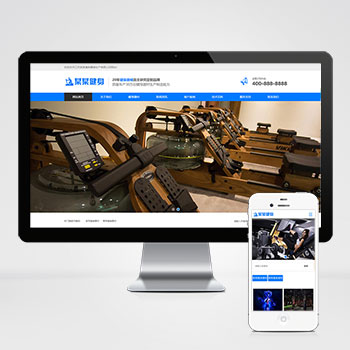 (自适应)营销型健身器材产品设备类pbootcms模板网站为健身器材企业打造的营销型网站模板,基于PbootCMS开源内核开发。采用HTML5响应式架构,PC与移动端数据实时同步,适配多终端展示场景。查看源码
 -
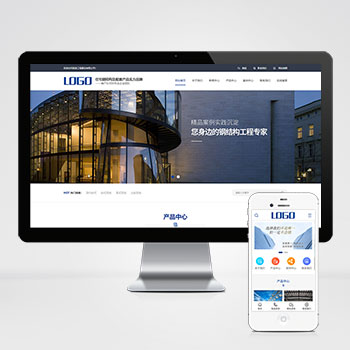 (PC+WAP)蓝色钢结构机械五金工程建筑基建营销型pbootcms模板下载于PbootCMS开发的钢结构与工程机械专用模板,助力企业构建专业级产品展示平台;模板内置工程案例展示、产品参数对照表等专业模块,预设项目进度、施工方案等建筑行业专属栏目查看源码
| 分享笔记 (共有 篇笔记) |