您现在的位置是:首页 > cms教程 > Ecshop商城教程Ecshop商城教程
ecshop用户名,手机号,email同步登陆的实现方法
 靖柏2023-10-21Ecshop商城教程已有人查阅
导读该ECSHOP插件仅适用于没有做过任何平台整合的ECSHOP网站;includes/modules/integrates/ecshop.php
该ECSHOP插件仅适用于没有做过任何平台整合的ECSHOP网站
修改文件:
1、includes/modules/integrates/ecshop.php
找到


修改文件:
1、includes/modules/integrates/ecshop.php
$this->field_email = 'email';
在以上代码下面增加
$this->field_phone = 'mobile_phone';
找到
function check_user($username, $password = null)
这个下面的
$sql = "SELECT " . $this->field_id .
" FROM " . $this->table($this->user_table).
" WHERE " . $this->field_name . "='" . $post_username . "'";
修改为
$sql = "SELECT " . $this->field_id .
" FROM " . $this->table($this->user_table).
" WHERE " . $this->field_name . "='" . $post_username . "' or " . $this->field_phone . "='" . $post_username . "' or " . $this->field_email . "='" . $post_username . "'";
再找到
$sql = "SELECT user_id, password, salt,ec_salt " .
" FROM " . $this->table($this->user_table).
" WHERE user_name='$post_username'";
修改为
$sql = "SELECT user_id, password, salt,ec_salt " .
" FROM " . $this->table($this->user_table).
" WHERE user_name='$post_username' or mobile_phone='$post_username' or email='$post_username'";
2、includes/modules/integrates/integrate.php找到
/* 会员邮箱的字段名 */
var $field_email= '';
在下面增加
/* 会员手机的字段名 */
var $field_phone= '';
找到
function login($username, $password, $remember = null)
下面的
  if ($this->need_sync)
   {
$this->sync($username,$password);
   }
在上面增加
$sql = "SELECT " . $this->field_name .
 " FROM " . $this->table($this->user_table).
 " WHERE " . $this->field_phone . " = '$username' or " . $this->field_name . " = '$username' or " . $this->field_email . " = '$username'";
   $username = $this->db->getOne($sql, true);
找到
function check_user($username, $password = null)
下面的
$sql = "SELECT " . $this->field_id .
" FROM " . $this->table($this->user_table).
" WHERE " . $this->field_name . "='" . $post_username . "'";
修改为
  $sql = "SELECT " . $this->field_id .
" FROM " . $this->table($this->user_table).
" WHERE " . $this->field_name . "='" . $post_username . "' or " . $this->field_phone . "='" . $post_username . "' or " . $this->field_email . "='" . $post_username . "'";
找到
$sql = "SELECT " . $this->field_id .
" FROM " . $this->table($this->user_table).
" WHERE " . $this->field_name . "='" . $post_username . "' AND " . $this->field_pass . " ='" . $this->compile_password(array('password'=>$password)) . "'";
修改为
$sql = "SELECT " . $this->field_id .
" FROM " . $this->table($this->user_table).
" WHERE (" . $this->field_name . "='" . $post_username . "' or " . $this->field_phone . "='" . $post_username . "' or " . $this->field_email . "='" . $post_username . "') AND " . $this->field_pass . " ='" . $this->compile_password(array('password'=>$password)) . "'";
再找到
function sync ($username, $password='', $md5password='')
下面的
 $sql = "SELECT user_name, email, password, sex, birthday".
 " FROM " . $GLOBALS['ecs']->table('users').
 " WHERE user_name = '$username'";
修改为
$sql = "SELECT user_name, email, password, sex, birthday".
 " FROM " . $GLOBALS['ecs']->table('users').
 " WHERE user_name = '$username' or mobile_phone = '$username' or email = '$username'";
安装完毕!
感谢您的认可和支持
微信
支付宝
本文标签:
很赞哦! ()
相关教程
图文教程

ecshop管理员密码忘记了怎么办?
不小心在后台把管理员全部给清空了,闹的网站都无法登陆了?有没办法ecshop这恢复管理员,好有个用户进去再去增加管理员呢?其实方法很简单手动在phpmyadmin增加下。
在ecshop后台左侧导航中增加新菜单的方法
有个别高级用户(懂PHP的),提到这样的问题:在后台管理左侧导航中新增一个菜单项,或者是修改菜单项的名字、或者是删除某菜单项。
ecshop默认配送方式和默认支付方式设置方法
用过ECSHOP的站长都知道,首次登陆ECSHOP进行购物的时候,购物流程中没有“默认配送方式和默认支付方式”这个功能即使网站上只有一种配送方式,它也不会默认选中这个唯一的配送
ecshop商城手机无法访问的修改方法
其实很简单,找到根目录下面的index.php这个问题,然后再找到下面的几句代码,删掉,保存就OK了!
相关源码
-
 (PC+WAP)激光水幕音乐喷泉设备工程网站源码下载本模板基于PbootCMS系统开发,为喷泉设备工程类企业设计,特别适合展示音乐喷泉、激光水幕等水景艺术项目。采用响应式技术,确保各类工程案例在不同设备上都能呈现视觉效果。查看源码
 -
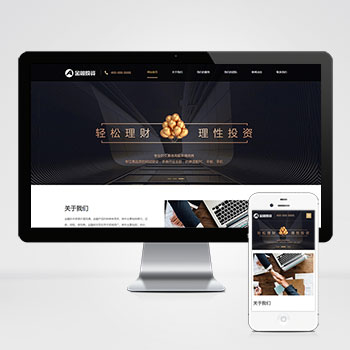 (自适应响应式)投资理财金融机构财务管理pbootcms模板本模板基于PbootCMS系统开发,为投资理财、金融机构等行业设计。采用专业严谨的布局风格,突出金融服务行业特色,适合展示各类理财产品、投资服务和金融资讯。查看源码
 -
 帝国cms7.5商城模板带图片视频广告位功能本模板基于帝国CMS7.5内核开发,为内容电商平台设计,集成文章、图片、视频多媒体展示与广告位管理功能。采用智能响应式技术,确保商品内容在不同设备上获得较优呈现效果,帮助快速构建专业的内容营销平台。查看源码
 -
 (自适应响应式)高端简繁双语HTML5金融资本咨询单页pbootcms模板采用响应式设计确保在各类手机端设备很好的呈现。该模板专注于金融咨询、资本管理等领域企业形象展示,通过结构化布局突出行业专业度与可信度,后台数据同步管理简化内容维护流程。查看源码
 -
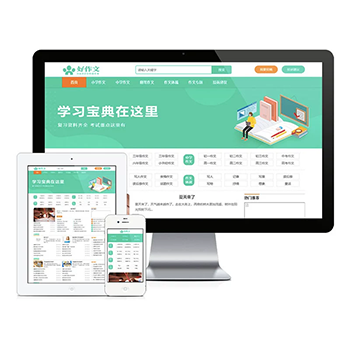 帝国cms7.5自适应作文新闻资讯教育网站模板本模板基于帝国CMS7.5内核开发,为教育机构、培训学校等知识传播单位打造。通过自适应设计确保在手机、平板、电脑等设备上均能获得专业浏览体验查看源码
 -
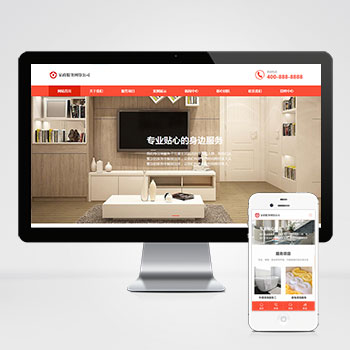 (自适应)橙色家政服务清洁保洁服务pbootcms网站模板源码下载模板核心价值:基于PbootCMS内核开发的家政服务类网站模板,通过模块化设计展现服务项目、团队风采、服务案例等核心板块,突出时效预约、服务标准化展示等家政行业特性。查看源码
| 分享笔记 (共有 篇笔记) |