您现在的位置是:首页 > cms教程 > 帝国CMS教程帝国CMS教程
帝国CMS增加自定义标签每月月份文章数量统计
 捷彦2023-01-02帝国CMS教程已有人查阅
导读兼容帝国原有的使用方式,即网站信息统计标签【总数据】的使用方式相同,但时间为0永远无限,1为今天,2为本月,3为本每年(11表示今年1月,12表示今年2月,...,22表示今年12月),注意不能用4-10,否则会出错。 22以上的数字不计入,即全部为0
1、把下面的代码复制粘帖到eclassuserfun.php中<?php和?>间
//---------------------------自定义一个统计标签,兼容帝国原来的使用方法
//修改后的信息统计。$day参数11表示本年1月,12表示本年二月,...,22表示本年12月
function user_TotalData1($classid,$enews=0,$day=0,$totaltype=0){
global $empire,$class_r,$class_zr,$dbtbpre,$fun_r,$class_tr;
if(empty($classid))
{
return "";
}
//统计类型
if($totaltype==1)//评论数
{
$totalfield='sum(plnum) as total';
}
elseif($totaltype==2)//点击数
{
$totalfield='sum(onclick) as total';
}
elseif($totaltype==3)//下载数
{
$totalfield='sum(totaldown) as total';
}
else//信息数
{
$totalfield='count(*) as total';
}
if($day)
{
if($day==1)//今日信息
{
$date=date("Y-m-d");
$starttime=$date." 00:00:01";
$endtime=$date." 23:59:59";
}
elseif($day==2)//本月信息
{
$date=date("Y-m");
$starttime=$date."-01 00:00:01";
$endtime=$date."-".date("t")." 23:59:59";
}
elseif($day==3)//本年信息
{
$date=date("Y");
$starttime=$date."-01-01 00:00:01";
$endtime=($date+1)."-01-01 00:00:01";
}
elseif($day>10)//本年某月信息
{
$yue=$day-10;
$date=date("Y");
$starttime=$date."-".$yue."-01 00:00:01";
if($yue==12){$endtime=$date."-".$yue."-31 23:59:59";}else{$endtime=$date."-".($yue+1)."-01 00:00:01";}
}
$and=" and newstime>=".to_time($starttime)." and newstime<=".to_time($endtime);
}
if($enews==1)//统计标题分类
{
if(empty($class_tr[$classid][tbname]))
{
echo $fun_r['BqErrorTtid']."=<b>".$classid."</b>".$fun_r['BqErrorNtb'];
return "";
}
$query="select ".$totalfield." from {$dbtbpre}ecms_".$class_tr[$classid][tbname]." where ttid='$classid'".$and;
}
elseif($enews==2)//统计数据表
{
$query="select ".$totalfield." from {$dbtbpre}ecms_".$classid.(empty($and)?'':' where '.substr($and,5));
}
else//统计栏目数据
{
if(empty($class_r[$classid][tbname]))
{
echo $fun_r['BqErrorCid']."=<b>".$classid."</b>".$fun_r['BqErrorNtb'];
return "";
}
if($class_r[$classid][islast])//终极栏目
{
$where="classid='$classid'";
}
else//大栏目
{
$where=ReturnClass($class_r[$classid][sonclass]);
}
$query="select ".$totalfield." from {$dbtbpre}ecms_".$class_r[$classid][tbname]." where ".$where.$and;
}
$num=$empire->gettotal($query);
echo $num;
}
?>//---------------------------自定义一个统计标签,兼容帝国原来的使用方法
//修改后的信息统计。$day参数11表示本年1月,12表示本年二月,...,22表示本年12月
function user_TotalData1($classid,$enews=0,$day=0,$totaltype=0){
global $empire,$class_r,$class_zr,$dbtbpre,$fun_r,$class_tr;
if(empty($classid))
{
return "";
}
//统计类型
if($totaltype==1)//评论数
{
$totalfield='sum(plnum) as total';
}
elseif($totaltype==2)//点击数
{
$totalfield='sum(onclick) as total';
}
elseif($totaltype==3)//下载数
{
$totalfield='sum(totaldown) as total';
}
else//信息数
{
$totalfield='count(*) as total';
}
if($day)
{
if($day==1)//今日信息
{
$date=date("Y-m-d");
$starttime=$date." 00:00:01";
$endtime=$date." 23:59:59";
}
elseif($day==2)//本月信息
{
$date=date("Y-m");
$starttime=$date."-01 00:00:01";
$endtime=$date."-".date("t")." 23:59:59";
}
elseif($day==3)//本年信息
{
$date=date("Y");
$starttime=$date."-01-01 00:00:01";
$endtime=($date+1)."-01-01 00:00:01";
}
elseif($day>10)//本年某月信息
{
$yue=$day-10;
$date=date("Y");
$starttime=$date."-".$yue."-01 00:00:01";
if($yue==12){$endtime=$date."-".$yue."-31 23:59:59";}else{$endtime=$date."-".($yue+1)."-01 00:00:01";}
}
$and=" and newstime>=".to_time($starttime)." and newstime<=".to_time($endtime);
}
if($enews==1)//统计标题分类
{
if(empty($class_tr[$classid][tbname]))
{
echo $fun_r['BqErrorTtid']."=<b>".$classid."</b>".$fun_r['BqErrorNtb'];
return "";
}
$query="select ".$totalfield." from {$dbtbpre}ecms_".$class_tr[$classid][tbname]." where ttid='$classid'".$and;
}
elseif($enews==2)//统计数据表
{
$query="select ".$totalfield." from {$dbtbpre}ecms_".$classid.(empty($and)?'':' where '.substr($and,5));
}
else//统计栏目数据
{
if(empty($class_r[$classid][tbname]))
{
echo $fun_r['BqErrorCid']."=<b>".$classid."</b>".$fun_r['BqErrorNtb'];
return "";
}
if($class_r[$classid][islast])//终极栏目
{
$where="classid='$classid'";
}
else//大栏目
{
$where=ReturnClass($class_r[$classid][sonclass]);
}
$query="select ".$totalfield." from {$dbtbpre}ecms_".$class_r[$classid][tbname]." where ".$where.$and;
}
$num=$empire->gettotal($query);
echo $num;
}
?>
2、新建标签代码
后台-模板-标签-标签管理-增加标签-增加内容如下:
标签名:每月信息统计
标签符号:TotalData1
所属类别:
函数名:user_TotalData1
标签格式:[totaldata]栏目ID,操作类型,时间范围,统计类型[/totaldata]
标签说明:
操作类型说明:
操作类型 内容
0 统计栏目数据
1 统计标题分类
2 统计数据表
时间范围:0为不限;1为今日;2为本月;3为本年。
统计类型:0为统计信息数;1为统计评论数;2为统计点击数;3为统计下载数。
如果操作类型是“统计数据表”,栏目ID='数据表名'
[totaldata]栏目ID,操作类型,时间范围,统计类型[/totaldata]
新闻统计
[totaldata]2,0,3,0[/totaldata]
感谢您的认可和支持

微信

支付宝
本文标签:帝国cms标签
很赞哦! ()
相关教程
- (PC+手机)帝国cms7.5漫画图片连载网站源码免费下载
- 帝国CMS7.5二次元COS漫展网站模板源码免费下载
- 帝国CMS7.5小说推荐公众号导航带wap手机站+带采集工具
- 帝国CMS7.5漫画网站模板带手机端源码免费下载
- 帝国cms7.5游戏门户H5小游戏网站模板源码免费下载
- 帝国CMS游戏应用APP推广下载站模板免费下载
- 帝国CMS7.5H5小游戏模板游戏攻略下载网整站源码
- 帝国cms7.5手游评测资讯礼包合集游戏专区下载网站模板
- 帝国cms7.5大型游戏资讯门户网站源码免费下载
- 帝国CMS7.5手游资讯下载综合门户免费网站模板
- 帝国cms7.5奇闻异事末解之谜模板免费下载带数据
- 帝国cms7.5模板情感文学名言名句心情文章类源码下载带手机
图文教程
帝国CMS调用栏目链接的方法,帝国CMS怎么调用栏目链接
sys_ReturnBqClassname(r , 9 ) 函数返回栏目链接, r,9)函数返回栏目链接,r,9)函数返回栏目链接,r为含栏目ID的数组,变量名可任意命名。
xunsearch迅搜全文搜索安装步骤示例
Xunsearch 是一个高性能、全功能的全文检索解决方案。安装xunsearchputty登录服务器,下载迅搜xunsearch:
帝国CMS批量增加下载地址批量设置权限和点数
本插件是为了更方便帝国CMS后台批量添加下载地址而开发:有时候一条条添加下载地址确实不方便,设置权限和点数一条条改也是很麻烦的。
帝国cms留言板设置联系电话为必填项
帝国cms网站留言板默认设置的必填项为姓名、邮箱、留言内容,但是联系方式却是个选填。帝国网站的留言板我们如何设置联系电话为必填项呢
相关源码
-
 自适应营销型IT网络工作室互联网建站公司pbootcms网站模板为IT网络服务商、建站企业打造的高性能营销门户,基于PbootCMS开源内核深度开发采用HTML5自适应架构,实现PC与手机端数据实时同步交互。查看源码
 -
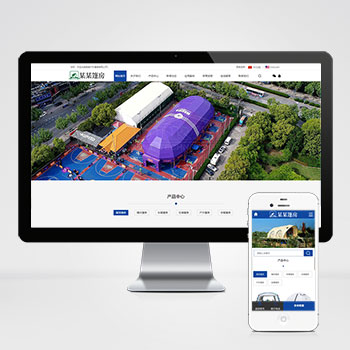 (PC+WAP)中英双语户外用品帐篷装备pbootcms网站模板下载这款基于PbootCMS开发的中英文双语模板专为户外装备行业设计,适配PC和移动设备。模板采用现代化设计风格,突出户外产品的功能性和实用性,帮助企业建立专业的国际化展示平台。查看源码
 -
 (自适应)绿色园林建筑花卉园艺艺术模板免费下载为景观设计及园艺企业打造的响应式网站框架,基于PbootCMS系统开发,帮助传统园林行业建立现代化数字展示平台。采用标准DIV+CSS前端架构,代码精简无冗余。查看源码
 -
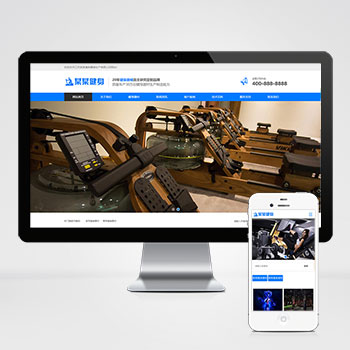 (自适应)营销型健身器材产品设备类pbootcms模板网站为健身器材企业打造的营销型网站模板,基于PbootCMS开源内核开发。采用HTML5响应式架构,PC与移动端数据实时同步,适配多终端展示场景。查看源码
 -
 帝国cms7.5商城模板带图片视频广告位功能本模板基于帝国CMS7.5内核开发,为内容电商平台设计,集成文章、图片、视频多媒体展示与广告位管理功能。采用智能响应式技术,确保商品内容在不同设备上获得较优呈现效果,帮助快速构建专业的内容营销平台。查看源码
 -
 (自适应响应式)动力刀座五金机械设备pbootcms网站源码下载为动力刀座及五金机械企业定制的响应式网站框架,基于PbootCMS系统深度开发,助力传统制造企业实现数字化转型升级。采用手工编写的DIV+CSS前端架构,代码执行效率提升40%。查看源码
| 分享笔记 (共有 篇笔记) |