您现在的位置是:首页 > cms教程 > 帝国CMS教程帝国CMS教程
帝国cms多个搜索多个模板(不同栏目不同搜索模板)原创教程
 2025-08-09帝国CMS教程已有人查阅
导读今天下午有人问代码号搜索结果很乱,太多分不清是教程还是模板,能不能优化搜索教程结果就是教程,搜模板的结果就是模板,给不同的页面结果。答案是可以的。下面来具体操作思路分享

今天下午有人问代码号搜索结果很乱,太多分不清是教程还是模板,能不能优化搜索教程结果就是教程,搜模板的结果就是模板,给不同的页面结果。答案是可以的。下面来具体操作思路分享给大家。原创文章,转载请标明出处和本文连接地址;
步骤一,对搜索进行二次开发
下面是原来的头部搜索块
<form name="search" method="post" action="/e/search/index.php">
 <input type="text" name="keyboard" size="11" placeholder="请输入关键字搜索">
 <button class="sea-btn"><i class="iconfont icon-search"></i></button>
 <input type="hidden" name="show" value="title,newstext">
 <input type="hidden" name="tbname" value="news">
 <input type="hidden" name="tempid" value="1">
</form>
知己知彼百战不殆,先对代码大概的给大家分析一下基础的搜索表单HTML代码,主要用于网站内容搜索功能
表单通过POST方式提交到/e/search/index.php处理,包含以下核心元素:
输入框
文本输入框设置size=11个字符宽度,显示"请输入关键字搜索"的占位提示。
使用name="keyboard"作为参数名传递搜索关键词
隐藏字段
show参数限定返回title和newstext字段
tbname=news指定搜索news数据表
tempid=1表示使用模板ID1为1的模板显示搜索页面
步骤二,多搜索开发
大概知道了上面的代码参数就不难进行二次开发了,下面我贴出我修改过的代码给大家参考。
<div class="search-form">
    <form name="search" method="post" action="/e/search/index.php">
        <input type="text" name="keyboard" size="11" placeholder="请输入搜索内容">
        <select id="templateSelect" class="template-select">
            <option value="1">全站搜索</option>
            <option value="2">教程搜索</option>
            <option value="3">源码搜索</option>
        </select>
        <button class="sea-btn"><i class="iconfont icon-search"></i></button>
        <input type="hidden" name="show" value="title,newstext">
        <input type="hidden" name="tbname" value="news">
        <input type="hidden" id="tempid" name="tempid" value="1">
        <input type="hidden" id="classid" name="classid" value="0">
        <input type="hidden" id="searchtype" name="searchtype" value="full">
    </form>
</div>

<script>
document.getElementById('templateSelect').addEventListener('change', function() {
    const selectedValue = this.value;
    const tempidField = document.getElementById('tempid');
    const classidField = document.getElementById('classid');
    const searchtypeField = document.getElementById('searchtype');

    // 全站搜索配置
    if(selectedValue === '1') {
        tempidField.value = '1';
        classidField.value = '0';  // 不限定栏目
        searchtypeField.value = 'full';
    }
    // 教程搜索配置
    else if(selectedValue === '2') {
        tempidField.value = '1';   // 使用模板ID1
        classidField.value = '2';  // 限定栏目ID2
        searchtypeField.value = 'article';
    }
    // 源码搜索配置
    else {
        tempidField.value = '2';   // 使用模板ID2
        classidField.value = '7';  // 限定栏目ID7
        searchtypeField.value = 'source';  // 修改为source类型
    }
});
</script>
多级搜索模板,模板1拆分为"全站搜索"和"文章搜索"两个选项,通过隐藏字段searchtype区分。模板2专用于文档搜索,保持独立功能。
JavaScript根据选择实时更新tempid、classid和searchtype三个隐藏字段全站搜索时classid=0表示不限定栏目。
说明:
1
这里分三个搜索可以筛选
value="1"全站搜索
value="2"教程搜索
value="3"模板搜索
2
全站搜索(classid=0)不限定栏目范围
文章/文档搜索分别限定特定栏目ID(2/7)
然后添加一个搜索模板
步骤三,添加搜索模板
搜索模板样式就就自己写了,然后调整一下上面搜索框的样式,可以看看代码号的搜索>搜索展示demo
到这里基本上就改造完成了,但是搜索结果时常有bug搜索的结果同一个词用不用的模板还是之前的模板,考虑到缓存的问题,对下面的页面进行开发,源码我贴在下面文件路径/e/search/result/index.php
<?php
require('../../class/connect.php');
require('../../class/db_sql.php');
require('../../class/functions.php');
require('../../class/t_functions.php');
require('../../data/dbcache/class.php');
require "../".LoadLang("pub/fun.php");
$editor=1;
eCheckCloseMods('search');//关闭模块
$link=db_connect();
$empire=new mysqlquery();
$getvar=$_GET['getvar'];
if(empty($getvar))
{
$getfrom="history.go(-1)";
}
else
{
$getfrom="../../../search/";
}
//搜索结果
$searchid=(int)$_GET['searchid'];
if(empty($searchid))
{
printerror("SearchNotRecord",$getfrom,1);
}
$search_r=$empire->fetch1("select searchid,keyboard,result_num,orderby,myorder,tbname,tempid,andsql,trueclassid from {$dbtbpre}enewssearch where searchid='$searchid'");
if(empty($search_r['searchid'])||InfoIsInTable($search_r[tbname]))
{
printerror("SearchNotRecord",$getfrom,1);
}
$page=(int)$_GET['page'];
$page=RepPIntvar($page);
$start=0;
$page_line=$public_r['search_pagenum'];//每页显示链接数
$line=$public_r['search_num'];//每页显示记录数
$offset=$page*$line;//总偏移量
$search="&searchid=".$searchid;
$myorder=$search_r[orderby];
if(empty($search_r[myorder]))
{
$myorder.=" desc";
}
$add=stripSlashes($search_r['andsql']);
$num=$search_r[result_num];
$query="select * from {$dbtbpre}ecms_".$search_r[tbname].($add?' where '.substr($add,5):'');
$query.=" order by ".$myorder." limit $offset,$line";
$sql=$empire->query($query);
$listpage=page1($num,$line,$page_line,$start,$page,$search);
//取得模板
if($search_r['tempid'])
{
$tempr=$empire->fetch1("select temptext,subnews,listvar,rownum,showdate,modid,subtitle,docode from ".GetTemptb("enewssearchtemp")." where tempid='".$search_r['tempid']."' limit 1");
}
elseif(empty($class_r[$search_r[trueclassid]][searchtempid]))
{
$tempr=$empire->fetch1("select temptext,subnews,listvar,rownum,showdate,modid,subtitle,docode from ".GetTemptb("enewssearchtemp")." where isdefault=1 limit 1");
}
else
{
$tempr=$empire->fetch1("select temptext,subnews,listvar,rownum,showdate,modid,subtitle,docode from ".GetTemptb("enewssearchtemp")." where tempid='".$class_r[$search_r[trueclassid]][searchtempid]."' limit 1");
}
$have_class=1;
//页面支持标签
$tempr[temptext]=DtNewsBq('list'.$search_r['tempid'],$tempr[temptext],0);
//替换公共模板变量
$listtemp=$tempr[temptext];
if($public_r['searchtempvar'])
{
$listtemp=ReplaceTempvar($listtemp);
}
$search_r[keyboard]=ehtmlspecialchars($search_r[keyboard]);
$listtemp=str_replace("[!--show.page--]",$listpage,$listtemp);
$listtemp=str_replace("[!--keyboard--]",$search_r[keyboard],$listtemp);
$listtemp=str_replace("[!--ecms.num--]",$num,$listtemp);
$url="<a href='".ReturnSiteIndexUrl()."'>".$fun_r['index']."</a> > ".$fun_r['adsearch'];
$pagetitle=$fun_r['adsearch']." ".$search_r[keyboard];
$listtemp=ReplaceSvars($listtemp,$url,0,$pagetitle,$pagetitle,$pagetitle,$add,0);
$rownum=$tempr[rownum];
if(empty($rownum))
{
$rownum=1;
}
$formatdate=$tempr[showdate];
$subnews=$tempr[subnews];
$subtitle=$tempr[subtitle];
$docode=$tempr[docode];
$modid=$tempr[modid];
$listvar=str_replace('[!--news.url--]',$public_r[newsurl],$tempr[listvar]);
//字段
$ret_r=ReturnReplaceListF($tempr[modid]);
//取得列表模板
$list_exp="[!--empirenews.listtemp--]";
$list_r=explode($list_exp,$listtemp);
$listtext=$list_r[1];
$no=$offset+1;
$changerow=1;
while($r=$empire->fetch($sql))
{
//替换列表变量
$repvar=ReplaceListVars($no,$listvar,$subnews,$subtitle,$formatdate,$url,$have_class,$r,$ret_r,$docode);
$listtext=str_replace("<!--list.var".$changerow."-->",$repvar,$listtext);
$changerow+=1;
//超过行数
if($changerow>$rownum)
{
$changerow=1;
$string.=$listtext;
$listtext=$list_r[1];
}
$no++;
}
db_close();
$empire=null;
//多余数据
if($changerow<=$rownum&&$listtext<>$list_r[1])
{
$string.=$listtext;
}
$string=$list_r[0].$string.$list_r[2];
echo stripSlashes($string);
?>
到这里恭喜你帝国cms多搜索多模板已经开发好了。
感谢您的认可和支持

微信

支付宝
本文标签:帝国cms功能开发
很赞哦! ()
相关教程
图文教程

帝国CMS灵动标签怎么调用会员列表
使用万能的灵动标签来调用:企业会员新建了字段 企业分类:qyfl。我们需要调用 企业分类=种植果蔬 的企业会员列表:
帝国CMS手机版内容图片压缩的方法
PC端下上传的内容图片一般比较大,在移动端下加载会很慢,此时我们需要把这些图片处理下那么可以借助PHP的函数 preg_replace_callback:
帝国CMS网站地图sitemap制作方法
增加自定义页面,文件名及存放目录:../../sitemap/sitemap.xml
多个帝国CMS系统的会员整合与同步的方法
例子:我们要整合下面三个帝国CMS系统网站名称分别为“A网站”、“B网站”、“C网站”;安装系统的数据库名分别为“adb”、“bdb”、“cdb”;使用的域名分别为“a.phome.net”、
相关源码
-
 (自适应响应式)蓝色外贸英文产品介绍展示网站模板本模板采用手工编写的DIV+CSS架构,代码精简高效。适配手机端浏览,数据实时同步更新。内置SEO优化框架,支持独立设置各页面标题、关键词及描述。开源代码结构清晰,便于二次开发。查看源码
 -
 (自适应)包装机贴标机设备网站源码免费下载基于PbootCMS内核开发的响应式企业模板,为包装机械、贴标设备等工业领域打造,通过数字化展示提升企业专业形象。查看源码
 -
 (自适应)大型农业机械设备水稻玉米收割机网站pbootcms源码下载本模板基于PbootCMS内核开发,为农业机械设备制造与销售企业设计,特别适合水稻玉米收割机、拖拉机、播种机等农用机械展示。模板充分考虑了农机行业的特性,从产品展示到技术参数,从作业案例到售后服务查看源码
 -
 (自适应)蓝色建材亚克力板材装饰材料pbootcms网站模板这款基于PbootCMS开发的响应式模板为建材板材行业优化设计,适用于亚克力板材、建筑装饰材料等企业展示需求。采用HTML5技术实现手机/PC跨终端适配,管理员通过统一后台即可同步查看源码
 -
 自适应建材瓷砖卫浴大理石类pbootcms网站模板源码下载为建材瓷砖、卫浴瓷砖企业打造的高端响应式门户模板,基于PbootCMS内核深度开发。采用前沿HTML5自适应架构,无缝兼容手机端触控交互与PC端展示场景。查看源码
 -
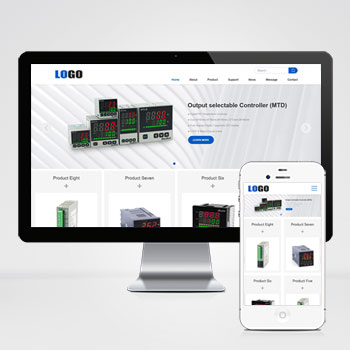 (自适应)英文外贸电子设备网站模板三级子目录基于PbootCMS内核开发的响应式英文网站模板,为外贸企业打造,支持多行业快速适配。通过简洁高效的代码架构,帮助企业低成本构建专业海外形象,实现更好客户触达与订单转化。查看源码
| 分享笔记 (共有 篇笔记) |