您现在的位置是:首页 > cms教程 > Ecshop商城教程Ecshop商城教程
ecshop导航栏模块分析
 钟召云2025-01-08Ecshop商城教程已有人查阅
导读花了一下午的时间,总算解决了。本来想在前台界面上分析看看ecshop导航栏设置,在浏览器里面是定位到了“nav-manu”下面,然后子目录是在m_left下可以看到是动态生成一系列的ul
花了一下午的时间,总算解决了。本来想在前台界面上分析看看ecshop导航栏设置,在浏览器里面是定位到了“nav-manu”下面,然后子目录是在m_left下可以看到是动态生成一系列的ul,li标签来设置导航栏的,然后打开源码,因为主界面是由index.dwt布局完成的
之前一直没看懂$navigator_list这个参数是怎么传进来的,因为固定思维,一直以为带有‘$’的标签都是根目录下的php文件通过smarty传递过来,所以找遍了所有php文件和dwt文件,都没发现$navigator_list这个参数,后面又试着关键字搜索nav这个表名,以为能找到对应的sql语句,可是找遍仍然没发现,后面接着在page_header.lbi这个文件下调试这几个参数的值,输出这些值,找找看能不能发现什么,顺便把数据库里面nav表的name参数改动,看看变化,依然没什么进展,不过,倒是解决了之前很多的疑问,感觉里面的代码和界面被我调试的面目全非。最终问题是解决了,我无意中翻看其他文件夹,在includes/目录下,我意识到,像导航栏这种常年不变的组件,必须得剥离到共用的地方,很多地方都得调用,如果写在业务逻辑代码里面,会非常臃肿的,我翻了一下,本能的从init.php,lib_base,lib_main这三个文件里面看了看,之后在lib_main文件内找到$navigator_list参数。


<strong><!DOCTYPE html PUBLIC "-//W3C//DTD XHTML 1.0 Transitional//EN" "">
<html xmlns="http:// .w3.org/1999/xhtml">
<head>
<meta http-equiv="Content-Type" content="text/html; charset=utf-8" />
<meta name="Keywords" content="{$keywords}" />
<meta name="Description" content="{$description}" />
<!-- TemplateBeginEditable name="doctitle" -->
<title>{$page_title}</title>
<!-- TemplateEndEditable --><!-- TemplateBeginEditable name="head" --><!-- TemplateEndEditable -->
<link rel="shortcut icon" href="favicon.ico" />
<link rel="icon" href="animated_favicon.gif" type="image/gif" />
<link href="{$ecs_css_path}" rel="stylesheet" type="text/css" />
<link rel="alternate" type="application/rss+xml" title="RSS|{$page_title}" href="{$feed_url}" />
<link rel="stylesheet" type="text/css" href="themes/default/images/swiper.min.css">
<script language='javascript' src='themes/default/js/swiper.min.js' type='text/javascript' charset='utf-8'></script>
{* 包含脚本文件 *}
{insert_scripts files='common.js,index.js'}
{$ecs_css_path}
{$testtest}
<><>
</head>
<body>
<!-- #BeginLibraryItem "/library/page_header.lbi" --><!-- #EndLibraryItem -->
<script>
if (Object.prototype.toJSONString){
var oldToJSONString = Object.toJSONString;
Object.prototype.toJSONString = function(){
if (arguments.length > 0){
return false;
}else{
return oldToJSONString.apply(this, arguments);
}
}}</script>
<div class="indexpage clearfix">
<div class="index-cat">
<!-- #BeginLibraryItem "/library/index_category_tree.lbi" --><!-- #EndLibraryItem -->
</div>
<div class="index-banner"><!-- #BeginLibraryItem "/library/index_banner.lbi" --><!-- #EndLibraryItem --> </div>
</div>
<div class="indexpage clearfix index-ad">
<div class="ad-tg">
<!-- TemplateBeginEditable name="团购广告230x206" -->
<!-- #BeginLibraryItem "/library/ad_position.lbi" -->
123
{insert name='ads' id=$ads_id num=$ads_num}
<!-- #EndLibraryItem -->
<!-- TemplateEndEditable -->
</div>
<div class="ad-lb">
<!-- #BeginLibraryItem "/library/index_lad.lbi" -->
000000
<!-- #EndLibraryItem -->
123333
</div>
</div>
<div class="index-body">
<div class="indexpage">
<div class="body-goods">
<div class="goods-title">1F 家用电器</div>
<div class="clearfix goods-wrap">
<div class="goods-leftad">
<!-- #BeginLibraryItem "/library/f1_ad.lbi" --><!-- #EndLibraryItem -->
</div>
<div class="goods-right">
<!-- TemplateBeginEditable name="1层产品" -->
<!-- #BeginLibraryItem "/library/cat_goods.lbi" -->
<div class="all_ms">
<!--{foreach from=$cat_goods item=goods}-->
<a class="goodsItem" href="{$goods.url}">
<div class="img-box">
<img src="{$goods.thumb}" alt="{$goods.name|escape:html}" class="goodsimg" />
</div>
<div class="goods-brief">{$goods.brief|truncate:20}</div>
<div class="gos-title">{$goods.short_name|escape:html}</div>
<div class="prices">
<!-- {if $goods.promote_price neq ""} -->
<font class="shop_s">{$lang.promote_price}<b>{$goods.promote_price}</b></font>
<!-- {else}-->
<font class="shop_s"><b>{$goods.shop_price}</b></font>
<!--{/if}-->
</div>
<div class="comment">
</div>
</a>
<!--{/foreach}-->
<div class="clear0"></div>
</div>
<!-- #EndLibraryItem -->
<!-- TemplateEndEditable -->
</div>
</div>
<div class="goods-title">2F 数码时尚</div>
<div class="clearfix goods-wrap">
<div class="goods-leftad">
<!-- #BeginLibraryItem "/library/f2_ad.lbi" --><!-- #EndLibraryItem -->
</div>
<div class="goods-right">
<!-- TemplateBeginEditable name="2层产品" -->
<!-- #BeginLibraryItem "/library/cat_goods.lbi" -->
<div class="all_ms">
<!--{foreach from=$cat_goods item=goods}-->
<a class="goodsItem" href="{$goods.url}"> <div class="img-box"><img src="{$goods.thumb}" alt="{$goods.name|escape:html}" class="goodsimg" /></div>
<div class="goods-brief">{$goods.brief|truncate:20}</div>
<div class="gos-title">{$goods.short_name|escape:html}</div>
<div class="prices">
<!-- {if $goods.promote_price neq ""} -->
<font class="shop_s">{$lang.promote_price}<b>{$goods.promote_price}</b></font>
<!-- {else}-->
<font class="shop_s"><b>{$goods.shop_price}</b></font>
<!--{/if}-->
</div>
</a>
<!--{/foreach}-->
<div class="clear0"></div>
</div>
<!-- #EndLibraryItem -->
<!-- TemplateEndEditable -->
</div>
</div>
<div class="goods-title">3F 家居生活</div>
<div class="clearfix goods-wrap">
<div class="goods-leftad">
<!-- #BeginLibraryItem "/library/f3_ad.lbi" --><!-- #EndLibraryItem -->
</div>
<div class="goods-right">
<!-- TemplateBeginEditable name="3层产品" -->
<!-- #BeginLibraryItem "/library/cat_goods.lbi" -->
<div class="all_ms">
<!--{foreach from=$cat_goods item=goods}-->
<a class="goodsItem" href="{$goods.url}"> <div class="img-box"><img src="{$goods.thumb}" alt="{$goods.name|escape:html}" class="goodsimg" /></div>
<div class="goods-brief">{$goods.brief|truncate:20}</div>
<div class="gos-title">{$goods.short_name|escape:html}</div>
<div class="prices">
<!-- {if $goods.promote_price neq ""} -->
<font class="shop_s">{$lang.promote_price}<b>{$goods.promote_price}</b></font>
<!-- {else}-->
<font class="shop_s"><b>{$goods.shop_price}</b></font>
<!--{/if}-->
</div>
</a>
<!--{/foreach}-->
<div class="clear0"></div>
</div>
<!-- #EndLibraryItem -->
<!-- TemplateEndEditable -->
</div>
</div>
<div class="goods-title">热门商品推荐</div>
<div class="clearfix goods-wrap hot-goods">
<!-- TemplateBeginEditable name="热门商品推荐" -->
<!-- #BeginLibraryItem "/library/recommend_hot.lbi" -->
<!-- {if $hot_goods} -->
<!-- {if $cat_rec_sign neq 1} -->
<div id="show_hot_area" class="clearfix goodsBox all_mid all_ms">
<!-- {/if} -->
<!--{foreach from=$hot_goods item=goods}-->
<a class="goodsItem" href="{$goods.url}"> <div class="img-box"><img src="{$goods.thumb}" alt="{$goods.name|escape:html}" class="goodsimg" /></div>
<div class="goods-brief">{$goods.brief|truncate:20}</div>
<div class="gos-title">{$goods.short_name|escape:html}</div>
<div class="prices">
<!-- {if $goods.promote_price neq ""} -->
<font class="shop_s">{$lang.promote_price}<b>{$goods.promote_price}</b></font>
<!-- {else}-->
<font class="shop_s"><b>{$goods.shop_price}</b></font>
<!--{/if}-->
</div>
</a>
<!--{/foreach}-->
<!-- {if $cat_rec_sign neq 1} -->
<div class="clear0"></div>
</div> <div class="clear10"></div>
<!-- {/if} -->
<!-- {/if} -->
<!-- #EndLibraryItem -->
<!-- TemplateEndEditable -->
</div>
</div>
</div>
</div>
<!-- #BeginLibraryItem "/library/page_footer.lbi" --><!-- #EndLibraryItem -->
</body>
</html></strong>
所以可以在其中发现
<strong><!-- #BeginLibraryItem "/library/page_header.lbi" --><!-- #EndLibraryItem --></strong>这一行代码,因为dwt文件的缘故,注释可以忽略,然后进入
/library/page_header.lbi
文件下,找到nav-menu标签,原始代码真是够乱的,对于有强迫症的我来说,必须得重新排版下
<strong><div class="m_left">
<ul>
<li>
<a href="../index.php"
{if $navigator_list.config.index eq 1} class="cur"{/if}>
{$lang.home}{$lang.home}{$smarty.foreach.nav_middle_list.last}
</a>
</li>
{foreach name=nav_middle_list from=$navigator_list.middle item=nav}
{if $smarty.foreach.nav_middle_list.last}
<li>
<a href="{$nav.url}"
{if $nav.opennew eq 1}
target="_blank"
{/if}
{$nav.name}
</a>
</li>
<!-- {else} -->
<li>
<a href="{$nav.url}"
<!-- {if $nav.opennew eq 1} -->target="_blank"<!-- {/if} -->>
{$nav.name}
</a>
</li>
<!-- {/if} -->
<!-- {if $nav.active eq 1} --><!-- {/if} -->
<!-- {/foreach} -->
</ul>
</div></strong>
在m_left标签下,可以发现首页标签是单独列出来的,而后面的几个选项是通过foreach动态生成,从给的href可以看出。之前一直没看懂$navigator_list这个参数是怎么传进来的,因为固定思维,一直以为带有‘$’的标签都是根目录下的php文件通过smarty传递过来,所以找遍了所有php文件和dwt文件,都没发现$navigator_list这个参数,后面又试着关键字搜索nav这个表名,以为能找到对应的sql语句,可是找遍仍然没发现,后面接着在page_header.lbi这个文件下调试这几个参数的值,输出这些值,找找看能不能发现什么,顺便把数据库里面nav表的name参数改动,看看变化,依然没什么进展,不过,倒是解决了之前很多的疑问,感觉里面的代码和界面被我调试的面目全非。最终问题是解决了,我无意中翻看其他文件夹,在includes/目录下,我意识到,像导航栏这种常年不变的组件,必须得剥离到共用的地方,很多地方都得调用,如果写在业务逻辑代码里面,会非常臃肿的,我翻了一下,本能的从init.php,lib_base,lib_main这三个文件里面看了看,之后在lib_main文件内找到$navigator_list参数。
感谢您的认可和支持
微信
支付宝
本文标签:
很赞哦! ()
图文教程

ecshop用户会员无法登陆ec_salt in field list'解决办法
ecshop的程序用户会员无法登陆,发现网站提示错误如下:很明显了,缺少ec_salt 字段,通过自己的一些经验 以及网上寻找的一些解决办法,解决方法如下:
ecshop编辑器FCKeditor修改成KindEditor编辑批量上传图片
ecshop一直使用的编辑器是fck,这个不用多说,相信很多朋友用的很悲剧吧,特别是图片不能批量上传图片。
删除ecshop网站顶部版权信息Powered by ecshop
用EDITPLUS或者dreamweaver 打开 includes/lib_main.php将注:如果你的是UTF-8编码的,尽量不要使用记事本来修改。
ecshop模板结构文件说明
文件(目录)名可否更改 images 目录 存放模板图片目录 不可更改 library 目录 存放模板库文件目录 不可更改 screenshot.png 图片 用于“后台管理 -> 模板管理
相关源码
-
 (自适应)酒店民宿客房旅馆pbootcms模板下载基于PbootCMS内核开发的酒店民宿行业专用网站模板,专注于为住宿服务企业提供专业高效的在线展示平台。该模板采用响应式设计结构,确保在不同终端设备上均能呈现优质浏览体验。查看源码
 -
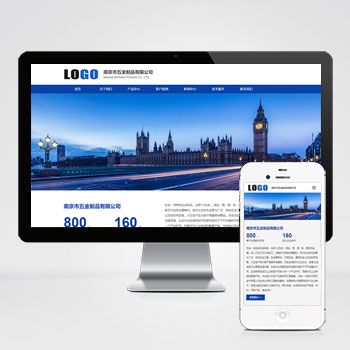 (自适应)蓝色五金制品配件管件pbootcms网站源码下载基于PbootCMS内核开发的五金行业专用模板,采用响应式设计架构,确保产品展示在各类移动设备上的呈现。通过模块化布局与工业风视觉设计,帮助五金企业高效展示产品规格、应用场景及技术支持,建立专业可靠的行业形象。查看源码
 -
 (PC+WAP)绿色市政园林建筑设计绿化营销型pbootcms网站模板本模板基于PbootCMS系统开发,为园林绿化、景观设计类企业设计,特别适合市政园林、景观工程、绿化养护等企业使用。采用双端适配技术查看源码
 -
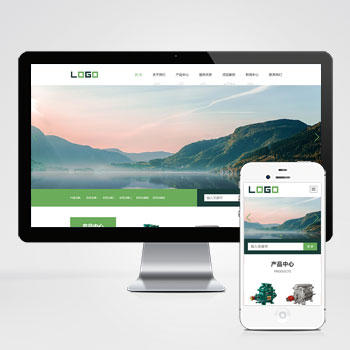 (自适应响应式)环保水净化处理设备阀门等网站源码下载基于PbootCMS内核开发的响应式模板,为水处理设备、空气净化器等环保企业设计,自适应手机端浏览。通过简洁高效的后台管理系统,助力环保科技企业快速建立专业在线展示平台。查看源码
 -
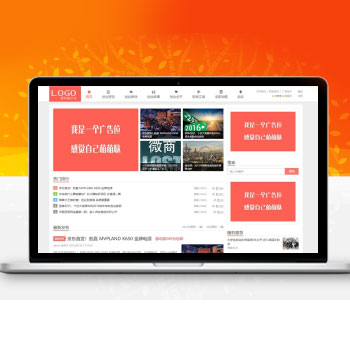 (自适应)帝国CMS7.5模板淘宝客导购博客文章源码本模板基于帝国CMS7.5内核深度开发,为电商导购类网站设计。采用响应式布局技术,确保在手机、平板及电脑端均能获得优质浏览体验。模板内置商品推荐模块与优惠信息展示区,可快速搭建专业导购平台。查看源码
 -
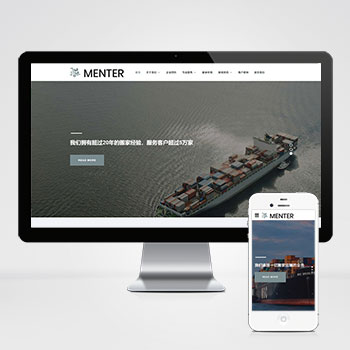 宽屏自适应搬家家政快递物流公司网站模板该宽屏大气的响应式网站模板专为搬家公司、家政服务及物流快递企业设计,基于PbootCMS内核开发,通过自适应布局确保手机、PC等多终端体验一致,助力企业高效构建专业在线服务平台。查看源码
| 分享笔记 (共有 篇笔记) |