您现在的位置是:首页 > cms教程 > Discuz教程Discuz教程
LNMP安装discuz
 盼儿2025-07-17Discuz教程已有人查阅
导读php7的yum源安装1.安装epel源2.php3.nginx4.mariadb5.discuz
php7的yum源
1.安装epel源


rpm -Uvh https://dl.fedoraproject.org/pub/epel/epel-release-latest-7.noarch.rpm
rpm -Uvh https://mirror.webtatic.com/yum/el7/webtatic-release.rpm
安装
yum -y install php72w php72w-cli php72w-fpm php72w-common php72w-devel
LNMP1.安装epel源
[root@localhost ~]# yum -y install epel-release
2.php
yum -y install libmcrypt-devel mhash-devel libxslt-devel libjpeg libjpeg-devel libpng libpng-devel freetype freetype-devel libxml2 libxml2-devel zlib zlib-devel
glibc glibc-devel glib2 glib2-devel bzip2 bzip2-devellibidn-devel opensslopenssl-devel libzip
yum -y install php php-mysql php-fpm php-gdphp-pecl-zendopcache
[root@localhost ~]# vim /etc/php-fpm.d/ .conf
user = nginx
group = nginx
[root@localhost php]# setfacl -m u:nginx:rwx session
3.nginx
[root@localhost ~]# yum install nginx -y
server {
listen 80;
server_name.lh.com;
location / {
root /usr/share/nginx/html;
index index.php index.html index.htm;
}
error_page 500 502 503 504 /50x.html;
location = /50x.html {
root /usr/share/nginx/html;
}
location ~ \.php$ {
root /usr/share/nginx/html;
fastcgi_pass 127.0.0.1:9000;
fastcgi_index index.php;
fastcgi_param SCRIPT_FILENAME /usr/share/nginx/html/$fastcgi_script_name;
include fastcgi_params;
}
}
[root@localhost conf.d]# mkdir /php/nginx/web/ -pv
[root@localhost web]# yum install lrzsz
[root@localhost web]# yum install unzip
[root@localhost nginx]# chown -R nginx:nginx web
4.mariadb
[root@localhost conf.d]# yum install mariadb-server mariadb
[root@localhost conf.d]# vim /etc/my.cnf
skip_name_resolve = on
innodb_file_per_table = on
[root@localhost conf.d]# systemctl start mariadb
MariaDB [(none)]> create database discuz default charset 'utf8';
MariaDB [(none)]> grant all on discuz.* to 'disuser'@'%' identified by 'khb123';
5.discuz
[root@localhost html]# git clone https://gitee.com/ComsenzDiscuz/DiscuzX.git
[root@localhost html]# cp -rf /php/nginx/discuz/DiscuzX/upload/* /usr/share/nginx/html/
[root@localhost html]# chown -R nginx:nginx /usr/share/nginx/html/
感谢您的认可和支持
微信
支付宝
本文标签:
很赞哦! ()
相关教程
图文教程

Discuz主题浏览量不更新怎么办
解决Discuz主题浏览量不发生变化或者跟这回复帖子的数量一起变化如果你是新手discuz开发人员可以从头查看文章如果你是一个站长直接看文章底部总结即可更多文章尽在专栏:
DiscuzX插件开发手册
文件命名规范Discuz! 按照如下的规范对程序和模板进行命名,请在设计插件时尽量遵循此命名规范:可以直接通过浏览器访问的普通程序文件,以 .php 后缀命名。
discuz设置阅读权限的方法
discuz设置阅读权限:1、点击版块,进入版块管理界面;2、点击某个版块后面的“编辑”按钮;3、在打开的界面中,点击“权限相关”,勾选“浏览版块”列和“用户组”行交叉的复选框;4、点击提交即可完成阅读权限的设置。
discuz的C::t方法实例
一、C::t方法的好处:一是对象清楚,二是对形参格式化处理,三是可集中SQL语句,利于维护,四是安全性更高。二、具体用法,看下面的例子
相关源码
-
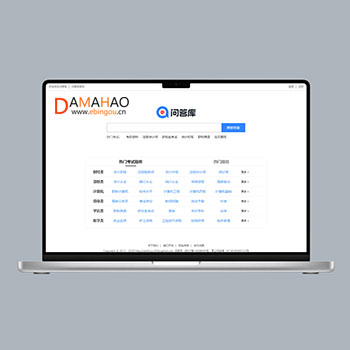 帝国cms题库问答学习平台模板知识付费网站源码+数据采集为教育机构、培训平台及在线学习场景设计,提供完整的题库管理与问答服务解决方案。支持多种题型展示与答案查询,满足不同层次的学习需求。查看源码
 -
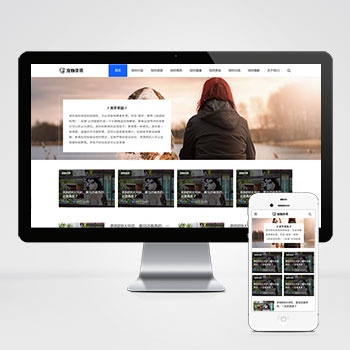 (自适应响应式)宠物经验资讯咨询博客pbootcms网站源码下载除宠物资讯领域外,通过内容替换可快速适配宠物用品商城、宠物医疗咨询平台、宠物训练教程网站、动物保护组织官网、水族爱好者社区等垂直领域。查看源码
 -
 (自适应)中英文双语外贸扬声器音响喇叭话筒网站模板免费下载为音响设备外贸企业设计的中英文双语网站模板,基于PbootCMS内核开发。适配扬声器系统、音频设备等产品的国际化展示需求查看源码
 -
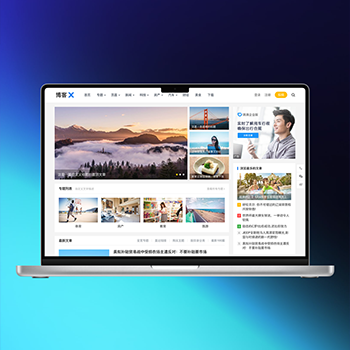 WordPress主题模板主题巴巴/博客X主题源码免费下载博客X主题专注于内容创作领域,为博客、资讯类网站提供专业的内容展示解决方案。该模板采用精心设计的布局结构,能够有效提升内容的可读性和用户停留时间。查看源码
 -
 (自适应)大气办公用品耗材供应打印机产品维修网站模板下载基于PbootCMS系统开发的响应式网站模板,为营销技术博主、数字产品评测者设计。采用前沿的响应式技术,确保内容在手机端和桌面端都能获得较佳阅读体验,帮助用户高效展示技术文章和产品分析。查看源码
 -
 (自适应)证书授权书防伪查询系统pbootcms模板本模板基于PbootCMS系统开发,为各类证书查询机构设计,可快速构建高效安全的证书核验平台。采用响应式布局技术,自动适配手机端操作,支持批量导入证书数据,提供便捷的查询接口,满足机构证书管理及用户在线核验需求。查看源码
| 分享笔记 (共有 篇笔记) |