您现在的位置是:首页 > cms教程 > 易优cms教程易优cms教程
易优CMS标签uitype在模板文件index.htm中调用指定栏目可视化切换
 春翠2025-04-17易优cms教程已有人查阅
导读描述:栏目编辑,比uitext、uihtml、uiupload标签多了一个typeid属性,使用时结合html一起才能完成可视化布局,只针对具有可视化功能的模
【基础用法】
标签:uitype
描述:栏目编辑,比uitext、uihtml、uiupload标签多了一个typeid属性,使用时结合html一起才能完成可视化布局,只针对具有可视化功能的模板。用法:
涉及表字段: 无
【更多示例】
-------------------------------示例1--------------------------------
描述:在模板文件index.htm中调用uitype标签,实现指定栏目可视化切换的效果。
描述:在模板文件lists_article.htm中调用uitype标签,实现指定栏目可视化切换的效果。
描述:在模板文件index.htm中,多处调用uitype标签的写法。
描述:在模板文件index.htm中,多处调用uitype标签的写法,只在html最外层元素指定一次e-page属性值。


标签:uitype
描述:栏目编辑,比uitext、uihtml、uiupload标签多了一个typeid属性,使用时结合html一起才能完成可视化布局,只针对具有可视化功能的模板。用法:
<div class="eyou-edit" e-id="文件模板里唯一的数字ID" e-page='文件模板名' e-type="type">
{eyou:uitype typeid='栏目ID' e-id='必须与上面的数字ID一致' e-page='必须与上面的文件模板名一致' id='field'} 这里嵌套模板标签代码
{/eyou:uitype}
</div>
属性: typeid='' 栏目ID e-id='' 每个模板文件里唯一的数字ID,必须与uihtml标签外层的html元素标签e-id保持一致 e-page='' 页面分组,假设模板文件是index.htm,那么e-page的值是index id='' 可以任意指定循环里的变量名替代field,假设id='field1',模板调用如:{$field.value} 变成 {$field1.value}涉及表字段: 无
【更多示例】
-------------------------------示例1--------------------------------
描述:在模板文件index.htm中调用uitype标签,实现指定栏目可视化切换的效果。
<!DOCTYPE html>
<html>
<head>
<title>EyouCms企业建站系统</title>
</head>
<body>
<div>
<div class="eyou-edit" e-id="400" e-page='index' e-type="type">
<!-- uitype可视化标签调用 start -->
{eyou:uitype typeid='2' e-id='400' e-page='index' id='field'}
{eyou:type type='self' empty='栏目不存在时,显示这里的文案'}
<a href="{$field.typeurl}" title="{$field.typename}">{$field.typename}</a>
{/eyou:type}
{/eyou:uitype}
<!-- uitype可视化标签调用 end -->
</div>
</div>
<!-- 可视化模板必须引入的ui标签 start -->
{eyou:ui open='off' /}
<!-- 可视化模板必须引入的ui标签 end -->
</body>
</html>
-------------------------------示例2--------------------------------描述:在模板文件lists_article.htm中调用uitype标签,实现指定栏目可视化切换的效果。
<!DOCTYPE html>
<html>
<head>
<title>EyouCms企业建站系统</title>
</head>
<body>
<div>
<div class="eyou-edit" e-id="400" e-page='lists_article' e-type="type">
<!-- uitype可视化标签调用 start -->
{eyou:uitype typeid='2' e-id='400' e-page='lists_article' id='field'}
{eyou:type type='self' empty='栏目不存在时,显示这里的文案'}
<a href="{$field.typeurl}" title="{$field.typename}">{$field.typename}</a>
{/eyou:type}
{/eyou:uitype}
<!-- uitype可视化标签调用 end -->
</div>
</div>
<!-- 可视化模板必须引入的ui标签 start -->
{eyou:ui open='off' /}
<!-- 可视化模板必须引入的ui标签 end -->
</body>
</html>
-------------------------------示例3--------------------------------描述:在模板文件index.htm中,多处调用uitype标签的写法。
<!DOCTYPE html>
<html>
<head>
<title>EyouCms企业建站系统</title>
</head>
<body>
<div>
<!-- 第一次调用uitype标签 start -->
<div class="eyou-edit" e-id="400" e-page='index' e-type="type">
<!-- uitype可视化标签调用 start -->
{eyou:uitype typeid='2' e-id='400' e-page='index' id='field'}
{eyou:type type='self' empty='栏目不存在时,显示这里的文案'}
<a href="{$field.typeurl}" title="{$field.typename}">{$field.typename}</a>
{/eyou:type}
{/eyou:uitype}
<!-- uitype可视化标签调用 end -->
</div>
<!-- 第一次调用uitype标签 end -->
<!-- 第二次调用uitype标签 start -->
<div class="eyou-edit" e-id="401" e-page='index' e-type="type">
<!-- uitype可视化标签调用 start -->
{eyou:uitype e-id='401' e-page='index' id='field'}
{eyou:type type='self' empty='栏目不存在时,显示这里的文案'}
<a href="{$field.typeurl}" title="{$field.typename}">{$field.typename}</a>
{/eyou:type}
{/eyou:uitype}
<!-- uitype可视化标签调用 end -->
</div>
<!-- 第二次调用uitype标签 end -->
</div>
<!-- 可视化模板必须引入的ui标签 start -->
{eyou:ui open='off' /}
<!-- 可视化模板必须引入的ui标签 end -->
</body>
</html>
-------------------------------示例4--------------------------------描述:在模板文件index.htm中,多处调用uitype标签的写法,只在html最外层元素指定一次e-page属性值。
<!DOCTYPE html>
<html>
<head>
<title>EyouCms企业建站系统</title>
</head>
<body>
<div e-page='index'>
<!-- 最外层指定e-page属性值,里面html元素<a>可以不再指定e-page属性值 -->
<!-- 第一次调用uitype标签 start -->
<div class="eyou-edit" e-id="400" e-type="type">
<!-- uitype可视化标签调用 start -->
{eyou:uitype typeid='2' e-id='400' e-page='index' id='field'}
{eyou:type type='self' empty='栏目不存在时,显示这里的文案'}
<a href="{$field.typeurl}" title="{$field.typename}">{$field.typename}</a>
{/eyou:type}
{/eyou:uitype}
<!-- uitype可视化标签调用 end -->
</div>
<!-- 第一次调用uitype标签 end -->
<!-- 第二次调用uitype标签 start -->
<div class="eyou-edit" e-id="401" e-type="type">
<!-- uitype可视化标签调用 start -->
{eyou:uitype typeid='2' e-id='401' e-page='index' id='field'}
{eyou:type type='self' empty='栏目不存在时,显示这里的文案'}
<a href="{$field.typeurl}" title="{$field.typename}">{$field.typename}</a>
{/eyou:type}
{/eyou:uitype}
<!-- uitype可视化标签调用 end -->
</div>
<!-- 第二次调用uitype标签 end -->
</div>
<!-- 可视化模板必须引入的ui标签 start -->
{eyou:ui open='off' /}
<!-- 可视化模板必须引入的ui标签 end -->
</body>
</html>
感谢您的认可和支持
微信
支付宝
本文标签:
很赞哦! ()
相关教程
- jQuery index():精准定位元素在DOM中的位置
- LlamaIndex
- IndexTTS2
- HTML
标签 - discuz X3.2 forum_index.php文件分析
- phpcmsv9源码解析content模块下的index.php文件init()方法解析
- phpcms源码index文件分析
- phpcms无法读取index.html的解决方法
- PHPCMS源码index.php分析
- PHPCMS提示\phpcms\modules\member\index.php用户登陆SQL注入漏
- PHPCMS报错\phpsso_server\phpcms\modules\phpsso\index.php
- 易优CMS访问地址为什么有index.php怎么删除
图文教程

易优Arcview单条文档数据调用方法示例
名称:arcview功能:获取单条文档数据aid='' 指定文档ID,如果没有指定则获取当前文档内容页的文档IDid='' 可以任意指定循环里的变量名替代field,假设id='field1',
易优eyoucms网站后台账号密码忘记的解决方法
如果您忘记了易优CMS (EyouCMS) 后台的账号密码,可以通过直接修改数据库的方式来重置密码。以下是具体的步骤:1. 准备工作确保您有数据库的访问权限,通常可以通过Navicat或其
易优CMS动态控制友情链接打开方式的方法
在易优CMS中,如果你希望动态控制友情链接的打开方式(例如,有些链接在当前窗口打开,有些链接在新窗口打开),可以通过在后台设置中添加一个字段来实现。
易优Eyoucms筛选标签应用于select调用方法
易优cms筛选碰到在select,option里面调用可以使用以下代码:{eyou:screening id='field' currentclass='on' alltxt='全部' }
相关源码
-
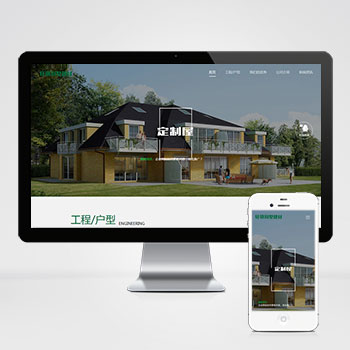 (自适应响应式)绿色环保防腐木材轻钢别墅建材pbootcms模板下载本模板为环保防腐木材、轻钢别墅建材类企业设计开发,基于PbootCMS内核构建,充分考虑了建材行业的展示需求与产品特点。模板设计风格自然环保,布局清晰合理,呈现建材产品特性与专业优势,帮助访客直观了解产品特点并建立信任感。查看源码
 -
 (PC+手机)帝国cms7.5漫画图片连载网站源码免费下载本模板基于帝国CMS7.5深度开发,为漫画阅读类网站打造。整体设计风格贴合漫画行业特性,界面布局充分考虑漫画作品的展示需求,支持多种漫画阅读模式。模板采用响应式设计,能够自动适配PC端和移动端设备,为读者提供流畅的阅读体验。查看源码
 -
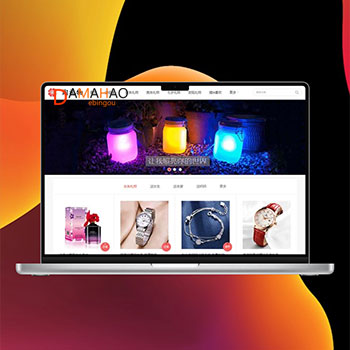 帝国cms大气淘宝客网站源码带手机版带火车头采集本款创意礼物导购网站模板为礼物类电商平台设计,采用清爽简约的界面风格,具备完善的商品导购功能。系统支持在文章攻略中灵活插入商品购买链接,实现内容与电商的结合。查看源码
 -
 Wordpress博客新闻主题在线商店平台betheme 21.5.6版BeTheme是一款功能丰富的WordPress主题模板,专注于为各行业提供网站建设解决方案。该模板支持WooCommerce电子商务功能,能够快速搭建在线商店平台,同时适用于博客、新闻资讯类网站建设。自2014年发布以来,该模板已经获得大量用户的使用验证。查看源码
 -
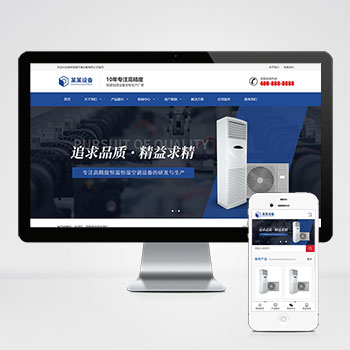 自适应恒温恒湿机空调机械设备营销型网站模板(自适应手机版)响应式营销型恒温恒湿机环境设备类网站pbootcms模板 蓝色营销型空调设备网站源码下载PbootCMS内核开发的网站模板,该模板适用于营查看源码
 -
 PbootCMS(自适应手机端)智能电话AI机器人网站模板产品概述基于PbootCMS内核开发的智能电话AI机器人网站模板,为语音交互服务场景设计,采用HTML5+CSS3响应式布局技术,实现PC端与移动端数据实时同步展示。模板适用于智能电话查看源码
| 分享笔记 (共有 篇笔记) |