您现在的位置是:首页 > cms教程 > WordPress教程WordPress教程
wordpress文件template-loader.php代码说明
 寻雁2025-03-28WordPress教程已有人查阅
导读再看template-laoder.php,这个文件总共只有45行。它的作用是基于访问的URL装载正确的模板,文件第六行,也是第一条语句,如下:
再看template-laoder.php,这个文件总共只有45行。它的作用是基于访问的URL装载正确的模板,文件第六行,也是第一条语句,如下:
‘template_redirect’的Action(动作)在include下的文件中出现。除了这里的do_action外,还有其他三个文 件中:default-filters.php,和ms-default-filters.php中以及canonical.php中出现。不包括wp- content目录下面出现的。
接下来是个判断语句;
do_robots函数位于functions.php1779行。作用:显示robot.txt的内容。
然后是个大的if语句:
以get_index_template为例:作用在当前或父模板下检索index模板路径,位置在theme.php725行。function get_index_template() { return get_query_template('index'); }
在这个函数里面,就把主题的模板给装载进来了,如何操作的?马上来~~


if ( defined('WP_USE_THEMES') && WP_USE_THEMES ) do_action('template_redirect');
首先判断是否使用Themes,这个WP_USE_THEMES常量在index.php中第一句就被设置为true。因此条件成立,会执行do_action(‘template_redirect’)语句。do_action('template_redirect')都做了什么?wordpress默认的有如下:‘template_redirect’的Action(动作)在include下的文件中出现。除了这里的do_action外,还有其他三个文 件中:default-filters.php,和ms-default-filters.php中以及canonical.php中出现。不包括wp- content目录下面出现的。
canonical.php (411行): add_action(‘template_redirect’, ‘redirect_canonical’);
default-filters.php(200行): add_action( ‘template_redirect’, ‘wp_shortlink_header’,11, 0 );
default-filters.php(243行): add_action( ‘template_redirect’, ‘wp_old_slug_redirect’);
ms-default-filters.php(32行): add_action( ‘template_redirect’, ‘maybe_redirect_404′ );
ms-functions.php(1353行): add_action( ‘template_redirect’, ‘redirect_mu_dashboard’ );
default-filters.php文件设置了wordpress大部分默认的filter和action。文件内容都是诸如下面的形式。
add_action( ‘xxx’,'xxxx’);
ms-default-filters.php是多站点时候设置的,内容类似default-filters.php。wordpress默认情况下没有开启多站点。如果需要开启,请按照wordpress的指导文件操作。
add_action( 'template_redirect', 'wp_shortlink_header',11, 0)
wp_shortlink_header位于文件link-template.php 2230行。作用是如果当前页面定义了短连接,就在header中发送个短链接.形容:<link rel='shortlink' href='http://localhost/?p=1234' />这样的缩短网址。
add_action( 'template_redirect', 'wp_old_slug_redirect');
wp_old_slug_redirect() 在query.php2807行,slug是什么?slug是url的一部分。在wordpress后台的长久链接设置(/wp-admin /options-permalink.php)里,用户可以自定义链接格式。绝大多数自定义的用户喜欢在url中包含由文章标题生成的一串字符,这一串 字符就是post slug。这个函数功能是重定向old slug到正确的链接。接下来是个判断语句;
// Process feeds and trackbacks even if not using themes. if ( is_robots() ) : do_action('do_robots'); return; elseif ( is_feed() ) : do_feed(); return; elseif ( is_trackback() ) : include( ABSPATH . 'wp-trackback.php' ); return; endif;
is_robots函数判断当前查询是否是robot。位于query.php491行。do_robots函数位于functions.php1779行。作用:显示robot.txt的内容。
然后是个大的if语句:
if ( defined('WP_USE_THEMES') && WP_USE_THEMES ) : $template = false; if ( is_404() && $template = get_404_template() ) : elseif ( is_search() && $template = get_search_template()) : elseif ( is_tax() && $template = get_taxonomy_template()) : elseif ( is_front_page() && $template = get_front_page_template()) : elseif ( is_home() && $template = get_home_template()) : elseif ( is_attachment() && $template = get_attachment_template()) : remove_filter('the_content', 'prepend_attachment'); elseif ( is_single() && $template = get_single_template()) : elseif ( is_page() && $template = get_page_template()) : elseif ( is_category() && $template = get_category_template()) : elseif ( is_tag()&& $template = get_tag_template()) : elseif ( is_author()&& $template = get_author_template()) : elseif ( is_date()&& $template = get_date_template()) : elseif ( is_archive()&& $template = get_archive_template()) : elseif ( is_comments_popup() && $template = get_comments_popup_template() ) : elseif ( is_paged()&& $template = get_paged_template() ) : else : $template = get_index_template(); endif; if ( $template = apply_filters( 'template_include', $template ) ) include( $template ); return; endif;
这个大if语句中形如get_xxxx_template()的函数都定义在theme.php中。以get_index_template为例:作用在当前或父模板下检索index模板路径,位置在theme.php725行。function get_index_template() { return get_query_template('index'); }
在这个函数里面,就把主题的模板给装载进来了,如何操作的?马上来~~
感谢您的认可和支持
微信
支付宝
本文标签:
很赞哦! ()
相关教程
图文教程
wordpress修改底部版权的方法
wordpress底部版权怎么修改,首先登录wordpress后台,找到“外观”-“编辑”。然后进入“编辑”页面,找到“ 底部 (footer.php)”
1Panel面板快速搭建WordPress网站的步骤教程
之前介绍了宝塔面板以及如何搭建wordpress网站,这篇文章我们来学习如何使用1Panel面板搭建wordpress网站。1Panel 是一个现代化、开源的基于Docker的 Linux 服务器运维管理面板。
wordpress支持html吗,wordpress怎么支持html
wordpress不能直接支持html,需要将xx.html修改为page-xx.php上传到你当前使用的主题目录中使用
wordpress文章发布不了的解决方法
最近有一个WordPress主机客户反馈说,他WordPress网站,在升级到WordPress 5.2版本以后,无法发布文章了。
相关源码
-
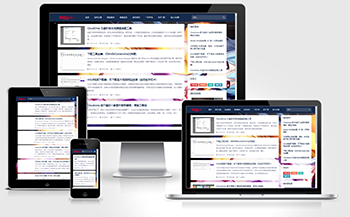 WordPress个人博客主题 - wp-Concise-v1.0免费下载wp-Concise-v1.0是一款专为个人博客设计的简约风格主题,采用全宽排版设计理念,注重内容呈现效果。该模板适用于个人随笔、技术分享、生活记录等博客场景,帮助用户打造专业的内容展示空间。查看源码
 -
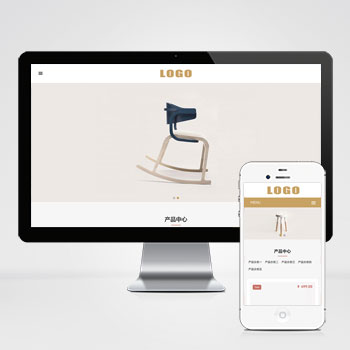 (自适应响应式)高端家用办公家具家居桌椅pbootcms模板下载为办公家具企业设计的响应式网站模板,涵盖产品展示、案例呈现、企业介绍等核心模块。通过可视化后台可快速发布实木桌椅、系统家具、办公屏风等产品信息,帮助客户直观了解材质参数与空间搭配方案。查看源码
 -
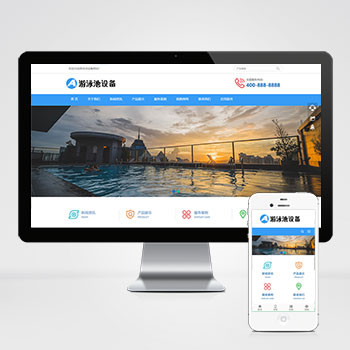 (自适应)游泳馆泳池水处理器设备pbootcms网站模板免费下载专注服务于泳池水处理设备制造商、泳池系统工程商等企业用户。模板预设设备分类体系、技术参数展示模块和解决方案呈现页面,满足行业特有展示需求。查看源码
 -
 宽屏自适应搬家家政快递物流公司网站模板该宽屏大气的响应式网站模板专为搬家公司、家政服务及物流快递企业设计,基于PbootCMS内核开发,通过自适应布局确保手机、PC等多终端体验一致,助力企业高效构建专业在线服务平台。查看源码
 -
 (PC+WAP)五金机械设备营销型模板下载带在线留言为机械设备制造商设计的营销型模板,集成产品参数对比系统、产品展示模块和询价管理功能。采用PbootCMS开发内核,PHP7+运行环境。手工编写语义化HTML5结构,CSS3动画优化交互体验。查看源码
 -
 帝国cms7.5淘宝客电商品牌特价带手机站带会员模板下载为电商品牌特价展示设计的帝国CMS模板,集成PC端与移动端双平台适配。采用瀑布流商品布局,支持品牌分类聚合展示,突出特价促销视觉冲击力。查看源码
| 分享笔记 (共有 篇笔记) |