您现在的位置是:首页 > cms教程 > WordPress教程WordPress教程
wordpress数据远程同步的实现方法
 乐枫2025-03-27WordPress教程已有人查阅
导读今天给大家分享下python在本地远程同步文章数据到wordpress,如果你的网站数据库是支持远程连接的话,那可以用下面的方法。
我当初写这个代码是为了解决wordpress底层站群的文
今天给大家分享下python在本地远程同步文章数据到wordpress,如果你的网站数据库是支持远程连接的话,那可以用下面的方法。
我当初写这个代码是为了解决wordpress底层站群的文章同步问题,可以让本地的mysql数据通过python脚本远程插入到网站数据库里,从而可以完成定时的更新。当然这个脚本如果部署到服务器上会更好,可以通过windows的计划任务和linux的cron服务来定期的启动这个脚本,从而达到每天更新文章的目的。
写这个脚本主要是要熟悉wordpress的表结构,不然你没法插入数据到wordpress数据表。
代码如下:
wordpress 数据python同步方法Python语言: 高亮代码由发芽网提供


我当初写这个代码是为了解决wordpress底层站群的文章同步问题,可以让本地的mysql数据通过python脚本远程插入到网站数据库里,从而可以完成定时的更新。当然这个脚本如果部署到服务器上会更好,可以通过windows的计划任务和linux的cron服务来定期的启动这个脚本,从而达到每天更新文章的目的。
写这个脚本主要是要熟悉wordpress的表结构,不然你没法插入数据到wordpress数据表。
代码如下:
wordpress 数据python同步方法Python语言: 高亮代码由发芽网提供
#encoding=utf-8
#description:同步wordpress文章数据
import MySQLdb
import datetime
import time
from tools import *
def wp_checktitle(dbconn,title):
'''wordpress检测是否有重复标题'''
cursor=dbconn.cursor()
sql = "select post_title from wp_posts where post_title='%s'" % (title)
cursor.execute(sql)
if cursor.rowcount == 0:
checkflag = 1
else:
checkflag = 0
return checkflag
def sync_wordpress(dbconn,title,content):
'''同步wordpress程序'''
checkflag = wp_checktitle(dbconn,title)
cursor=dbconn.cursor()
curtime = str(datetime.datetime.now())[:19]
post_author = 1
post_date = curtime
post_date_gmt = curtime
post_content = content
post_title = title
post_name = post_title
post_modified = curtime
post_modified_gmt = curtime
post_content_filtered = ''
currenttime = int(time.time())
if checkflag:
try:
postsql = ''
postsql = '''INSERT INTO `wp_posts` (
`post_author` ,
`post_date` ,
`post_date_gmt` ,
`post_content` ,
`post_title` ,
`post_name` ,
`post_modified`,
`post_modified_gmt`,
`post_content_filtered`
)
VALUES (
'%(post_author)s','%(post_date)s','%(post_date_gmt)s','%(post_content)s','%(post_title)s','%(post_name)s','%(post_modified)s','%(post_modified_gmt)s','%(post_content_filtered)s')''' % {'post_author':post_author,'post_date':post_date,'post_date_gmt':post_date_gmt,'post_content':post_content,'post_title':post_title,'post_name':post_name,'post_modified':post_modified,'post_modified_gmt':post_modified_gmt,'post_content_filtered':post_content_filtered}
cursor.execute(postsql)
dbconn.commit()
rowid = cursor.lastrowid
metasql = ''
metasql = "insert into `wp_postmeta`(`post_id`)VALUES(%s)" % (rowid)
cursor.execute(metasql)
dbconn.commit()
insertsql = '''INSERT INTO `wp_term_relationships` (
`object_id` ,
`term_taxonomy_id`
)
VALUES (
%(object_id)s, %(term_taxonomy_id)s) ''' % {'object_id':rowid,'term_taxonomy_id':1}
cursor.execute(insertsql)
dbconn.commit()
return 1
except Exception, e:
print '数据库错误:', e
return 0
finally:
cursor.close()
dbconn.close()
else:
print 'wordpress title exist'
return 1
title = 'titl-wptitle'
zcontent = 'content------'
curhost = ''##远程数据库服务器地址
webuser = ''#数据库用户名
webpwd =''#数据库密码
webdb = ''#数据库名称
dbconn = MySQLdb.connect(host=curhost, user=webuser, passwd=webpwd, db=webdb, port=3306, charset='utf8')
flag = sync_wordpress(dbconn,title,zcontent)
if flag:
print 'wordpress sync success'
else:
print 'wordpress sync error'
相信用wordpress能够让你远程同步程序。
感谢您的认可和支持
微信
支付宝
本文标签:
很赞哦! ()
相关教程
图文教程

WordPress标签调用方法合集代码示例
wordpress是一种使用PHP语言开发的博客平台,用户可以在支持PHP和MySQL 数据库的服务器上架设自己的网志,插件众多,易于扩充功能。安装和使用都非常方便。目前 WordPress 已经成
WordPress地址URL错误的解决方法
解决方案1、先利用Putty登陆到自己的服务器上(这里登陆方法我不再赘述);2、登陆MySqL,并输入密码;3、选中wordpress的数据库(分号不要少了);
wordpress搭建网站的方法
首先,我们要搭建本地环境以及下载程序文件,在之前的“如何安装本地网站调试环境”一文中,我们已经介绍过了本地调试环境的安装,这里就不在赘述。
实现WordPress注册用户上传自定义头像的方法
默认WordPress支持显示Gravatar头像,但目前由于众所周知的原因,申请Gravatar头像比较困难只能显示默认的古怪头像
相关源码
-
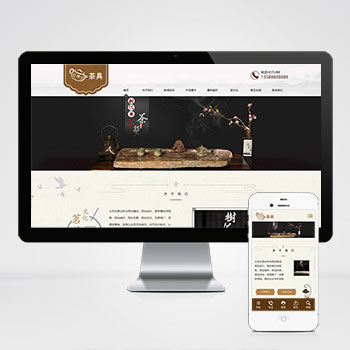 响应式茶叶茶道pbootcms网站模板源码(自适应手机端)棕色复古茶具主题的响应式网站模板,为茶叶茶道企业设计,同时支持古玩字画、艺术文化等行业的快速适配,通过替换文字图片即可转型为其他行业官网,大幅降低开发成本。查看源码
 -
 (自适应响应式)法律咨询律师事务所法务pbootcms源码下载为律师事务所、法律咨询机构设计,特别适合展示法律服务、律师团队和成功案例。采用响应式技术,确保在不同设备上都能提供专业的法律信息展示和咨询服务。查看源码
 -
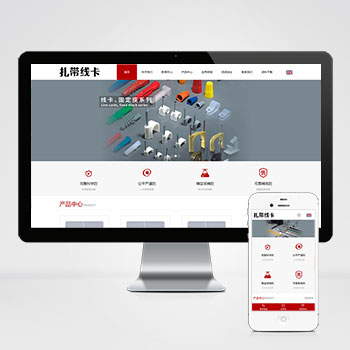 (自适应)中英双语配线器材扎带线卡网站pbootcms模板免费下载为线缆管理、电气配线领域打造的响应式网站模板,采用PbootCMS内核开发,可快速搭建企业级产品展示平台,数据实时同步管理。查看源码
 -
 响应式粉色美容整形化妆品pbootcms网站模板开源源码该网站模板为美容整形、化妆品企业设计,采用响应式布局确保在手机、平板及PC端自动适配显示效果。基于PbootCMS内核开发,支持一键替换图文内容快速转换至其他行业应用。查看源码
 -
 (自适应)摄像头安防电子设备pbootcms源码下载本模板基于PbootCMS系统开发,为安防电子设备企业设计,特别适合监控摄像头、安防系统等产品的展示。采用响应式技术,确保各类设备参数和功能在不同终端上都能清晰呈现。查看源码
 -
 (自适应)餐具英文外贸生活用品带下载功能网站模板免费下载为餐具及生活用品外贸企业打造的响应式网站模板,基于PbootCMS内核开发。突出产品展示与多语言支持特性,通过自适应设计确保更好客户在手机、平板、电脑等设备上获得一致浏览体验。查看源码
| 分享笔记 (共有 篇笔记) |

本栏推荐
 wordpress修改账号密码的方法
相关标签
大家喜欢
- SAE和WordPress搭建个人博客的方法
- 腾讯云服务器宝塔面板搭建wordpress的方法
- WordPress实现发布时间超过15天的文章中展示广告的方法
- wordpress_xmlrpc的python包远程操作wordpress的方法
- WordPress删除xmlrpc.php防DDOS攻击的有效方法
- WordPress可以做小说网站吗,WordPress做小说站要注意什么
- wordpress需要授权吗,wordpress是免费开源的吗
- wordpress会出现404的原因,wordpress会出现404的解决方法
- WordPress添加投稿功能的方法
- wordpress模版twentyeleven布局创新