您现在的位置是:首页 > cms教程 > WordPress教程WordPress教程
CentOS 6.4 php环境配置安装wordpress的方法
 怀亦2025-03-20WordPress教程已有人查阅
导读1. nginx php-rpm 包升级,2. 安装mysql,3. 安装nginx,这时你可以直接访问ip或者域名,查看nginx是否安装成功4. 安装php
1. nginx php-rpm 包升级
4. 安装php
默认的配置文件nginx.conf
添加index.php
2) root 可以改成你想要的位置,如/var/ /wordpress
3)server_name 改成你的域名或者ip或者localhost
4) location ~ \.php$ { 下面的root要和上面location的一样
5)fastcgi_param 帮助php解释器在document root找到php脚本
7. 配置php-fpm
1. 下载并解压
wget http://wordpress.org/latest.tar.gz
tar -xzvf latest.tar.gz
2. 创建数据库
复制配置文件并配置
访问你的域名http:xxx.com/wp-admin/install.php 来安装,很简单。
这样一个wordpress的博客配置就完成了。


sudo rpm -Uvh http://download.fedoraproject.org/pub/epel/6/i386/epel-release-6-8.noarch.rpm
sudo rpm -Uvh http://rpms.famillecollet.com/enterprise/remi-release-6.rpm
2. 安装mysql
sudo yum install mysql mysql-serversudo /etc/init.d/mysqld restartsudo /usr/bin/mysql_secure_installation
3. 安装nginx
sudo yum install nginx
sudo /etc/init.d/nginx start
这时你可以直接访问ip或者域名,查看nginx是否安装成功4. 安装php
sudo yum --enablerepo=remi install php-fpm php-mysql
5. 配置php
sudo vi /etc/php.ini
#cgi.fix_pathinfo=1
cgi.fix_pathinfo=0
doc_root = /usr/share/nginx/html
6. 配置nginx默认的配置文件nginx.conf
sudo vi /etc/nginx/nginx.conf
processer = 4
sudo vi /etc/nginx/conf.d/default.conf
#
# The default server
#
server {
listen 80;
server_name example.com;
location / {
root /usr/share/nginx/html;
index index.php index.html index.htm;
}
error_page 404 /404.html;
location = /404.html {
root /usr/share/nginx/html;
}
error_page 500 502 503 504 /50x.html;
location = /50x.html {
root /usr/share/nginx/html;
}
# pass the PHP scripts to FastCGI server listening on 127.0.0.1:9000
#
location ~ \.php$ {
root /usr/share/nginx/html;
fastcgi_pass 127.0.0.1:9000;
fastcgi_index index.php;
fastcgi_param SCRIPT_FILENAME $document_root$fastcgi_script_name;
include fastcgi_params;
}
}
1) location 下添加index.php
2) root 可以改成你想要的位置,如/var/ /wordpress
3)server_name 改成你的域名或者ip或者localhost
4) location ~ \.php$ { 下面的root要和上面location的一样
5)fastcgi_param 帮助php解释器在document root找到php脚本
7. 配置php-fpm
sudo vi /etc/php-fpm.d/ .conf
替换apahce到nginx
[...]
; Unix user/group of processes
; Note: The user is mandatory. If the group is not set, the default user's group
; will be used.
; RPM: apache Choosed to be able to access some dir as httpd
user = nginx
; RPM: Keep a group allowed to write in log dir.
group = nginx
[...]
重启php-fpm
sudo service php-fpm restart
8.添加php测试页面
sudo vi /usr/share/nginx/html/info.phpsudo service nginx restart
9. 添加开机自动重启
sudo chkconfig --levels 235 mysqld on
sudo chkconfig --levels 235 nginx on
sudo chkconfig --levels 235 php-fpm on
上面环境配置好以后就可以安装wordpress了1. 下载并解压
wget http://wordpress.org/latest.tar.gz
tar -xzvf latest.tar.gz
2. 创建数据库
mysql -u root -p
CREATE DATABASE wordpress;
CREATE USER wordpressuser@localhost;
SET PASSWORD FOR wordpressuser@localhost= PASSWORD("password");
GRANT ALL PRIVILEGES ON wordpress.* TO wordpressuser@localhost IDENTIFIED BY 'password';
FLUSH PRIVILEGES;
exit
3. 配置wordpress复制配置文件并配置
cp ~/wordpress/wp-config-sample.php ~/wordpress/wp-config.phpvi ~/wordpress/wp-config.php// ** MySQL settings - You can get this info from your web host ** //
/** The name of the database for WordPress */
define('DB_NAME', 'wordpress');
/** MySQL database username */
define('DB_USER', 'wordpressuser');
/** MySQL database password */
define('DB_PASSWORD', 'password');
复制wordpress到nginx的root目录下,
sudo cp -r ~/wordpress/* /var/ /html
可能需要php-gd
sudo yum install php-gd
重启nginx
sudo service httpd restart
4 安装wordpress访问你的域名http:xxx.com/wp-admin/install.php 来安装,很简单。
这样一个wordpress的博客配置就完成了。
感谢您的认可和支持
微信
支付宝
本文标签:
很赞哦! ()
相关教程
- Mac电脑桌面安装WordPress
- 基于Centos7详细安装wordpress的方法
- 安装wordpress搭建站点的方法示例
- Win2003 + IIS 6安装WordPress MU配置方法
- Centos7怎么安装WordPress
- 怎么安装wordpress,wordpress安装步骤教程
- 在linux下安装wordpress的方法示例
- nginx环境下安装wordpress的方法
- CentOS 7安装WordPress的方法示例
- kali攻击wordpress,trunkey+linux安装wordpress的方法
- linux系统安装WordPress的方法
- Phpstudy安装WordPress的步骤方法
图文教程
wordpress编辑器怎么增加中文字体
WordPress自带的TinyMCE编辑器,对于一般的文字编辑已足够了,但还是有童鞋希望它功能更多,所以诞生了各种编辑器增强插件
WordPress插件模板有哪些
丰富的插件和模板是WordPress非常流行的一个特性。WordPress插件数据库中有超过18000个插件,包括SEO、控件等等。
WordPress添加Meta Box的方法教程
需要使用到add meta boxes Action,该Action允许我们为任何文章类型注册Meta Box,在该Action中,我们需要使用add_meta_box()方法来添加Meta Box的相关信息。代码如下
wordpress直接上传html页面的方法
进入后台控制板,找到public_html文件夹点击FTP将新增的html页进行上传。此时Html页地址为: .主站名.com/页面名.html
相关源码
-
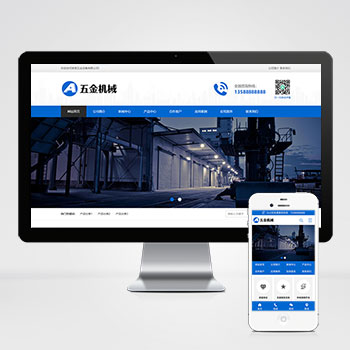 (PC+WAP)蓝色五金机械设备营销型网站源码下载基于PbootCMS内核开发的营销型企业网站模板,为五金机械设备类企业打造,通过标准化数字展示提升客户转化率。模板采用模块化设计,可快速适配机床工具、建筑五金、阀门管件等细分领域。查看源码
 -
 (自适应响应式)运动健身瑜伽俱乐部网站pbootcms源码下载为健身瑜伽俱乐部设计的响应式网站模板,采用PbootCMS内核开发,可快速搭建专业级企业官网。模板默认适配运动健身行业视觉风格,用户可通过替换图文内容灵活应用于其他服务行业。查看源码
 -
 (PC+WAP)pbootcms模板黑色门窗定制五金建材网站下载为门窗定制与五金建材企业设计的网站解决方案,采用PbootCMS开发,兼具专业展示与营销功能。黑色系设计突显工业质感,响应式布局确保在手机、平板等设备上的浏览体验。通过简单的内容替换,也可适用于建材贸易、家具定制等相关行业。查看源码
 -
 (自适应响应式)蓝色律师事务所法务团队网站pbootcms模板为律师事务所和法律服务机构打造的专业网站模板,展现法律专业性与权威性,手工编写标准DIV+CSS代码,结构清晰优化,确保高效运行,自动适配电脑、平板和手机等各类设备,提供更好浏览体验查看源码
 -
 (响应式)企业管理人力资源服务类pbootcms模板源码下载为人力资源服务及企业管理设计的响应式网站模板,基于PbootCMS内核开发。通过宽屏布局优化岗位展示效果,简洁界面聚焦人才服务核心业务,自适应技术确保在PC端与手机端查看源码
 -
 pbootcms模板(PC+WAP)APP应用软件下载类官网源码为APP应用软件官网打造的响应式解决方案,PC端与移动端(WAP)数据实时同步,一次更新全网生效,满足多终端用户无缝体验需求。查看源码
| 分享笔记 (共有 篇笔记) |