您现在的位置是:首页 > cms教程 > Ecshop商城教程Ecshop商城教程
ecshop出现XMlHttpRequest status:[500] Unknow status 这个错误
 紫南2023-12-21Ecshop商城教程已有人查阅
导读/admin/templates/top.htm 的这个文件中{insert_scripts files=”../js/transport.js”}和 之间的代码删除也就是将下面这段代码删除...
/admin/templates/top.htm 的这个文件中{insert_scripts files=”../js/transport.js”}和 </head>之间的代码删除也就是将下面这段代码删除...


<script type=”text/javascript”>
onload = function()
{
Ajax.call(‘index.php?is_ajax=1&act=license’,”, start_sendmail_Response, ‘GET’, ‘JSON’);
}
/**
* 帮助系统调用
*/
function web_address()
{
var ne_add = parent.document.getElementById(‘main-frame’);
var ne_list = ne_add.contentWindow.document.getElementById(’search_id’).innerHTML;
ne_list.replace(‘-’, ”);
var arr = ne_list.split(‘-’);
window.open(‘help.php?al=’+arr[arr.length - 1],’_blank’);
}
/**
* 授权检测回调处理
*/
function start_sendmail_Response(result)
{
// 运行正常
if (result.error == 0)
{
var str = ”;
if (result['content']['auth_str'])
{
str = ‘<a href=”javascript:void(0);” target=”_blank”>’ + result['content']['auth_str'];
if (result['content']['auth_type'])
{
str += ‘[' + result['content']['auth_type'] + ‘]’;
}
str += ‘</a> ‘;
}
document.getElementById(‘license-div’).innerHTML = str;
}
}
function modalDialog(url, name, width, height)
{
if (width == undefined)
{
width = 400;
}
if (height == undefined)
{
height = 300;
}
if (window.showModalDialog)
{
window.showModalDialog(url, name, ‘dialogWidth=’ + (width) + ‘px; dialogHeight=’ + (height+5) + ‘px; status=off’);
}
else
{
x = (window.screen.width - width) / 2;
y = (window.screen.height - height) / 2;
window.open(url, name, ‘height=’+height+’, width=’+width+’, left=’+x+’, top=’+y+’, toolbar=no, directories=no, status=no, menubar=no, scrollbars=no, resizable=no, modal=yes’);
}
}
function ShowToDoList()
{
try
{
var mainFrame = window.top.frames['main-frame'];
mainFrame.window.showTodoList(adminId);
}
catch (ex)
{
}
}
{/literal}
var adminId = “{$admin_id}”;
</script>
感谢您的认可和支持
微信
支付宝
本文标签:
很赞哦! ()
相关教程
- ecshop出现Strict Standards: Only variables should be passed
- 安装ecshop出现相关问题的解决方法
- ecshop出现transport.js与jQuery冲突不加载js的解决方法
- ecshop出现transport和jquery冲突的解决方法实例
- ecshop出现Call to undefined function insert_ads()的解决方法
- ecshop出现Deprecated: preg_replace()报错的解决方法
- ecshop出现Warning: chmod() has been disabled for security reasons in解决方法
- ecshop出现shop_config错误的解决方法
- ecshop出现XMlHttpRequest status:[500] Unknow status解决方法
图文教程

ecshop搜索热门关键字调用代码实例
模版中的调用代码关键字的设定在:后台-商店设置-显示设置--首页搜索的关键词
ecshop支付宝支付电脑端和手机端支付宝支付设置配置教程
欢迎大家来到代码号,今天代码号图解ecshop支付宝支付:电脑端和手机端支付设置配置教程希望对大家设置ecshop支付宝支付有所帮助。
ecshop登陆后价格可见,会员注册登陆才显示价格
ECSHOP商品页面显示登陆后价格可见,会员注册登陆才能显示价格。打开模版ECSHOP商城模板文件夹里面的goods.dwt
ecshop后台订单详情显示商品缩略图及订单打印页显示商品缩略图
有时我们希望在ECSHOP后台订单详情中显示商品缩略图,以及订单打印页显示商品缩略图,如下图:实现方法: 步:打开 admin/order.php 文件查
相关源码
-
 (PC+WAP)蓝色电子半导体电子设备网站pbootcms源码下载本模板基于PbootCMS内核开发,为半导体和电子科技行业设计,特别适合电子元器件、集成电路、半导体设备及相关技术产品展示。查看源码
 -
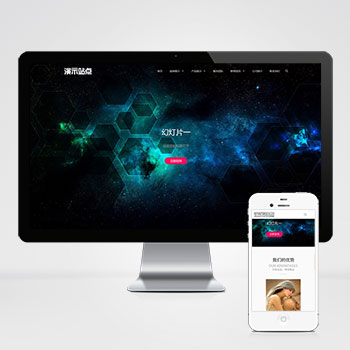 (自适应)品牌创意设计作品工作室pbootcms模板下载该模板适用于品牌策划、艺术设计、广告创意公司官网,亦可通过替换图文快速适配其他行;高端创意设计公司工作室网站源码极简代码架构、艺术化视觉布局、企业级功能扩展性。查看源码
 -
 (PC+WAP)蓝色钢材加工建筑装修施工材料网站模板下载为钢材加工企业设计的PbootCMS响应式模板,采用PC+WAP双端适配技术,数据实时同步。简洁大气的蓝色工业风格设计,突出钢材加工行业特性,其他制造业用户更换图文内容即可快速应用。查看源码
 -
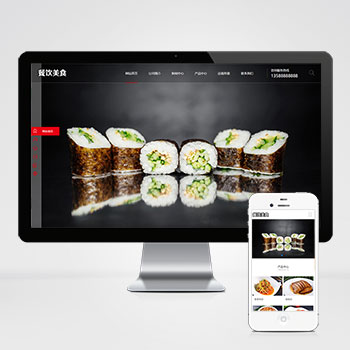 (PC+WAP)高端餐饮美食小吃加盟网站模板下载pbootcms本模板基于PbootCMS内核开发,为餐饮美食品牌加盟、小吃连锁企业量身打造。通过精致的美食视觉呈现与加盟业务流程展示,帮助餐饮企业建立专业线上门户,实现品牌形象与加盟业务的双重展示。查看源码
 -
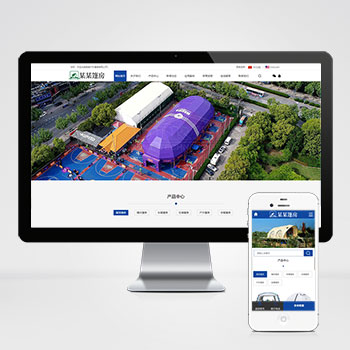 (PC+WAP)中英双语户外用品帐篷装备pbootcms网站模板下载这款基于PbootCMS开发的中英文双语模板专为户外装备行业设计,适配PC和移动设备。模板采用现代化设计风格,突出户外产品的功能性和实用性,帮助企业建立专业的国际化展示平台。查看源码
 -
 (PC+WAP)家居装饰家装建材营销型网站pbootcms模板下载本模板基于PbootCMS开发,主要服务于家居装饰、建材及相关行业。采用现代化设计风格,同时适配PC和移动设备访问。模板结构清晰,突出展示家装案例和建材产品,帮助企业在线上建立专业形象,有效展示产品与服务优势。查看源码
| 分享笔记 (共有 篇笔记) |