您现在的位置是:首页 > cms教程 > DedeCMS教程DedeCMS教程
dedecms中文章页面上一篇下一篇链接处怎么增加文章摘要
 沈锵良2024-05-18DedeCMS教程已有人查阅
导读DedeCMS系统默认的是在文章的上一篇和下一篇的链接只显示标题,但是有时我们希望显示其他信息,比如文章的摘要。找到arc.archives.class.php文件,在include目录下面
DedeCMS系统默认的是在文章的上一篇和下一篇的链接只显示标题,但是有时我们希望显示其他信息,比如文章的摘要。找到arc.archives.class.php文件,在include目录下面,然后查找“GetPreNext”这个函数,将
需要注意的是这里的jcode_archives和jcode_arctype中的jcode_是我表结构的前缀,你需要将这个前缀改成你自己的。
现在我们已经将文章描述从数据库里面取出来了。下一步将描述显示在页面上,显示连接文字的代码本来是这样的,你可以通过查找找到,其实就在上面那段代码的附近:


$query
= "Select
arc.id,arc.title,arc.shorttitle,arc.typeid,arc.ismake,arc.senddate,arc.arcrank,arc.money,arc.filename,arc.litpic,
t.typedir,t.typename,t.namerule,t.namerule2,t.ispart,t.moresite,t.siteurl,t.sitepath
from `jcode_archives` arc left join jcode_arctype t on arc.typeid=t.id ";
改成:
$query = "Select
arc.id,arc.title,arc.shorttitle,arc.typeid,arc.ismake,arc.senddate,arc.arcrank,arc.money,arc.filename,arc.litpic,
arc.description,t.typedir,t.typename,t.namerule,t.namerule2,t.ispart,t.moresite,t.siteurl,t.sitepath
from `jcode_archives` arc left join jcode_arctype t on arc.typeid=t.id ";
比较一下其实现在只是多了arc.description,这就是文章的摘要,也称为文章描述。需要注意的是这里的jcode_archives和jcode_arctype中的jcode_是我表结构的前缀,你需要将这个前缀改成你自己的。
现在我们已经将文章描述从数据库里面取出来了。下一步将描述显示在页面上,显示连接文字的代码本来是这样的,你可以通过查找找到,其实就在上面那段代码的附近:
if(is_array($preRow))
{
$mlink =
GetFileUrl($preRow['id'],$preRow['typeid'],$preRow['senddate'],$preRow['title'],$preRow['ismake'],$preRow['arcrank'],
$preRow['namerule'],$preRow['typedir'],$preRow['money'],$preRow['filename'],$preRow['moresite'],$preRow['siteurl'],$preRow['sitepath']);
$this->PreNext['pre']
= "上一篇:<a href='$mlink'>{$preRow['title']}</a>
";
$this->PreNext['preimg'] = "<a href='$mlink'><img
src="{$preRow['litpic']}" alt="{$preRow['title']}"/></a>
";
}
else
{
$this->PreNext['pre'] = "上一篇:没有了 ";
$this->PreNext['preimg']
="<img src="/templets/default/images/nophoto.jpg"
alt="对不起,没有上一图集了!"/>";
}
if(is_array($nextRow))
{
$mlink =
GetFileUrl($nextRow['id'],$nextRow['typeid'],$nextRow['senddate'],$nextRow['title'],$nextRow['ismake'],$nextRow['arcrank'],
$nextRow['namerule'],$nextRow['typedir'],$nextRow['money'],$nextRow['filename'],$nextRow['moresite'],$nextRow['siteurl'],$nextRow['sitepath']);
$this->PreNext['next']
= "下一篇:<a href='$mlink'>{$nextRow['title']}</a>
";
$this->PreNext['nextimg'] = "<a href='$mlink'><img
src="{$nextRow['litpic']}" alt="{$nextRow['title']}"/></a>
";
}
else
{
$this->PreNext['next'] = "下一篇:没有了 ";
$this->PreNext['nextimg'] ="<a href='javascript:void(0)'
alt=""><img src="/templets/default/images/nophoto.jpg"
alt="对不起,没有下一图集了!"/></a>";
}
}
现在为了显示出文章描述,在每一个a标签之后添加一个div div中包含文章描述:
if(is_array($preRow))
{
$mlink =
GetFileUrl($preRow['id'],$preRow['typeid'],$preRow['senddate'],$preRow['title'],$preRow['ismake'],$preRow['arcrank'],
$preRow['namerule'],$preRow['typedir'],$preRow['money'],$preRow['filename'],$preRow['moresite'],$preRow['siteurl'],$preRow['sitepath']);
$this->PreNext['pre']
= "上一篇:<a href='$mlink'>{$preRow['title']}</a> <div>{$preRow['description']}</div>
";
$this->PreNext['preimg'] = "<a href='$mlink'><img
src="{$preRow['litpic']}" alt="{$preRow['title']}"/></a> <div>{$preRow['description']}</div> ";
}
else
{
$this->PreNext['pre']
= "上一篇:没有了 ";
$this->PreNext['preimg'] ="<img
src="/templets/default/images/nophoto.jpg"
alt="对不起,没有上一图集了!"/>";
}
if(is_array($nextRow))
{
$mlink =
GetFileUrl($nextRow['id'],$nextRow['typeid'],$nextRow['senddate'],$nextRow['title'],$nextRow['ismake'],$nextRow['arcrank'],
$nextRow['namerule'],$nextRow['typedir'],$nextRow['money'],$nextRow['filename'],$nextRow['moresite'],$nextRow['siteurl'],$nextRow['sitepath']);
$this->PreNext['next']
= "下一篇:<a href='$mlink'>{$nextRow['title']}</a> <div>{$preRow['description']}</div>
";
$this->PreNext['nextimg'] = "<a href='$mlink'><img
src="{$nextRow['litpic']}" alt="{$nextRow['title']}"/></a> <div>{$preRow['description']}</div> ";
}
else
{
$this->PreNext['next']
= "下一篇:没有了 ";
$this->PreNext['nextimg'] ="<a href='javascript:void(0)'
alt=""><img src="/templets/default/images/nophoto.jpg"
alt="对不起,没有下一图集了!"/></a>";
}
}
这样做的话能显示文章摘要,但是格式可能会很乱,你可以根据需要增加样式。
感谢您的认可和支持
微信
支付宝
本文标签:
很赞哦! ()
相关教程
图文教程

织梦cms副栏目中的文章标题怎么调用到首页
最近发现dedecms中的文章在选择幅栏目后,在其对应的幅栏目列表中可以显示该文章,但在arclist 标签中却无法显示该文章,网上找了很多,解决办法都一样,但写法却写错了
织梦dedecms集成微信公众平台功能示例
微信公众号越来越火,再不弄一个就out了,弄了微信公众号但是没弄公众平台的功能就更out了,所以我也来试了试
在织梦标签dede:list中增加noflag属性的方法5.7适用
修改include/arc.listview.class.php,以下是修改后的文件代码如下:<?php if(!defined(‘DEDEINC’))
dede织梦上一篇下一篇文章标题截取字数限制
对dedecms了解的朋友们,想必对如何获取上一篇、下一篇文章的标签也是非常熟悉。dedecms获取上一篇、下一篇文章的标签分别为
相关源码
-
 自适应容器设备机械行业通用pbootcms网站模板本模板是一款基于PbootCMS开源内核深度开发,为容器制造、容器设备、压力容器及相关行业量身打造的高品质响应式企业网站模板。查看源码
 -
 (自适应)品牌策划高端设计公司网站pbootcms模板免费下载本模板为品牌策划与设计公司打造,基于PbootCMS内核开发,充分考虑了创意设计行业的视觉展示需求。模板设计风格现代简约,布局合理清晰,呈现设计作品与专业服务,帮助设计公司展示创意实力并吸引潜在客户。查看源码
 -
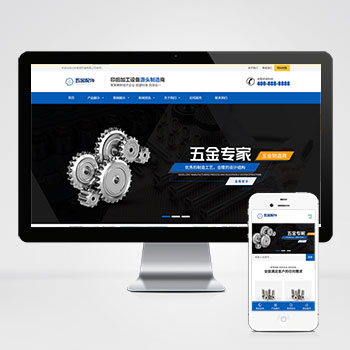 (自适应)五金配件机械加工设备pbootcms模板免费下载这款基于PbootCMS开发的网站模板为五金配件和机械加工行业设计,采用简洁有力的设计风格,突出工业产品的专业性和可靠性。模板结构清晰,功能完善,能够有效展示各类工业产品的技术参数和应用场景。查看源码
 -
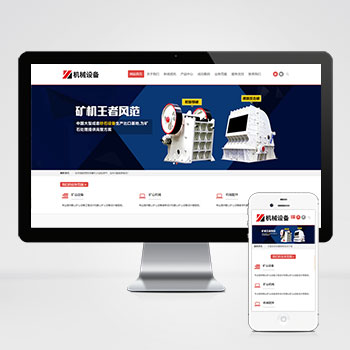 (自适应)简繁双语机械矿山矿石五金设备pbootcms源码下载本模板基于PbootCMS开发,主要面向机械五金、矿山矿石设备等行业,支持简体中文和繁体中文双语切换。采用响应式布局技术,确保在各种设备上都能获得良好的浏览体验。模板设计注重展示工业设备的专业性和技术特点,帮助企业建立可靠的线上展示平台。查看源码
 -
 (自适应响应式)高端珠宝首饰奢侈品pbootcms模板下载本模板为珠宝首饰及奢侈品行业打造,采用PbootCMS内核开发,具备卓越的视觉表现力与商业转化能力。自适应设计确保在手机端呈现产品细节,后台数据实时同步,助您高效展示钻石查看源码
 -
 自适应车行汽车租赁二手车行业企业网站模板为汽车租赁与二手车交易场景深度优化,采用PbootCMS内核开发,聚焦车辆展示、租赁流程与服务介绍三大核心模块。响应式布局确保PC与移动端数据实时同步,后台一键管理车辆信息查看源码
| 分享笔记 (共有 篇笔记) |