您现在的位置是:首页 > cms教程 > Ecshop商城教程Ecshop商城教程
ecshop文章标题文字增加颜色样式修改方法
 龚开梦2023-12-31Ecshop商城教程已有人查阅
导读ecshop 默认只有商品名称有样式,为了能让文章也有特 的标题,开发以下插件为文章标题加样式文章标题加样式修改:
ecshop 默认只有商品名称有样式,为了能让文章也有特 的标题,开发以下插件为文章标题加样式文章标题加样式修改:
1、
并把里面的
document.getElementById("goods_name_color").value = this.bgColor;
document.getElementsByName("goods_name").item(0).style.color = this.bgColor;
改成
document.getElementById("title_color").value = this.bgColor;//文章标题加样式 by neo
document.getElementsByName("title").item(0).style.color = this.bgColor;//文章标题加样式 by neo
4、admin\templates\article_info.htm
页面顶部加入,colorselector2.js
如下效果:
{include file="pageheader.htm"}
{insert_scripts files="../js/utils.js,selectzone.js,colorselector2.js,validator.js"}<!-- 文章标题加样式 by neo -->
再找到
1).找到
require_once(ROOT_PATH . 'includes/cls_image.php');
下加入
$image = new cls_image($_CFG['bgcolor']);//文章标题加样式 by neo
2).找到(有2处都需要改)
$smarty->assign('article', $article);
上加入
前台php部分:在要实现文章标题样式页面找到对应的php添加查询的字段 title_style 和 循环时添加
{$article.short_title_style}
或者
{$article.title_style}
1、index.php
找到
function index_get_new_articles()
里面的sql添加 , a.title_style 这个字段进去
如:


1、
ALTER TABLE `ecs_article` ADD `title_style` VARCHAR( 60 ) CHARACTER SET utf8 COLLATE utf8_general_ci NOT NULL DEFAULT '+'
2、languages\zh_cn\admin\article.php 加入语言
//文章标题加样式 by neo
$_LANG['select_font'] = '字体样式';
$_LANG['font_styles'] = array('strong' => '加粗', 'em' => '斜体', 'u' => '下划线', 'strike' => '删除线');
$_LANG['js_languages']['cancel_color'] = '无样式';
3、admin\js\colorselector.js 一个,改名 colorselector2.js并把里面的
document.getElementById("goods_name_color").value = this.bgColor;
document.getElementsByName("goods_name").item(0).style.color = this.bgColor;
改成
document.getElementById("title_color").value = this.bgColor;//文章标题加样式 by neo
document.getElementsByName("title").item(0).style.color = this.bgColor;//文章标题加样式 by neo
4、admin\templates\article_info.htm
页面顶部加入,colorselector2.js
如下效果:
{include file="pageheader.htm"}
{insert_scripts files="../js/utils.js,selectzone.js,colorselector2.js,validator.js"}<!-- 文章标题加样式 by neo -->
再找到
<tr>
<td class="narrow-label">{$lang.title}</td>
<td><input type="text" name="title" size ="40" maxlength="60" value="{$article.title|escape}" />{$lang.require_field}</td>
</tr>
修改成
<!-- 文章标题加样式 by neo -->
<tr>
<td class="label">{$lang.title}</td>
<td>
<input type="text" name="title" value="{$article.title|escape}" style="float:left;color:{$title_color};" size="30" />
<div style="background-color:{$title_color};float:left;margin-left:2px;" id="font_color" onclick="ColorSelecter.Show(this);"><img src="images/color_selecter.gif" style="margin-top:-1px;" /></div>
<input type="hidden" id="title_color" name="title_color" value="{$title_color}" />
<select name="title_style">
<option value="">{$lang.select_font}</option>
{html_options options=$lang.font_styles selected=$title_style}
</select>
{$lang.require_field}
</td>
</tr>
<!-- 文章标题加样式 by neo -->
5、admin\article.php1).找到
require_once(ROOT_PATH . 'includes/cls_image.php');
下加入
$image = new cls_image($_CFG['bgcolor']);//文章标题加样式 by neo
2).找到(有2处都需要改)
$smarty->assign('article', $article);
上加入
/* 文章标题加样式 by neo */
$title_style = explode('+', empty($article['title_style']) ? '+' : $article['title_style']);
$smarty->assign('title_color', $title_style[0]);
$smarty->assign('title_style', $title_style[1]);
3).找到
$sql = "INSERT INTO ".$ecs->table('article')."(title, cat_id, article_type, is_open, author, ".
"author_email, keywords, content, add_time, file_url, open_type, link, description) ".
"VALUES ('$_POST[title]', '$_POST[article_cat]', '$_POST[article_type]', '$_POST[is_open]', ".
"'$_POST[author]', '$_POST[author_email]', '$_POST[keywords]', '$_POST[FCKeditor1]', ".
"'$add_time', '$file_url', '$open_type', '$_POST[link_url]', '$_POST[description]')";
修改成
$title_style = $_POST['title_color'] . '+' . $_POST['title_style'];//文章标题加样式 by neo
$sql = "INSERT INTO ".$ecs->table('article')."(title, cat_id, article_type, is_open, author, ".
"author_email, keywords, content, add_time, file_url, open_type, link, description, title_style) ".
"VALUES ('$_POST[title]', '$_POST[article_cat]', '$_POST[article_type]', '$_POST[is_open]', ".
"'$_POST[author]', '$_POST[author_email]', '$_POST[keywords]', '$_POST[FCKeditor1]', ".
"'$add_time', '$file_url', '$open_type', '$_POST[link_url]', '$_POST[description]', '$title_style')";
4).找到
if ($exc->edit("title='$_POST[title]', cat_id='$_POST[article_cat]', article_type='$_POST[article_type]', is_open='$_POST[is_open]', author='$_POST[author]', author_email='$_POST[author_email]', keywords ='$_POST[keywords]', file_url ='$file_url', open_type='$open_type', content='$_POST[FCKeditor1]', link='$_POST[link_url]', description = '$_POST[description]'", $_POST['id']))
修改成
$title_style = $_POST['title_color'] . '+' . $_POST['title_style'];//文章标题加样式 by neo
if ($exc->edit("title='$_POST[title]', cat_id='$_POST[article_cat]', article_type='$_POST[article_type]', is_open='$_POST[is_open]', author='$_POST[author]', author_email='$_POST[author_email]', keywords ='$_POST[keywords]', file_url ='$file_url', open_type='$open_type', content='$_POST[FCKeditor1]', link='$_POST[link_url]', description = '$_POST[description]', title_style = '$title_style'", $_POST['id']))
======================以上步骤能实现了后台的文章标题样式添加和修改============================前台php部分:在要实现文章标题样式页面找到对应的php添加查询的字段 title_style 和 循环时添加
$arr[$article_id]['title_style']   = add_style($row['title'],$row['title_style']);//文章标题加样式 by neo
$arr[$article_id]['short_title_style']   = add_style($arr[$article_id]['short_title'],$row['title_style']);//文章标题加样式 by neo
前台dwt,lbi模板部分{$article.short_title_style}
或者
{$article.title_style}
1、index.php
找到
function index_get_new_articles()
里面的sql添加 , a.title_style 这个字段进去
如:
$sql = 'SELECT a.article_id, a.title, a.title_style, ac.cat_name, a.add_time, a.file_url, a.open_type, ac.cat_id, ac.cat_name ' .
' FROM ' . $GLOBALS['ecs']->table('article') . ' AS a, ' .
$GLOBALS['ecs']->table('article_cat') . ' AS ac' .
' WHERE a.is_open = 1 AND a.cat_id = ac.cat_id AND ac.cat_type = 1' .
' ORDER BY a.article_type DESC, a.add_time DESC LIMIT ' . $GLOBALS['_CFG']['article_number'];
在里面foreach里添加
$arr[$idx]['title_style']   = add_style($row['title'],$row['title_style']);//文章标题加样式 by neo
$arr[$idx]['short_title_style']   = add_style($arr[$idx]['short_title'],$row['title_style']);//文章标题加样式 by neo
感谢您的认可和支持
微信
支付宝
本文标签:
很赞哦! ()
相关教程
图文教程

ecshop详细页面颜色尺码等规格和库存相连动的实现方法
上一次我发表了改变商品详细页面属的样式但是在点击每个属的时候库存不根据属的改变而变化现在我们来完善它实现联动库存
ecshop商品无法加入到购物车,EcShop您的购物车中没有商品解决办法
EcShop"您的购物车中没有商品"ecshop无法加入到购物车的解决办法!有个客户说自己的ecshop网店出了状况,就是有时候登录的时候会自动退出。
ecshop退货时不退运费的实现方法
ecshop官方开发ecshop的时候,如果产生退货,我们在后台操作退货时,默认是把款项退到会员的网站帐户中,并且把邮费一起退过去,那么我们使用ECSHOP模板时
ecshop注册短信接口,ecshop手机短信服务设置教程
各位朋友大家好,感谢大家对ECSHOP教程网的关注与支持!今天为大家详细解说一下ECSHOP注册短信接口【ECSHOP阿里大鱼短信插件】ECSHOP手机短
相关源码
-
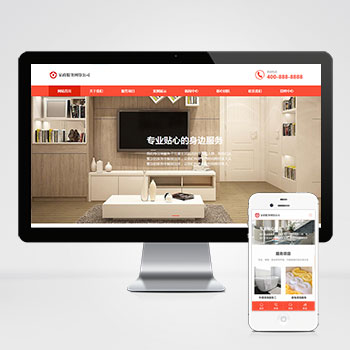 (自适应)橙色家政服务清洁保洁服务pbootcms网站模板源码下载模板核心价值:基于PbootCMS内核开发的家政服务类网站模板,通过模块化设计展现服务项目、团队风采、服务案例等核心板块,突出时效预约、服务标准化展示等家政行业特性。查看源码
 -
 (自适应响应式)化妆美容口红唇膏化妆品模板pbootcms源码下载基于PbootCMS开发的响应式模板,为化妆品品牌、美容机构打造,通过优雅的视觉呈现提升产品展示效果与品牌调性。采用时尚杂志排版风格,色卡系统规范产品展示。微交互动画增强用户体验,智能推荐算法提升产品关联展示效果。查看源码
 -
 WordPress主题模板主题巴巴/博客X主题源码免费下载博客X主题专注于内容创作领域,为博客、资讯类网站提供专业的内容展示解决方案。该模板采用精心设计的布局结构,能够有效提升内容的可读性和用户停留时间。查看源码
 -
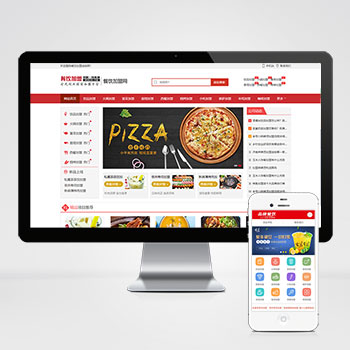 (PC+WAP)餐饮奶茶美食小吃招商加盟pbootcms模板源码下载为茶饮烘焙、小吃快餐等餐饮品牌打造的招商加盟系统,助力品牌快速拓展市场;双端pc+wap设计呈现加盟政策对比表。支持后台实时更新菜品图片、加盟费用等关键信息。查看源码
 -
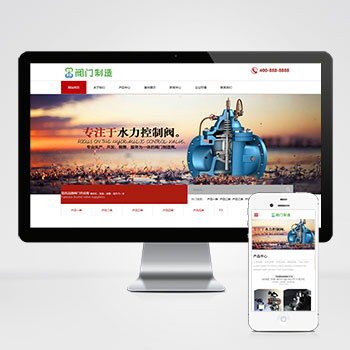 自适应手机版五金机械阀门设备通用行业网站模板该PbootCMS内核开发的网站模板适用于阀门设备、五金机械类企业,通过更换文字图片也可快速适配其他工业领域。采用响应式设计,确保PC端与手机端数据同步,操作便捷,并附带测试数据。查看源码
 -
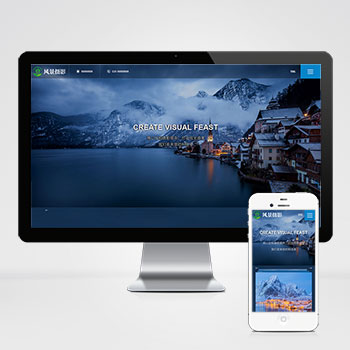 深蓝色风景摄影机构网站(自适应多端)pbootcms模板该模板基于PbootCMS内核开发,专为风景摄影机构、户外摄影企业设计,采用深蓝色主题传递专业与艺术感,全栈响应式架构确保PC、平板、手机端无缝适配PHP程序结合轻量级SQLite数据库也可以更换MySQL数据库查看源码
| 分享笔记 (共有 篇笔记) |